MCP server by xieshiqi147258
🛠️ MCP Skills Hub
Local-First AI Workspace for Skills & MCP Management
Build, manage, and optimize your AI skills and MCP servers with an integrated AI assistant — all running locally.
English | 中文




✨ Why MCP Skills Hub?
| Pain Point | Our Solution | |------------|--------------| | Skills scattered across folders | 📁 Centralized file browser with tree view | | Manual skill editing is tedious | 🤖 AI-powered generation, optimization & commenting | | MCP configs hard to manage | 🔧 Visual MCP server configuration | | Cloud APIs = privacy concerns | 🔒 100% local-first, your data stays yours | | No unified workspace | 🏠 One app for skills, prompts & MCP |
🌟 Key Features
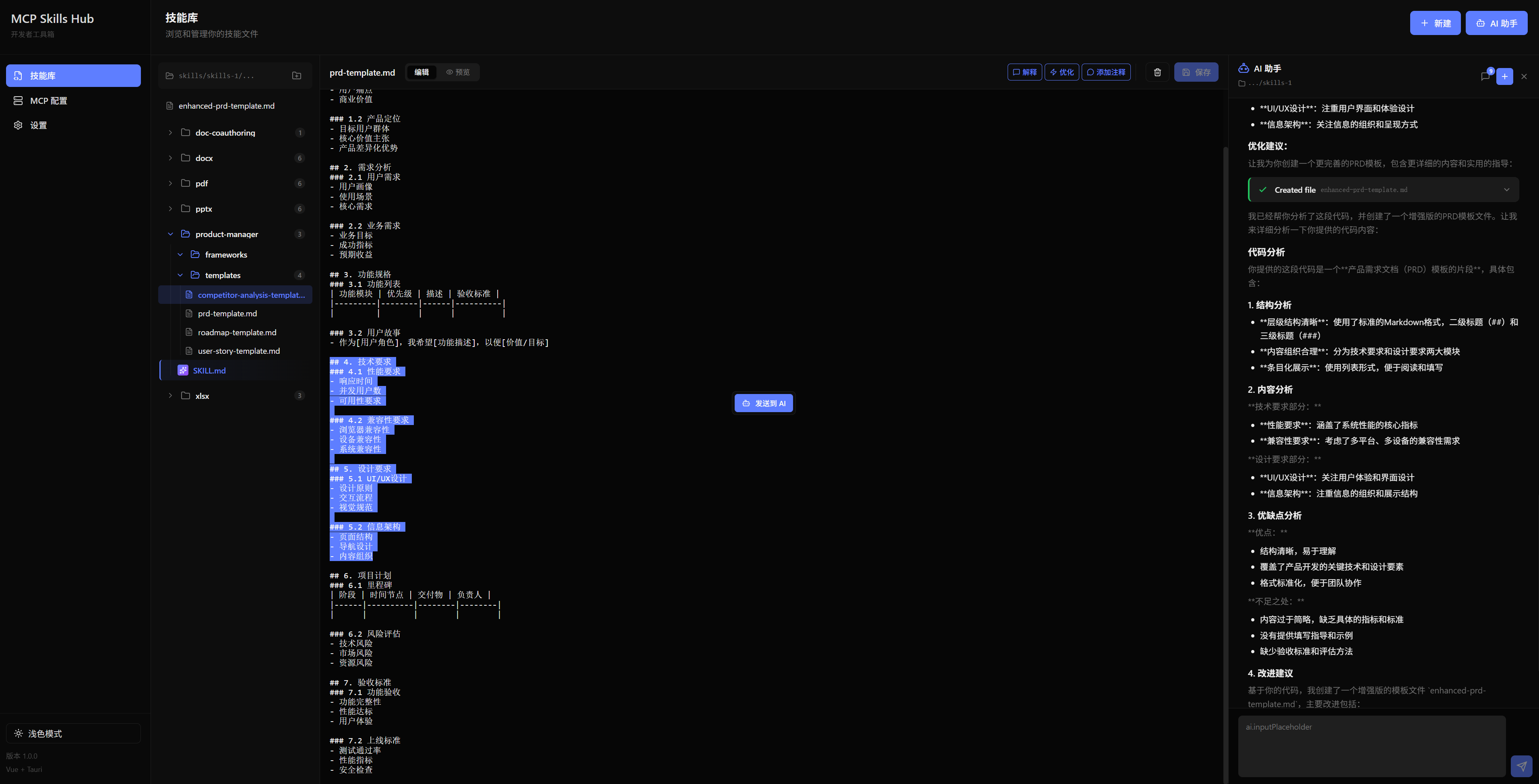
🤖 AI-Powered Skill Development
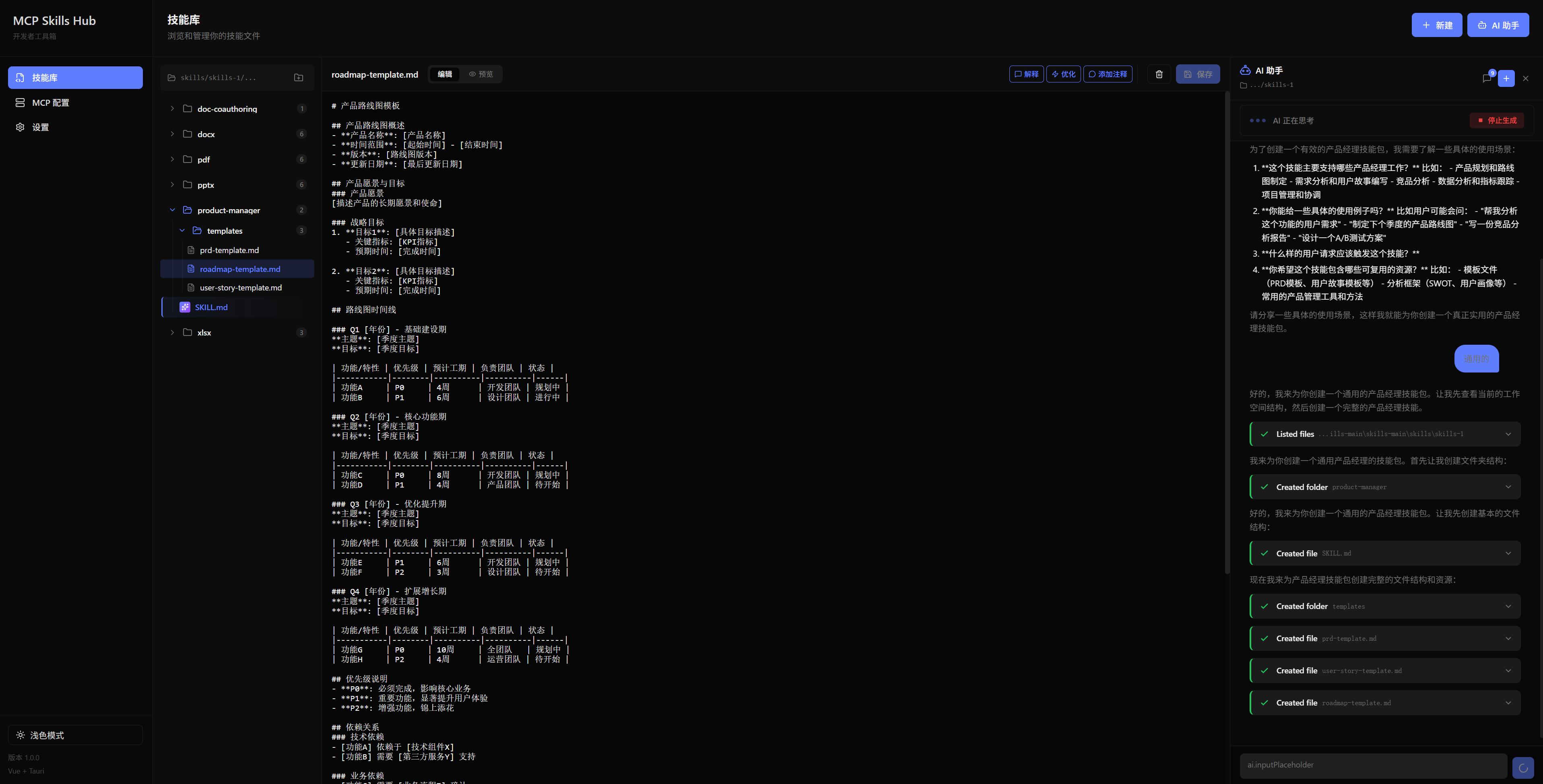
- Generate Skills — Describe what you need, AI creates the skill file
- Explain Code — One-click file explanation with AI analysis
- Optimize & Refactor — AI suggests improvements for your skills
- Add Comments — Auto-generate documentation for your code
📁 Local Skills Management
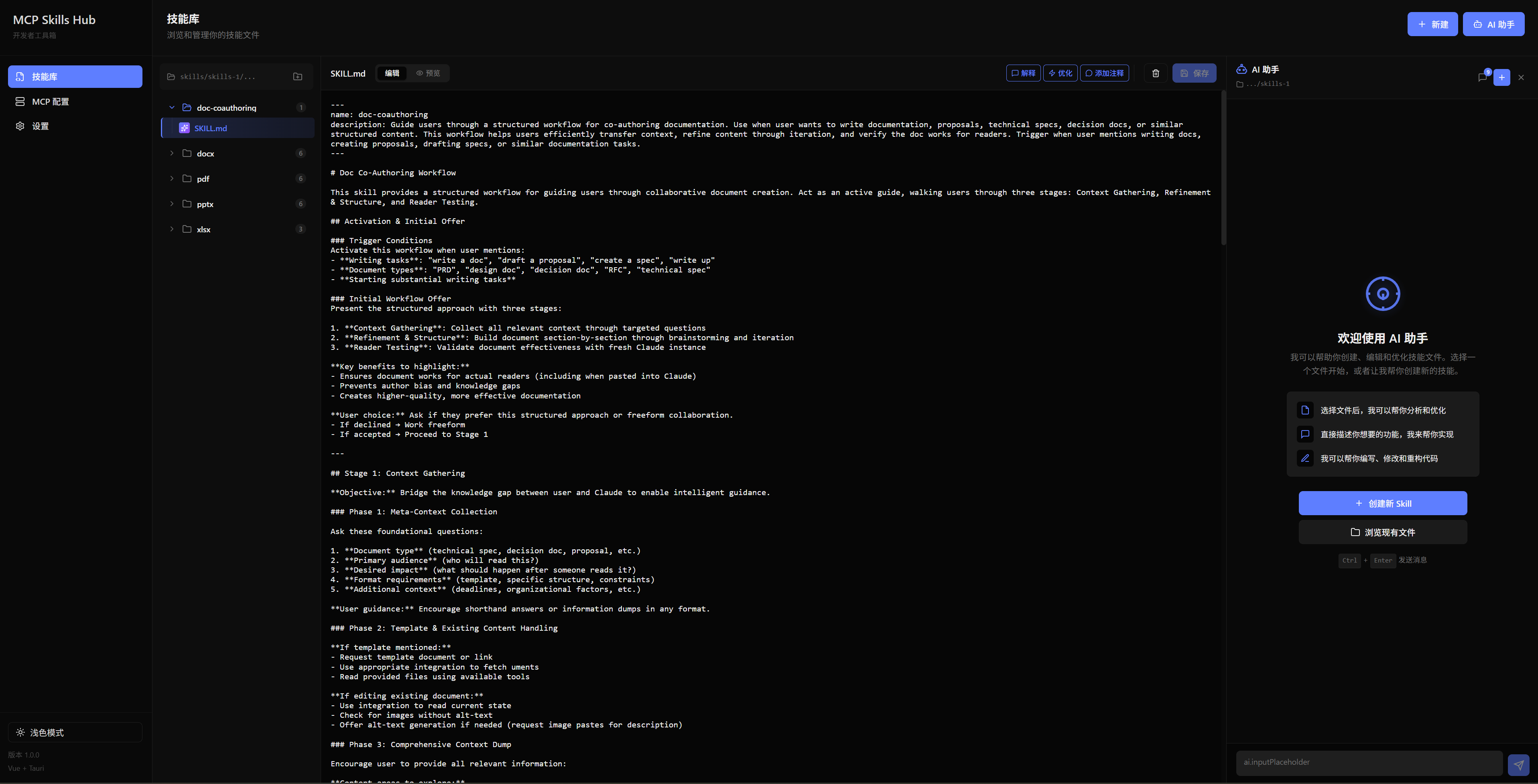
- Browse and organize skill files (Markdown, JSON, YAML)
- Built-in editor with live Markdown preview
- Folder tree with drag & drop support
- Quick search and file operations
🔧 MCP Server Hub
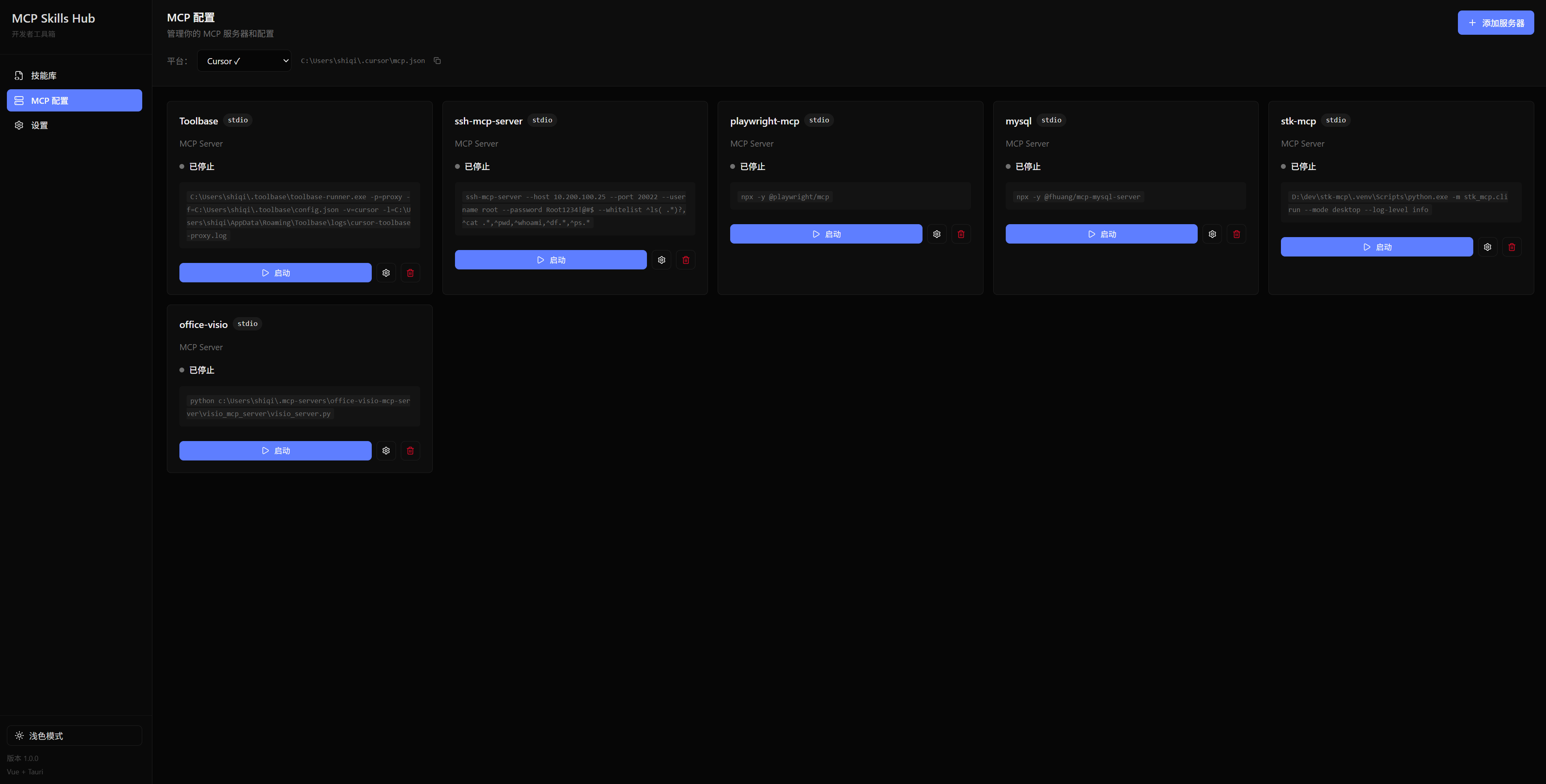
- Visual configuration for MCP servers
- Centralized management of all your MCP tools
- Easy enable/disable and parameter editing
🔒 Privacy First
- 100% Local — No cloud dependency, no data upload
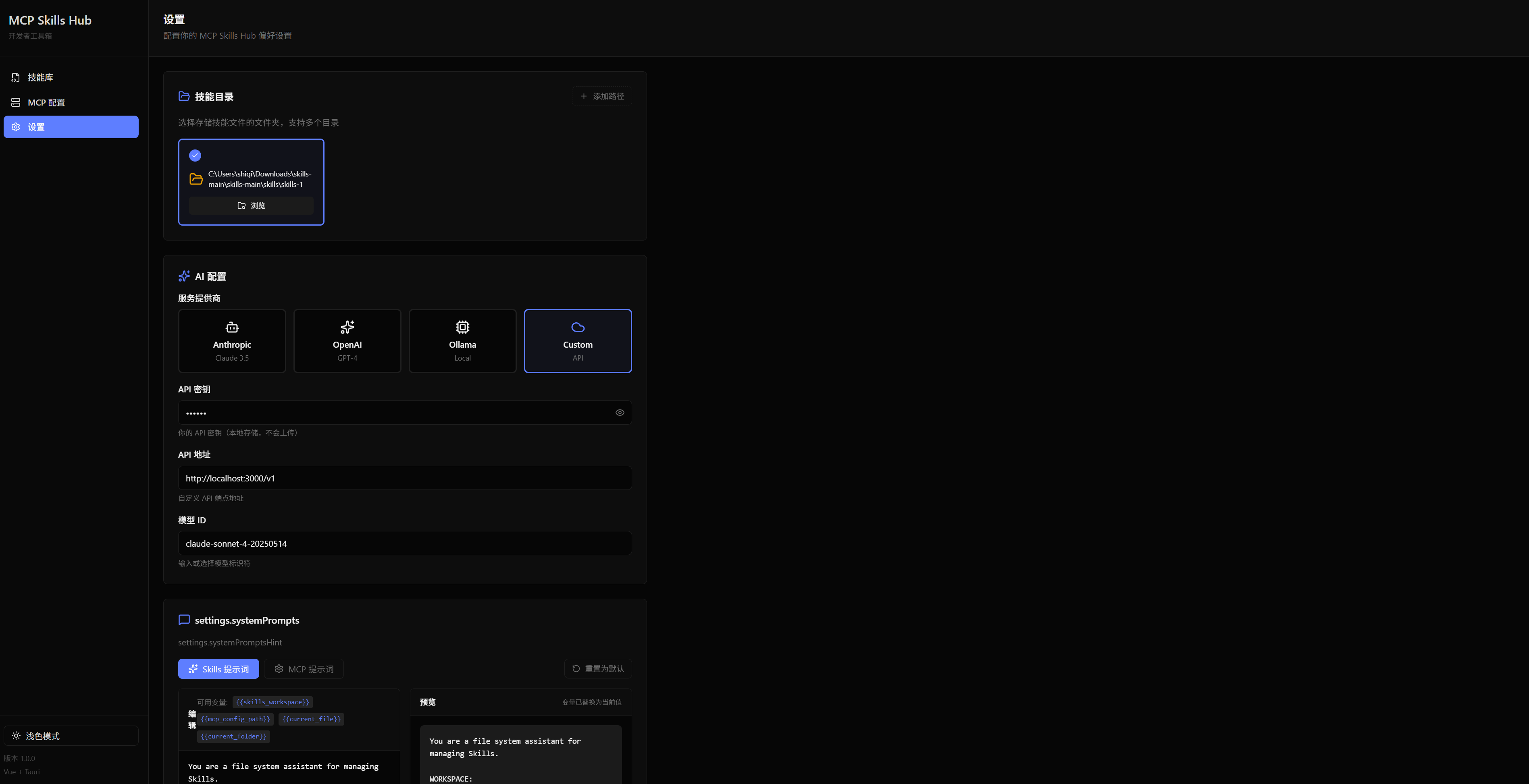
- Bring Your Own API — Use OpenAI, Anthropic, Ollama, or any compatible endpoint
- Offline Capable — Works without internet (with local models)
📸 Screenshots
🚀 Quick Start
# Clone the repository
git clone https://github.com/xieshiqi147258/local-mcp-skills-hub.git
cd local-mcp-skills-hub

# Install dependencies
npm install

# Start backend server
cd server && npm install && npm start

# Start frontend (new terminal)
cd .. && npm run dev
Open http://localhost:1420 in your browser.
⚙️ Configuration
AI Provider Setup
Go to Settings and configure your preferred AI provider:
| Provider | Configuration | |----------|---------------| | OpenAI | API Key + Model (gpt-4o, gpt-4-turbo) | | Anthropic | API Key + Model (claude-3.5-sonnet, claude-3-opus) | | Custom API | Any OpenAI-compatible endpoint | | Ollama | Local models (llama3, mistral, etc.) |
Workspace Path
Set your skills workspace directory in Settings to start managing files.
📍 Roadmap
🎯 In Progress
- [ ] MCP tool execution in AI chat
- [ ] File diff preview for AI edits
- [ ] Conversation history persistence
🔮 Planned
- [ ] MCP Marketplace — Browse and install community MCP servers
- [ ] Version Control — Git integration for skill versioning
- [ ] Skill Templates — Quick-start templates for common use cases
- [ ] Multi-workspace — Manage multiple skill directories
- [ ] Export/Import — Share skills as portable packages
- [ ] Tauri Desktop App — Native app with better performance
🛠️ Tech Stack
| Layer | Technology | |-------|------------| | Frontend | Vue 3 + TypeScript + Vite | | Backend | Node.js + Express | | Styling | SCSS + CSS Variables | | State | Pinia | | i18n | Vue I18n (EN/ZH) |
🤝 Contributing
Contributions are welcome! Feel free to:
- 🐛 Report bugs
- 💡 Suggest features
- 🔧 Submit pull requests
📜 License
MIT License — Use it freely, build something awesome!