Desktop app to manage MCP Streamable HTTP endpoints and browse tools/list (names, descriptions, inputSchema). Built with Electron, React, TypeScript, Vite.
MCP BROWSER
MCP BROWSER is an open-source Electron desktop app to manage MCP (Model Context Protocol) HTTP endpoints and browse server tools (tools/list), including names, descriptions, and inputSchema.
Author & maintainer: Guo's (open source).
Repository: github.com/unicorngithub/MCP-Browser
English | 简体中文
Screenshots
Documentation images are captured with MCP Feature Reference Server — https://example-server.modelcontextprotocol.io/debug/mcp (Debug MCP App, Streamable HTTP, no OAuth). The root /mcp path on the same host may require authorization; see the official site for OAuth flows.
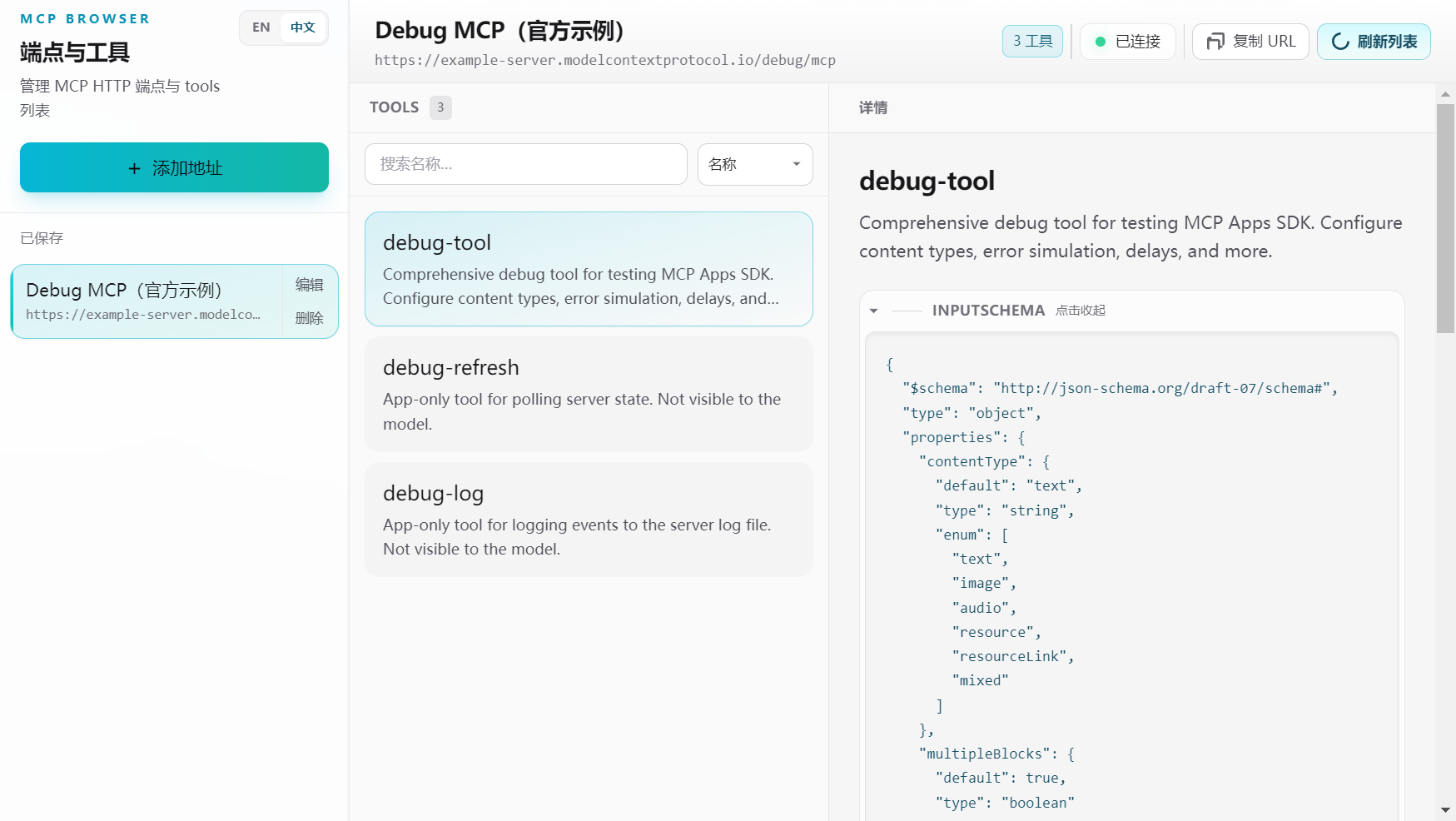
Main window: connected to the official Debug MCP sample — tool list and a selected tool (name, description, inputSchema, tool test).
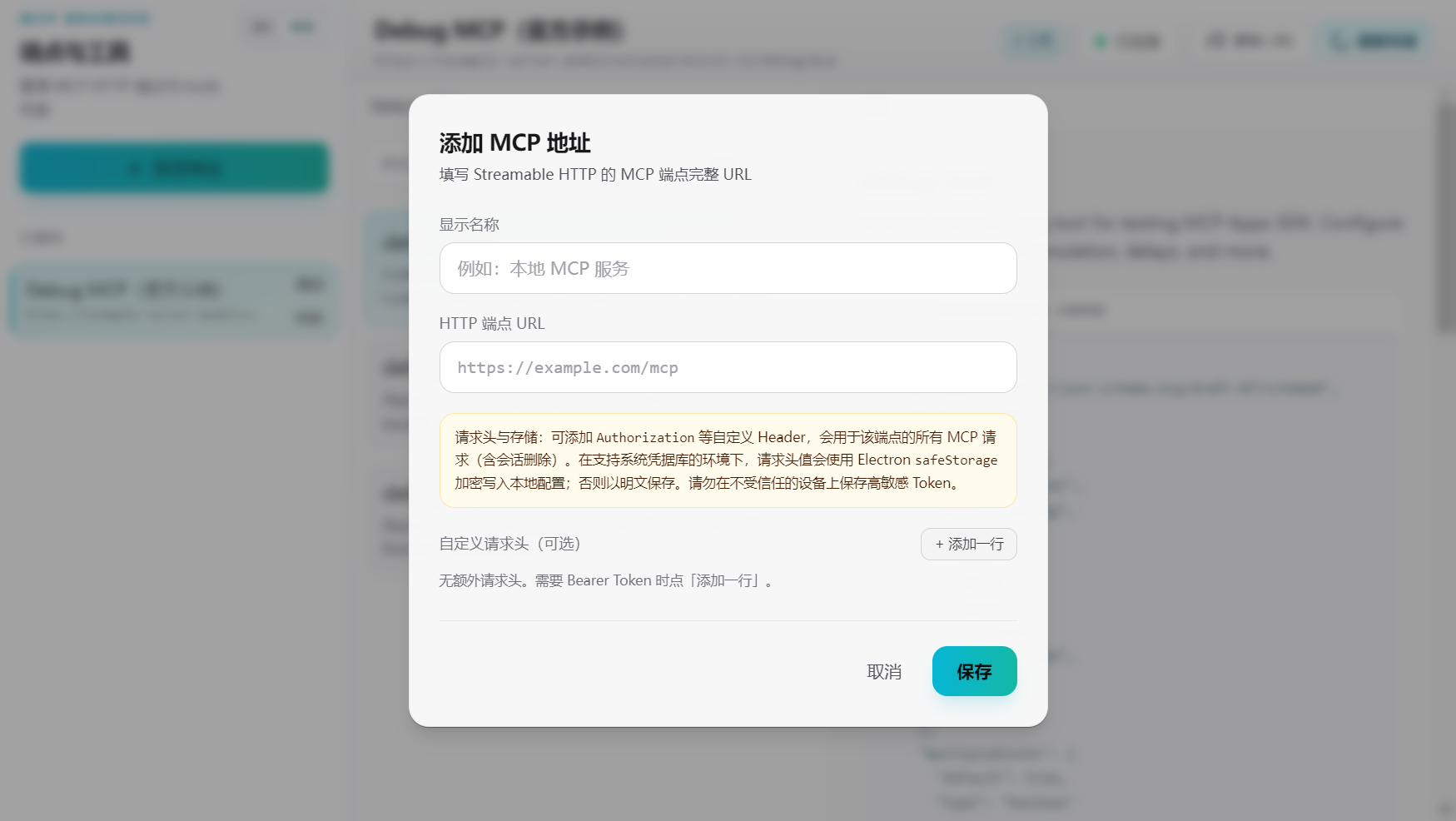
Add or edit an endpoint; optional custom headers (e.g. Authorization) for authenticated servers.
Features
- Save, edit, and delete MCP server URLs; persist with electron-store
- Streamable HTTP client:
initialize→ session (Mcp-Session-Id) →notifications/initialized→tools/list(MCP spec–aligned) - Tool list and detail view (JSON
inputSchema) - React 18 + TypeScript + Vite + Tailwind CSS + Zustand
Requirements
- Node.js 18+ (recommended 20 LTS)
- pnpm or npm
Quick start
git clone https://github.com/unicorngithub/MCP-Browser.git
cd MCP-Browser
pnpm install
pnpm dev
Production build (installers depend on OS; run on target platform when packaging):
pnpm build
To produce a portable folder only (release/<version>/win-unpacked/, etc.) without an NSIS installer (useful when the installer toolchain download fails):
pnpm run build:dir
To wipe dist/, dist-electron/, release/, and Vite cache before a full rebuild:
pnpm clean
pnpm rebuild   # clean + pnpm build
pnpm + Electron
If Electron fails to download or start under pnpm, ensure package.json includes pnpm.onlyBuiltDependencies for electron and esbuild, then reinstall dependencies.
Project layout
├── build/             App icons for electron-builder (`icon.png`, generated `.ico` / `.icns`)
├── docs/images/       README screenshots (`app-window.png`, `app-add-server.png`; refresh with `pnpm test:update-screenshots` on non-Linux, not on every `pnpm test`)
├── electron/          Main process, preload, IPC, MCP client
├── public/            Static assets (favicon, `icon.png` for the window in dev/prod)
├── scripts/           Helper scripts (e.g. `clean.mjs`)
├── shared/            Shared TypeScript types
├── src/               React renderer (UI, stores)
├── dist/              Vite web build
└── dist-electron/     Compiled Electron main + preload
Scripts
| Script | Description |
| ----------------- | ----------- |
| pnpm dev | Vite + Electron development |
| pnpm build | tsc + Vite build + electron-builder (installer where configured) |
| pnpm run build:dir | tsc + Vite + electron-builder --dir (unpacked app only) |
| pnpm clean | Remove dist/, dist-electron/, release/, node_modules/.vite |
| pnpm rebuild | pnpm clean then pnpm build |
| pnpm test | Vitest (Electron e2e hits the official Debug MCP HTTP demo; needs network, skipped on Linux; does not overwrite README screenshots) |
| pnpm test:update-screenshots | Same as test flow but sets MCP_BROWSER_UPDATE_SCREENSHOTS=1 to refresh docs/images/*.png and test/screenshots/e2e.png |
| pnpm preview | Vite preview of the renderer build |
Security notes
- contextIsolation enabled; preload exposes narrow APIs (
mcpDesktop,updaterIpc), not fullipcRenderer - MCP requests run in the main process (no CORS issues for
fetch)
License
MIT — full text in LICENSE. Guo's holds the copyright stated there for this project as shipped.
Upstream template attribution (© 草鞋没号, electron-vite-react, MIT) is recorded in NOTICE. When redistributing, include both LICENSE and NOTICE where your packaging expects legal notices.
Acknowledgements
- Model Context Protocol — public specification and documentation referenced by this client.
- electron-vite-react — upstream Electron + Vite + React starter (MIT).
- Electron, Vite, React, Tailwind CSS, Zustand, electron-store, and other npm packages — each under its own license (see
node_modules).
Additional dependencies are subject to their respective licenses; redistributing the app may require bundling their notices as required by those licenses.