Computational scrying glass — MCP server for visual computing with embedded Python, resvg rendering, and live web gallery

Computational scrying glass — an MCP server that lets Claude generate SVG visuals via Python code, render them to PNG, and serve them in a live web gallery.
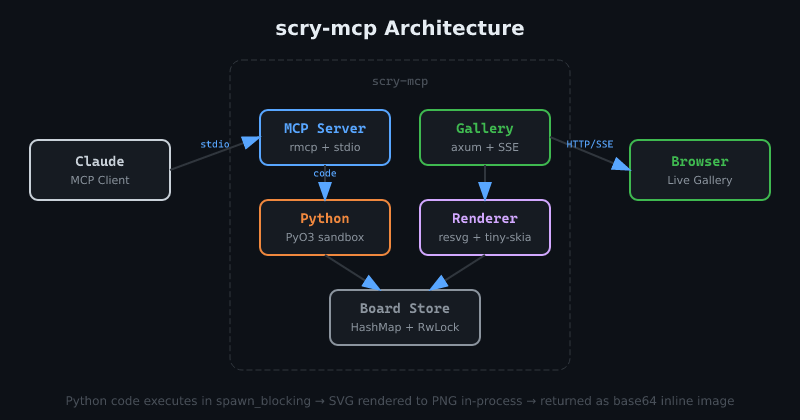
Architecture
Tools
whiteboard — Execute Python code to generate SVG visuals on a named board. Call svg('<svg>...</svg>') to set content. Variables persist between calls.
whiteboard_list — List all active boards with thumbnails, URLs, and metadata.
Requirements
- Rust 1.85+ (edition 2024)
- Python 3.x with development headers (PyO3 embeds CPython at build time)
- System fonts — resvg uses fontdb to load system fonts for text rendering
Built and tested on Arch Linux (kernel 6.18, Python 3.14, Rust 1.90). Should work on other Linux distros and macOS but hasn't been tested yet — reports welcome.
Install
cargo install scry-mcp
Or build from source:
git clone https://github.com/tobert/scry-mcp
cd scry-mcp
cargo build --release
On Debian/Ubuntu you may need python3-dev for PyO3:
sudo apt install python3-dev
Add to Claude Code
claude mcp add -s user scry -- /path/to/scry-mcp --address 127.0.0.1 --port 3333
Or if installed via cargo install:
claude mcp add -s user scry -- scry-mcp --address 127.0.0.1 --port 3333
Or manually add to your MCP config:
{
  "mcpServers": {
    "scry": {
      "command": "scry-mcp",
      "args": ["--address", "127.0.0.1", "--port", "3333"]
    }
  }
}
Usage
Once configured, ask Claude to use the whiteboard tool:
"Draw a red circle on a white background using the whiteboard tool"
The gallery is live at http://localhost:3333/gallery/ — it auto-refreshes via SSE when boards update.
CLI Options
scry-mcp [OPTIONS]

Options:
      --address <ADDRESS>  Gallery bind address [default: 127.0.0.1]
      --port <PORT>        Gallery port [default: 3333]
Python Environment
Each board gets a persistent Python namespace with these pre-imported:
math, random, json, re, textwrap, itertools, functools, collections, colorsys, hashlib, string, dataclasses
WIDTH and HEIGHT are set to board dimensions (default 800x600).
Dangerous modules (os, subprocess, socket, etc.) are blocked.
Examples
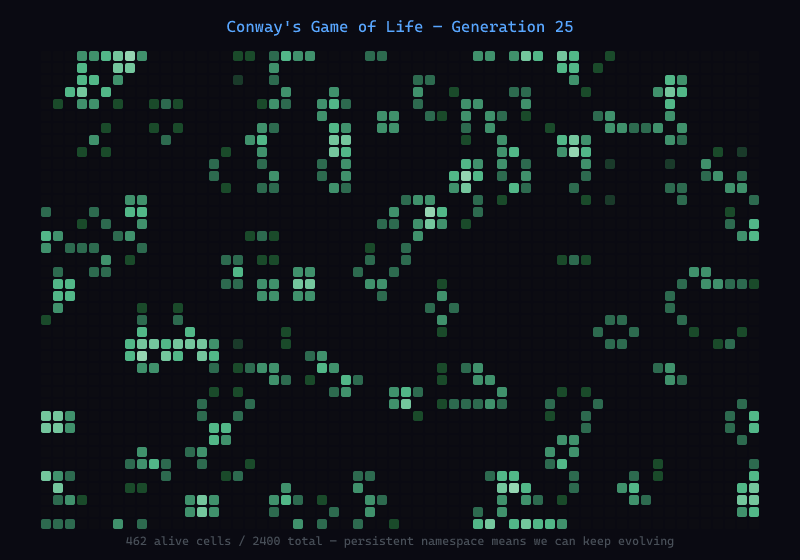
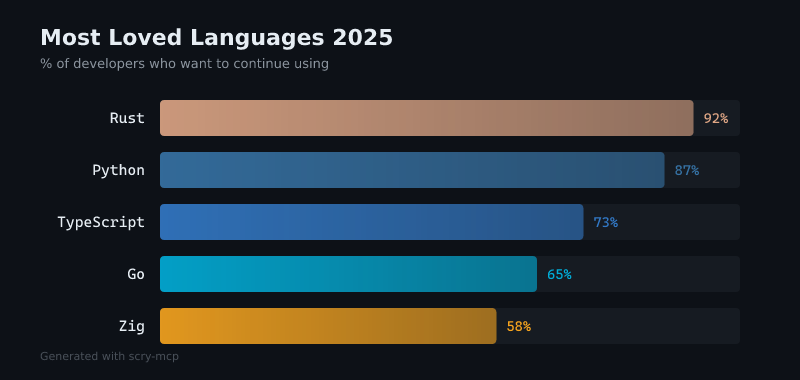
All of these were generated by Claude using scry's whiteboard tool.
Data Visualization
Generative Art

Simulation