AI Learning Assistant MCP Server - Educational tools API powered by Cloudflare Workers. Includes Wikipedia search, translation, and more learning utilities.
🎓 AI Learning Assistant
A complete learning platform consisting of an MCP (Model Context Protocol) server deployed on Cloudflare Workers and a beautiful Streamlit frontend interface.








🌟 Features
📚 Wikipedia Search
Search Wikipedia articles in multiple languages and get concise summaries with thumbnails and links.
🌍 Text Translation
Translate text between 100+ languages using Google Translate API.
📖 Dictionary Lookup
Look up English word definitions, pronunciations (with audio), examples, synonyms, and antonyms.
🏗️ Architecture
┌─────────────────────────────────────┐
│   Streamlit Frontend (Python)       │
│   - User Interface                  │
│   - Visual Components               │
│   http://localhost:8501             │
└──────────────┬──────────────────────┘
               │ HTTP POST
               ▼
┌─────────────────────────────────────┐
│   MCP Server (TypeScript)           │
│   - Tool Registry                   │
│   - API Integrations                │
│   Cloudflare Workers                │
└─────────────────────────────────────┘
📂 Project Structure
learning-assistant-mcp/              # Root directory
├── src/
│   ├── index.ts                     # Main server & routing
│   └── tools/
│       ├── wikipedia.ts             # Wikipedia search tool
│       ├── translate.ts             # Translation tool
│       └── dictionary.ts            # Dictionary lookup tool
├── learning-assistant-ui/           # Streamlit Frontend
│   ├── app.py                       # Main Streamlit app
│   ├── requirements.txt             # Python dependencies
│   └── .venv/                        # Virtual environment (gitignored)
├── screenshots/                     # UI screenshots for README
├── wrangler.toml                    # Cloudflare config
├── package.json                     # Node dependencies
├── tsconfig.json                    # TypeScript config
├── .gitignore                       # Git ignore rules
└── README.md                        # This file
🚀 Quick Start
Prerequisites
- Node.js 18+ (for MCP server)
- Python 3.11+ (for Streamlit UI)
- npm or pnpm
- uv (Python package installer)
- Cloudflare account (for deployment)
1. MCP Server Setup
# Navigate to project root
cd learning-assistant-mcp

# Install dependencies
npm install

# Run locally
npm run dev

# Test the API
npm test

# Deploy to Cloudflare Workers
npm run deploy
2. Streamlit UI Setup
# Navigate to UI directory (from project root)
cd learning-assistant-ui

# Create virtual environment with uv
uv venv

# Activate venv
# Windows (Git Bash):
source .venv/Scripts/activate
# Linux/Mac:
source .venv/bin/activate

# Install dependencies with uv
uv pip install -r requirements.txt

# Run Streamlit app
streamlit run app.py
The app will open automatically at http://localhost:8501
🖼️ Screenshots
Wikipedia Search Interface
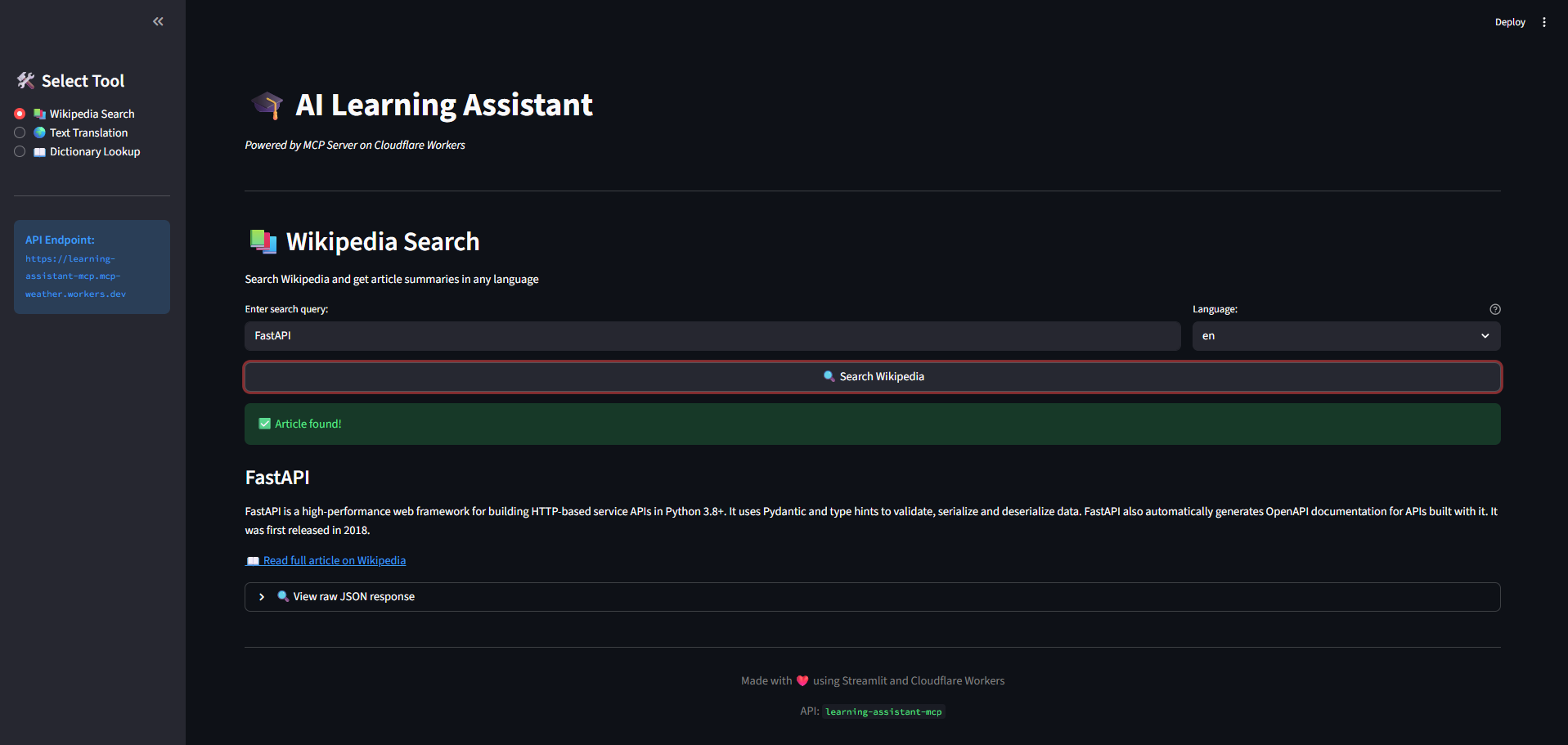 Search Wikipedia articles in any language with instant summaries
Translation Tool
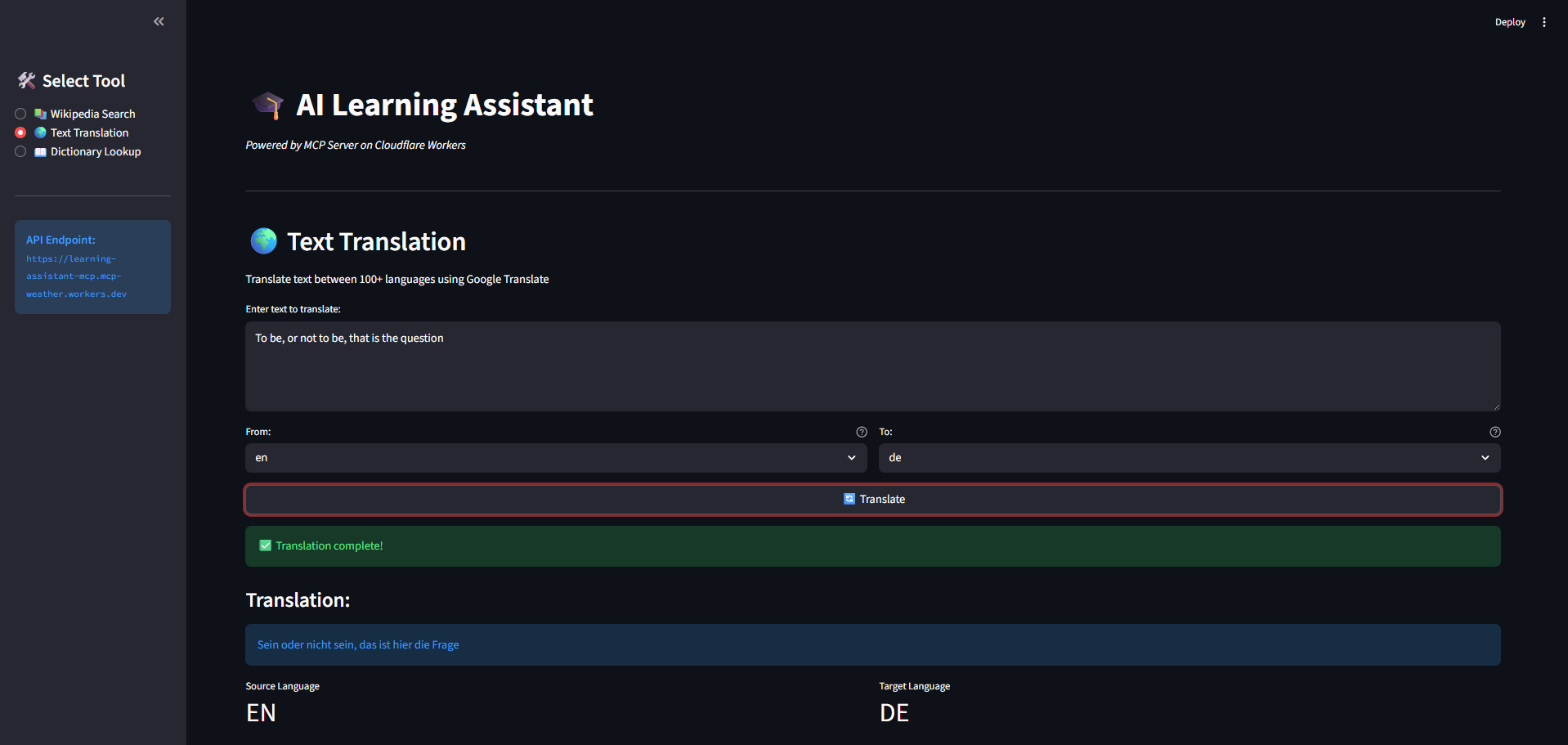 Translate text between 100+ languages with source and target language selection
Dictionary Lookup
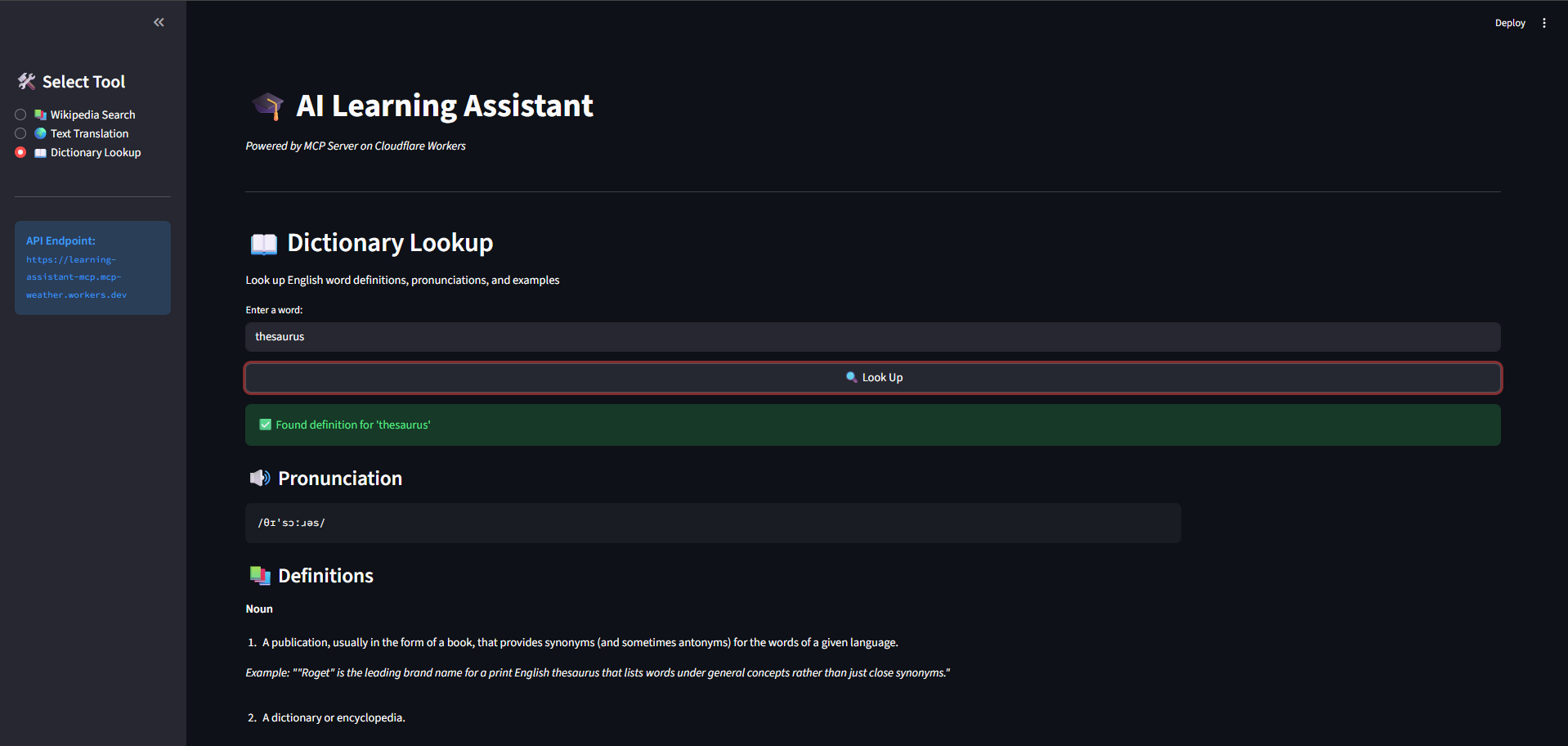 Get definitions, pronunciations with audio, examples, and synonyms
🔧 API Usage
Endpoint
Production: https://learning-assistant-mcp.mcp-weather.workers.dev
Local: http://localhost:8787
Request Format
{
  "tool": "toolName",
  "input": {
    // tool-specific parameters
  }
}
Example Requests
Wikipedia Search
curl -X POST https://learning-assistant-mcp.mcp-weather.workers.dev \
  -H "Content-Type: application/json" \
  -d '{
    "tool": "searchWikipedia",
    "input": {
      "query": "Machine Learning",
      "language": "en"
    }
  }'
Translation
curl -X POST https://learning-assistant-mcp.mcp-weather.workers.dev \
  -H "Content-Type: application/json" \
  -d '{
    "tool": "translateText",
    "input": {
      "text": "Hello, world!",
      "sourceLang": "en",
      "targetLang": "pl"
    }
  }'
Dictionary Lookup
curl -X POST https://learning-assistant-mcp.mcp-weather.workers.dev \
  -H "Content-Type: application/json" \
  -d '{
    "tool": "lookupWord",
    "input": {
      "word": "serendipity"
    }
  }'
Response Format
{
  "success": true,
  // tool-specific response data
  "timestamp": "2025-11-04T05:34:31.266Z"
}
🛠️ Technologies Used
Backend (MCP Server)
- TypeScript - Type-safe code
- Cloudflare Workers - Serverless edge computing
- Zod - Schema validation
- Wrangler - Cloudflare CLI
Frontend (Streamlit UI)
- Streamlit - Python web framework
- Requests - HTTP client
- Python 3.11+ - Runtime
- uv - Fast Python package installer
APIs Integrated
- Wikipedia REST API - Article summaries
- Google Translate API - Text translation
- Free Dictionary API - Word definitions
📊 Performance
- ⚡ Edge Computing - Deployed on Cloudflare's global network
- 🚀 Low Latency - Average response time < 200ms
- 🌍 Global Availability - 275+ cities worldwide
- 💰 Cost Efficient - Free tier supports 100k requests/day
🧪 Testing
Test MCP Server Locally
# From project root
npm run dev

# In another terminal
npm test
Test with Custom Requests
# Test Wikipedia
curl -X POST http://localhost:8787 \
  -H "Content-Type: application/json" \
  -d '{"tool": "searchWikipedia", "input": {"query": "Python"}}'

# Test Translation
curl -X POST http://localhost:8787 \
  -H "Content-Type: application/json" \
  -d '{"tool": "translateText", "input": {"text": "Hello", "sourceLang": "en", "targetLang": "pl"}}'

# Test Dictionary
curl -X POST http://localhost:8787 \
  -H "Content-Type: application/json" \
  -d '{"tool": "lookupWord", "input": {"word": "hello"}}'
📝 Adding New Tools
1. Create Tool File
// src/tools/your-tool.ts
import { z } from "zod";

export const yourToolInputSchema = z.object({
  param: z.string(),
});

export type YourToolInput = z.infer<typeof yourToolInputSchema>;

export const yourTool = {
  name: "yourTool",
  description: "What your tool does",
  inputSchema: yourToolInputSchema,

  async handler(input: YourToolInput) {
    // Your implementation
    return {
      success: true,
      // your response data
    };
  },
};
2. Register Tool in src/index.ts
import { yourTool } from "./tools/your-tool";

const tools = {
  searchWikipedia: wikipediaTool,
  translateText: translateTool,
  lookupWord: dictionaryTool,
  yourTool: yourTool, // Add here
};
3. Test and Deploy
npm run dev    # Test locally
npm run deploy # Deploy to production
🌐 Deployment
Deploy MCP Server to Cloudflare
# From project root
wrangler deploy
Deploy Streamlit UI to Streamlit Cloud
- Push code to GitHub
- Go to share.streamlit.io
- Connect your repository
- Select
learning-assistant-ui/app.pyas main file - Deploy!
🔐 Environment Variables
MCP Server
No API keys required - all services use free public APIs.
Streamlit UI
Update API_URL in app.py if deploying to custom domain:
API_URL = "https://your-custom-domain.workers.dev"
🤝 Contributing
Contributions are welcome! Please follow these steps:
- Fork the repository
- Create a feature branch (
git checkout -b feature/AmazingFeature) - Commit your changes (
git commit -m 'Add some AmazingFeature') - Push to the branch (
git push origin feature/AmazingFeature) - Open a Pull Request
📄 License
This project is licensed under the MIT License - see the LICENSE file for details.
🙏 Acknowledgments
- Wikipedia API - Article data
- Free Dictionary API - Word definitions
- Google Translate - Translation service
- Cloudflare Workers - Serverless hosting
- Streamlit - Frontend framework
📧 Contact
- GitHub: @takzen
- Project Link: https://github.com/takzen/learning-assistant-mcp
- Live Demo: https://learning-assistant-mcp.mcp-weather.workers.dev
Made with ❤️ using TypeScript, Python, and Cloudflare Workers