MCP server by Silverdragon122
Quiz MCP
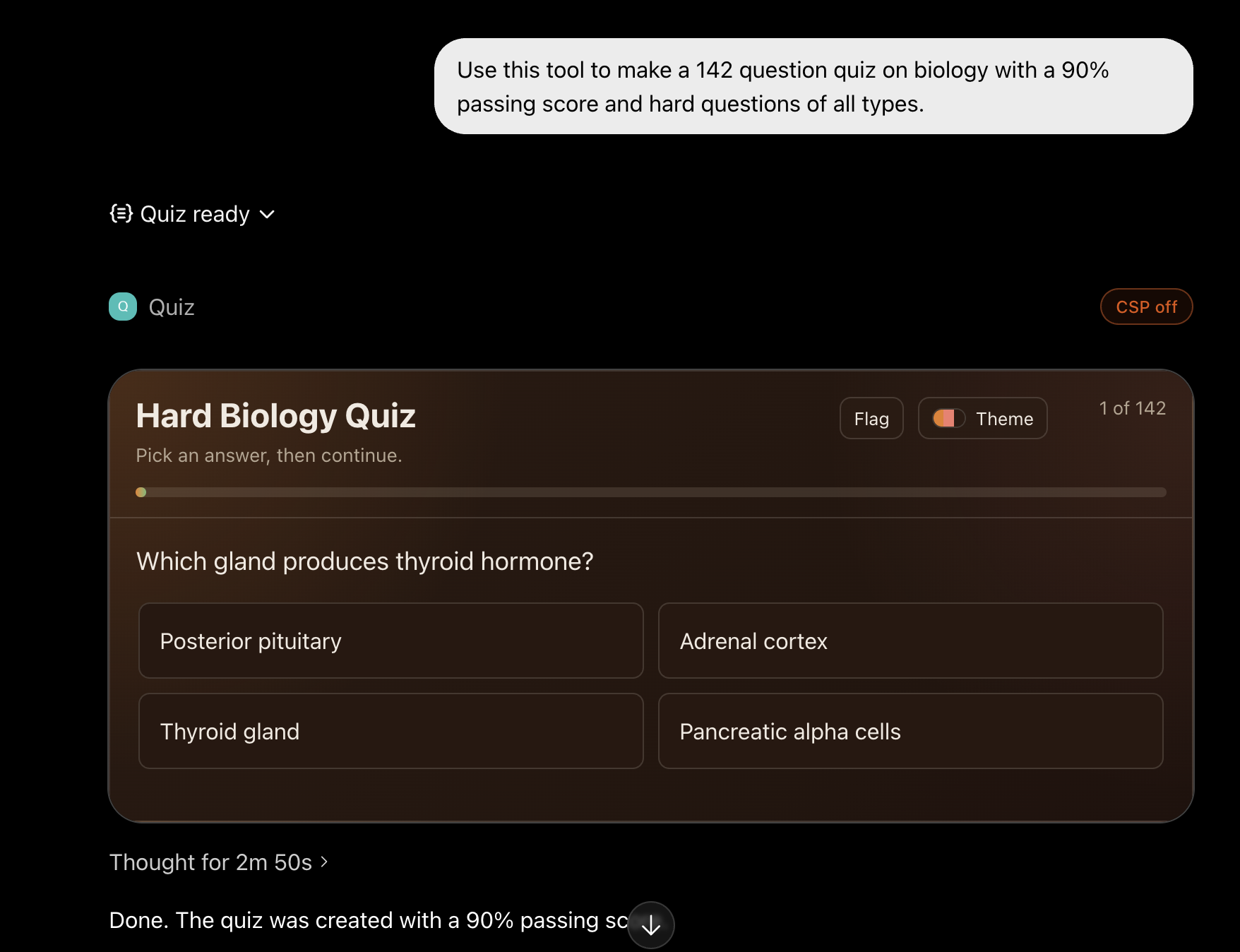
Quiz MCP is a small ChatGPT App server that renders interactive quizzes inside ChatGPT.
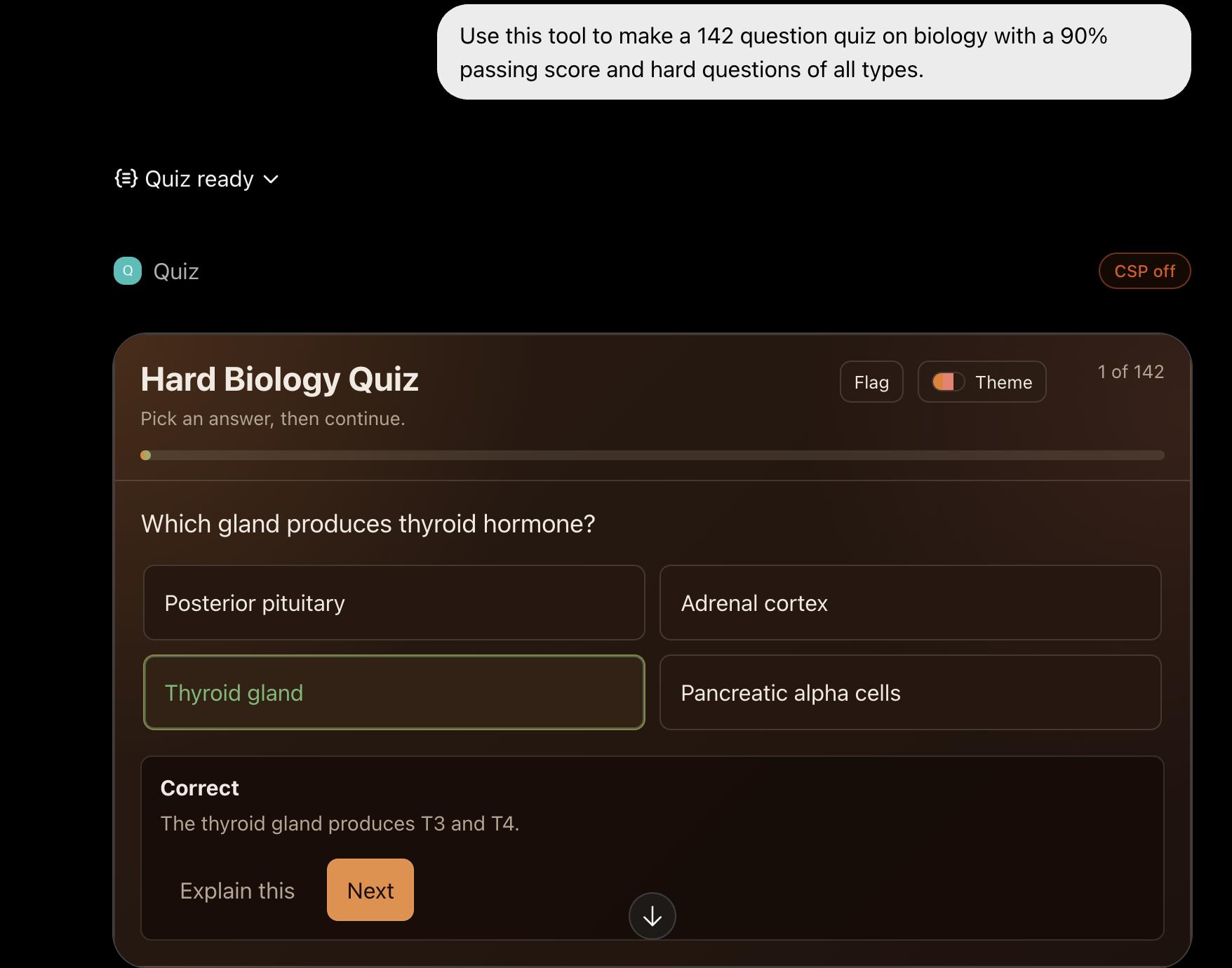
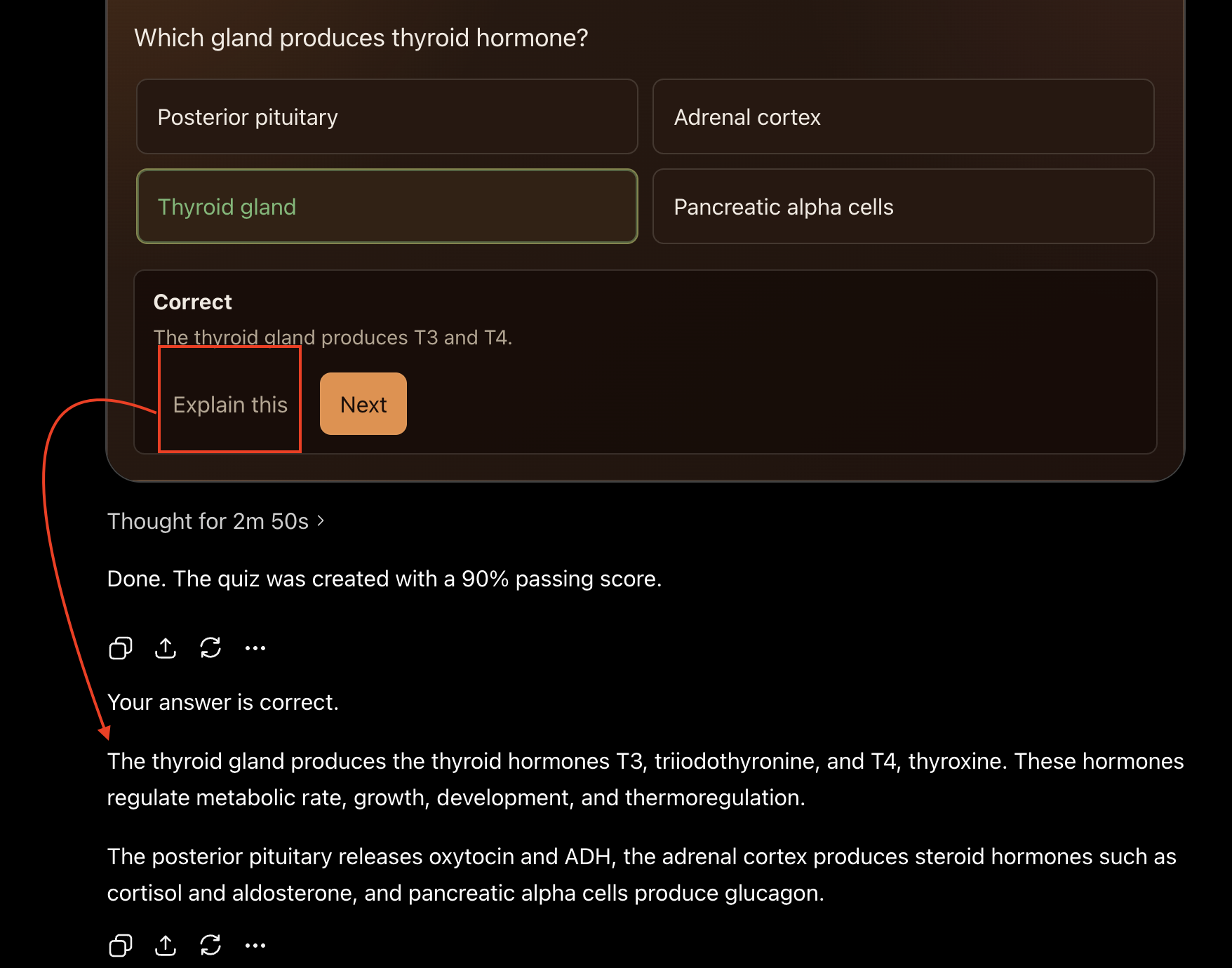
It runs as a Cloudflare Worker. ChatGPT sends quiz questions to the Worker, the Worker checks and shuffles them, and the widget shows the quiz with scoring, explanations, review, study mode, retakes, and themes.
Screenshots
What You Get
- Interactive multiple-choice and true/false quizzes
- Single-answer and multiple-answer questions
- Immediate feedback after each answer
- Final score screen
- Review, missed-only review, flagged questions, and learn mode
- Built-in themes that persist in the browser when possible
- No database required
- No user progress stored on the server
Best Auth Choice
For most people, use No authentication.
This app does not read private files, call paid APIs, store user data, or change anything outside the quiz widget. ChatGPT app setup is also much simpler with no auth.
Use OAuth only if you are publishing a private app for a school, company, or closed group. OAuth requires a real identity provider.
Use the admin password mode only for your own testing. ChatGPT may not offer the header-based auth option needed for it.
Quick Setup
1. Install Node.js
Install the current LTS version from:
https://nodejs.org
After installing, open a new terminal.
2. Download This Project
Clone the repo or download it as a ZIP from GitHub.
Then open a terminal in the project folder.
3. Run The Guided Deploy
On macOS or Linux:
./deploy.sh
On Windows PowerShell:
.\deploy.ps1
The script will:
- check for Node and npm
- install project dependencies
- install Wrangler
- help you log in to Cloudflare
- ask for an auth mode
- deploy the Worker
- print the MCP URL to use in ChatGPT
Choose none when it asks for auth mode unless you already know you need OAuth.
Add It To ChatGPT
- Open ChatGPT settings.
- Go to Apps & Connectors.
- Enable Developer Mode if needed.
- Create a new app.
- Choose Server URL.
- Paste the MCP URL printed by the deploy script.
The URL should look like this:
https://your-worker.your-account.workers.dev/mcp
For authentication, choose No authentication if you deployed with auth mode none.
After changing code or metadata, refresh the app in ChatGPT settings so ChatGPT reloads the latest tool description and widget template.
Manual Setup
If you prefer commands:
npm install
npm test
npm run typecheck
npm run deploy
The deploy command uses Wrangler and minifies the Worker before upload.
Local Development
Start a local Worker:
npm run dev
Run the smoke test in another terminal:
npm run smoke
The local smoke test checks:
- MCP initialize
- tool listing
- widget resource reading
- quiz rendering
The root page (/) and demo preview page (/preview) are intentionally not served. This repo is meant to expose the MCP endpoint, not a public website.
Tool Input
Tool name:
render_inline_quiz
Example input:
{
  "title": "Sample quiz",
  "targetGradePercent": 80,
  "theme": "aurora",
  "questions": [
    {
      "prompt": "Which number is prime?",
      "type": "multiple_choice",
      "explanation": "A prime number has exactly two positive factors.",
      "answers": [
        { "text": "2", "correct": true, "explanation": "2 is prime." },
        { "text": "4", "correct": false, "explanation": "4 is divisible by 2." }
      ]
    }
  ]
}
Rules:
- A quiz can have 1 to 500 questions.
- Each question can have 2 to 6 answers.
multiple_choicequestions need at least one correct answer.multiple_choicequestions may have more than one correct answer.true_falsequestions need exactly two answers and exactly one correct answer.targetGradePercentis optional and defaults to 70.themeis optional. Available themes areaurora,paper,sakura,ember,circuit, andharbor.- Question text, answer text, and explanations can include LaTeX math such as
$x = 2$. - Do not depend on answer letters. The server shuffles answer order.
Auth Modes
none
Default and recommended.
"AUTH_MODE": "none"
Use this for public quiz widgets and normal ChatGPT app setup.
oauth
Use this for private deployments with a real OAuth provider.
You must provide:
- issuer URL
- authorization server URL
- JWKS URL
- audience or resource
- scopes
The Worker validates bearer tokens before protected tool calls.
admin_token
Use this only for private testing.
The guided deploy script generates a random password, saves it as a Cloudflare Worker secret, writes .quizmcp-admin.json, and makes unauthenticated routes return 404.
Do not commit .quizmcp-admin.json. It is already ignored by git.
Security Notes
- The Worker stores no quiz attempts, answers, or user progress.
- Widget progress is saved only in ChatGPT widget state.
- The answer key is sent only as widget metadata, not in model-visible quiz content.
- The widget uses
textContentinstead ofinnerHTMLfor quiz text. - Requests, batch size, question count, string length, and total quiz text are limited.
- Control characters and bidirectional override characters are stripped from quiz text.
- The widget does not load external scripts, fonts, frames, or images.
- The app serves no public root HTML page.
- Secrets belong in Cloudflare secrets or local ignored files, never in git.
Useful Files
src/mcp.ts- MCP server and HTTP routessrc/quiz.ts- quiz validation and shufflingsrc/widget.ts- inline widget HTML, CSS, and JavaScriptscripts/deploy.mjs- guided deploy scriptscripts/smoke.mjs- basic MCP smoke testtest/- unit tests
Commands
npm test
npm run typecheck
npm run deploy
npm run deploy:interactive
License
MIT