Голосовой ассистент для чтения книг (FB2/EPUB/TXT) через Xiaozhi MCP + ESP32-S3. Непрерывное чтение, навигация по главам, закладки. Саркастичные комментарии Порфирия Петровича (Пелевин) каждые N предложений через DeepSeek API. Русский/English/中文.
📖 Porfiry Petrovich: Audiobook Assistant
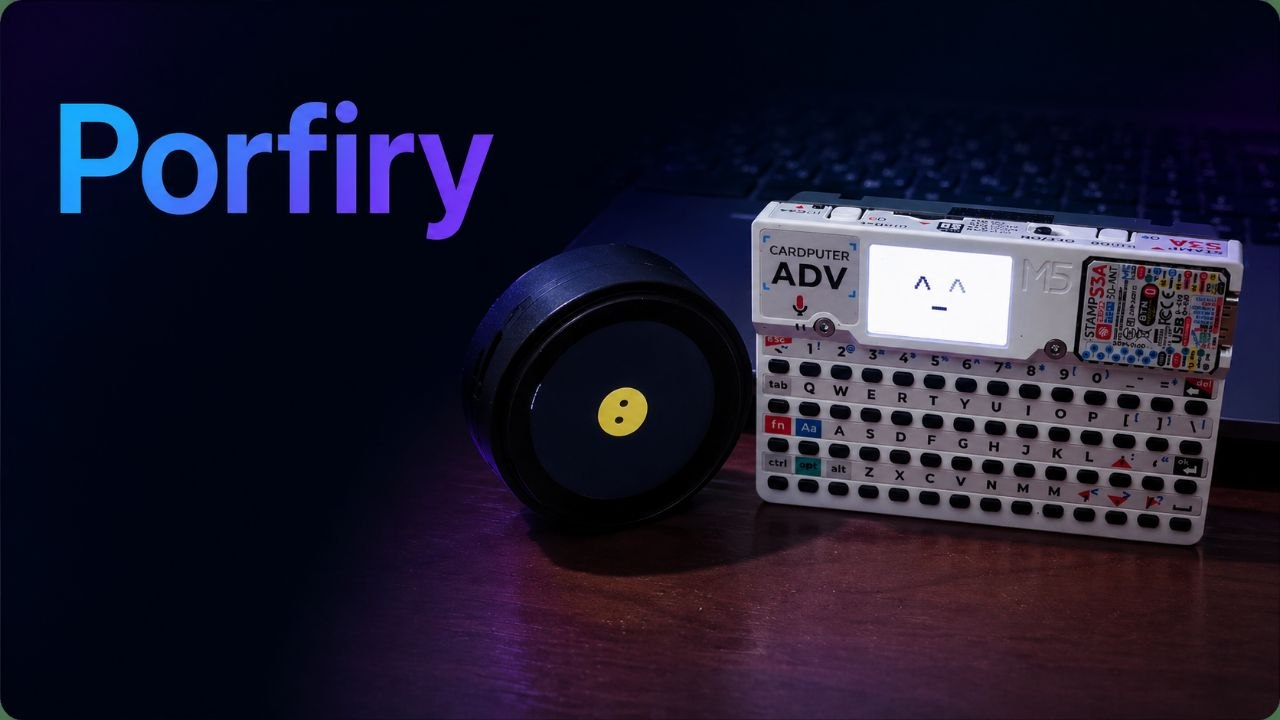
An audiobook assistant for the Xiaozhi ESP32-S3 device (via MCP WebSocket protocol). Reads FB2, EPUB, and TXT books aloud with character-appropriate commentary from Porfiry Petrovich (a character from Victor Pelevin's novels).
Named after Porfiry Petrovich — a sarcastic, chain-smoking philosopher from Pelevin's works, not Dostoevsky's investigator.
Features
- 🎙️ Voice-controlled — "Read book", "Next chapter", "Stop", "Start over", "Go to chapter 5"
- 📚 Multi-format — FB2, EPUB, TXT
- 💬 Smart commentary — Porfiry comments every N sentences (configurable) with sarcastic observations
- 🎭 Expressive intonation — Commentary uses interjections, rhetorical questions, ellipsis for natural distinction from book text
- 🔖 Bookmarks — Remembers where you stopped, even across restarts
- ⚡ Instant resume — Previously loaded books resume from memory without re-parsing
- 📦 Caching — Parsed books and sentence splits cached for instant navigation
- 🔄 13 MCP tools — Full set of voice commands for complete book control
Voice Commands
| Command | Example | Description |
|---------|---------|-------------|
| read_book | "Read War and Peace" | Load and start reading |
| get_next_sentence | (called automatically) | Get next sentence |
| pause_reading | "Pause" | Pause + save bookmark |
| resume_reading | "Resume" | Continue reading |
| stop_reading | "Stop" | Stop + save bookmark |
| start_over | "Start over" | Restart from beginning |
| go_to_chapter | "Go to chapter 5" | Jump to chapter |
| next_chapter | "Next chapter" | Skip forward |
| prev_chapter | "Previous chapter" | Go back |
| commentary_on | "Enable commentary" | Turn on Porfiry's comments |
| commentary_off | "Disable commentary" | Turn off comments |
| list_books | "What books are available?" | List library |
| clear_cache | "Clear cache" | Reset internal caches |
Technology Stack
- Python 3.10+ — asyncio-based server
- WebSocket — Xiaozhi MCP protocol (JSON-RPC 2.0)
- DeepSeek API — Commentary generation (configurable model)
- Xiaozhi Cloud TTS — Device-side speech synthesis
Project Structure
porfiry_audiobook/
├── main.py              # MCP WebSocket client, tool registration
├── state_manager.py     # Finite state machine (idle → reading → paused)
├── audio_streamer.py    # Sentence streaming + commentary insertion
├── config.py            # Environment-based configuration
├── commentator.py       # DeepSeek-powered commentary generation
├── book_parser.py       # FB2/EPUB/TXT parser
├── book_library.py      # Book discovery and metadata scanning
├── bookmark_store.py    # JSON-based bookmark persistence
├── text_splitter.py     # Smart sentence splitting
├── books/               # 📁 Place your books here
├── output/              # 📁 Generated files (bookmarks, logs)
└── .env                 # 🔒 Your configuration (not committed)
Architecture
Protocol
Connects to Xiaozhi MCP via WebSocket (wss://api.xiaozhi.me/mcp/). The device's LLM calls our registered tools, and we return text responses that the device speaks via its own TTS (Xiaozhi cloud).
Pull-based Streaming — One Sentence at a Time
Unlike push-based architectures (server pushes text), this uses a pull model:
- Device LLM calls
read_book("Crime and Punishment")— server loads the book - The
read_bookresponse includes the chapter announcement plus the first sentence — the device starts speaking immediately - LLM calls
get_next_sentence()repeatedly — each call returns one sentence (or a commentary) - Device synthesizes speech via Xiaozhi cloud TTS after each response
- Server automatically advances to the next chapter when the current one is done
- Reading continues until the user says "stop" or the book ends
This one-sentence-at-a-time approach gives the device's LLM fine-grained control over the reading flow and works reliably with the Xiaozhi MCP protocol.
Commentary & Intonation
Porfiry's comments are generated via DeepSeek API and returned as a separate response before the next sentence. The commentary system prompt instructs the AI to use expressive intonation patterns: interjections («Хм...», «Ну-ну...», «Ах, вот оно что...»), rhetorical questions, em-dashes, ellipsis, exclamations. This makes commentary naturally distinguishable from book text even without special TTS processing.
Commentary generation has a 5-second timeout — if DeepSeek API is slow, reading continues without commentary.
State Machine
                    ┌─────────────┐
       start ──────>│    IDLE     │<──────┘
                    └──────┬──────┘
                           │
                      read_book()
                           │
                           v
                    ┌─────────────┐
                    │   READING   │────── stop ────> IDLE (bookmark saved)
                    └──────┬──────┘
                           │
                      pause()
                           │
                           v
                    ┌─────────────┐
                    │   PAUSED    │────── resume ──> READING
                    └─────────────┘
Caching
- Book cache: Parsed
Bookobjects cached by filename — re-reading the same book is instant - Sentence cache: Split sentences cached by
(filename, chapter_index)— navigating chapters is instant - Both caches are cleared via the
clear_cachecommand
Fast Metadata Scanning
The BookLibrary extracts metadata (title, author) from FB2/EPUB files without parsing the full book — reads only the XML header or OPF metadata. TXT files use the filename as title.
Configuration (.env)
| Variable | Default | Description |
|----------|---------|-------------|
| XIAOZHI_MCP_TOKEN | — | WebSocket token for Xiaozhi MCP |
| DEEPSEEK_API_KEY | — | DeepSeek API key for commentary |
| DEEPSEEK_MODEL | deepseek-chat | DeepSeek model name |
| BOOKS_DIR | ./books | Books directory |
| BOOKMARKS_FILE | ./output/bookmarks.json | Bookmarks file |
| COMMENTARY_ENABLED | true | Enable commentary by default |
| COMMENTARY_FREQUENCY | 4 | Comment every N sentences |
| LOG_LEVEL | INFO | Logging level |
Setup
1. Clone
git clone https://github.com/yourusername/porfiry_audiobook.git
cd porfiry_audiobook
2. Virtual Environment
python3 -m venv venv
source venv/bin/activate
3. Install Dependencies
pip install -r requirements.txt
4. Configuration
cp .env.example .env
# Edit .env with your tokens:
#   XIAOZHI_MCP_TOKEN — from Xiaozhi console
#   DEEPSEEK_API_KEY — from DeepSeek platform
5. Add Books
Place .fb2, .epub, or .txt files in the books/ directory:
cp ~/Downloads/my_book.fb2 books/
6. Run
python main.py
The server connects to Xiaozhi MCP and registers its tools. Speak to your device: "Прочитай книгу Война и мир" (or "Read War and Peace").
Supported Formats
| Format | Extension | Features |
|--------|-----------|----------|
| FB2 | .fb2 | Full support: chapters, paragraphs, metadata |
| EPUB | .epub | Full support: chapters, paragraphs, metadata |
| TXT | .txt | Simple: whole file as one chapter, filename as title |
License
MIT