Give Claude Desktop live access to your marketing data. Installs and configures GA4, Search Console, HubSpot, Notion, and Slack in one command.
Meridian
Connect your marketing tools to Claude Desktop. One command, no config files to edit by hand.
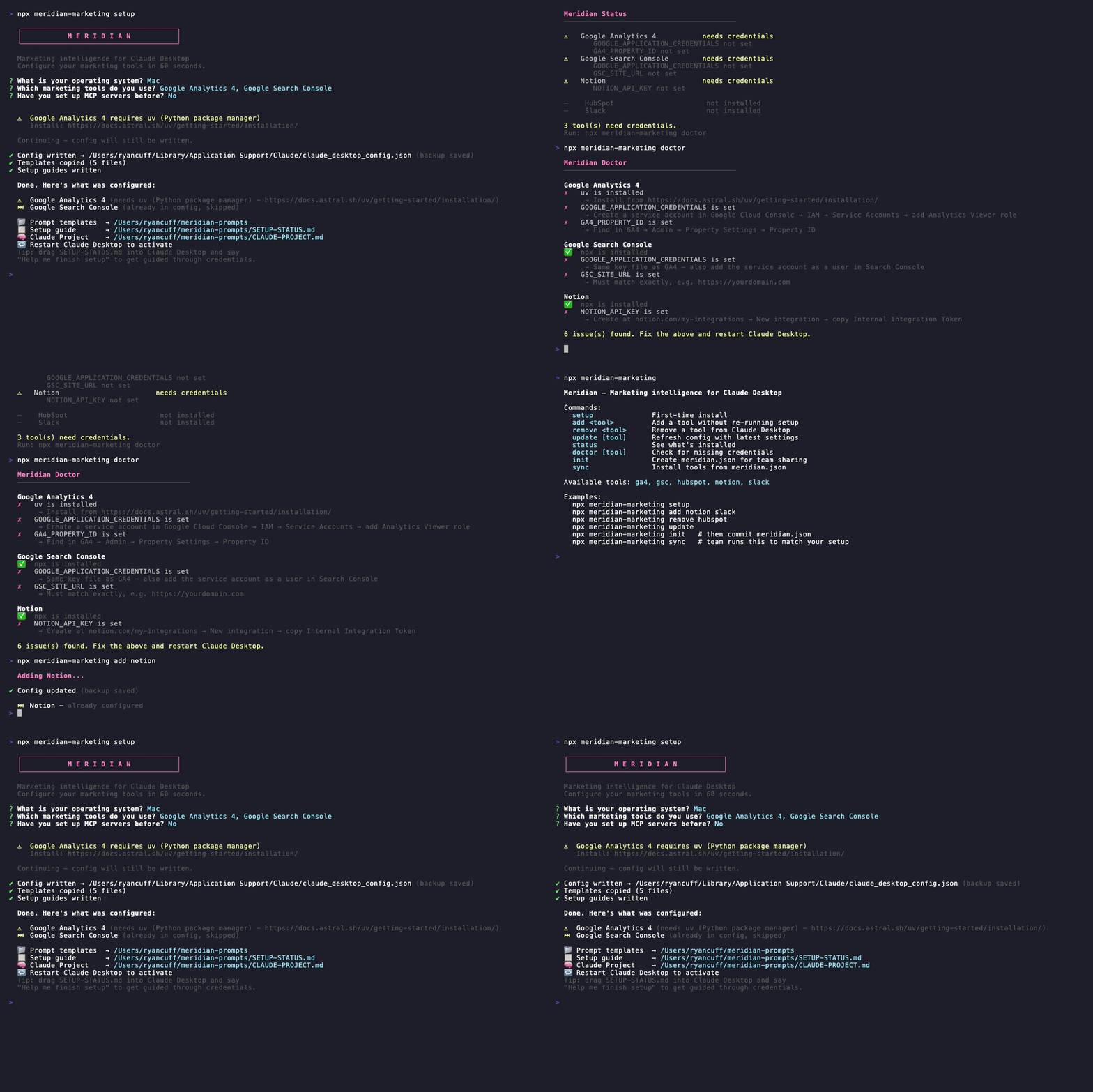
npx meridian-marketing setup
Restart Claude Desktop. Done.
What you can ask Claude after setup
"What were my top 10 pages this week and why did they perform well?"

"Find keywords I rank 4–10 for with more than 500 impressions. What should I write?"

"Compare this week's traffic to last week. Flag anything that dropped more than 20%."

"Cross-reference my HubSpot contact sources with my GA4 acquisition data."

"Write a weekly report and post it to #marketing in Slack."

"What content should I publish next based on what's working in Search Console?"
Claude pulls the actual data. It doesn't guess.
Tools
| Tool | What it unlocks | |------|----------------| | Google Analytics 4 | Traffic, sessions, conversions, top pages, user behavior | | Google Search Console | Rankings, clicks, impressions, keyword gaps | | HubSpot | Deals, contacts, email performance, pipeline | | Notion | Read and update your content calendar, campaign briefs | | Slack | Post reports to channels, read message history |
Commands
# First-time install
npx meridian-marketing setup

# Add a tool later
npx meridian-marketing add notion
npx meridian-marketing add notion slack

# Remove a tool
npx meridian-marketing remove hubspot

# Refresh config with latest settings (run after updating Meridian)
npx meridian-marketing update

# See what's installed and whether credentials are set
npx meridian-marketing status

# Check for missing credentials with specific fix instructions
npx meridian-marketing doctor
npx meridian-marketing doctor ga4
Team setup
One person sets up, everyone else syncs in one command.
# Person 1: after running setup, generate the team config
npx meridian-marketing init

# Commit meridian.json to your repo — no secrets, just tool names
git add meridian.json && git commit -m "chore: add Meridian team config"

# Everyone else: clone the repo and run
npx meridian-marketing sync
Prompt templates
After setup, five templates land in ~/meridian-prompts/:
| File | What it does |
|------|-------------|
| weekly-review.md | GA4 + Search Console + HubSpot weekly summary |
| campaign-audit.md | Cross-reference traffic with leads and deal sources |
| seo-gap.md | Find keywords ranking 5–20 and get content suggestions |
| content-calendar.md | Plan 4–6 weeks of content from what's performing |
| channel-report.md | Multi-channel weekly report, posts to Slack when done |
Drag any template into Claude Desktop and press Enter.
Finish setup
Some tools need API credentials after install. Run:
npx meridian-marketing doctor
Or drag ~/meridian-prompts/SETUP-STATUS.md into Claude Desktop and say:
"Help me finish setting up Meridian."
Claude will walk you through each credential step by step.
Claude Project setup
After setup, ~/meridian-prompts/CLAUDE-PROJECT.md contains a ready-to-use system prompt. Paste it into a Claude Project's instructions and Claude will know your full marketing stack in every conversation.
Adding a new integration
Each tool is a self-contained entry in src/installer.js. To add a new tool:
- Add an object to
INTEGRATIONSwith this shape:mytool: { label: 'My Tool', configKey: 'my-tool', category: 'analytics', prereq: { command: 'npx', what: 'Node.js / npx', installUrl: 'https://nodejs.org' }, mcpConfig: () => ({ command: 'npx', args: ['-y', 'mcp-server-mytool'], env: { MY_TOOL_API_KEY: process.env.MY_TOOL_API_KEY || '' }, }), requiredEnvVars: [ { key: 'MY_TOOL_API_KEY', description: 'API key from My Tool settings' }, ], nextSteps: ['Get your API key from mytool.com/settings', 'Set: MY_TOOL_API_KEY=xxxxxxxx'], } - Add it as a checkbox option in
src/cli.js.
Nothing else needs to change — status, doctor, add, and the setup guides pick it up automatically.
License
MIT