Rust MCP server for Synology NAS. Provide system info, storage health, disk SMART status. Single static binary, runs on-NAS via Docker.
synology-mcp
A Rust MCP server for Synology NAS (DSM 7). Single static binary with no runtime dependencies. Runs as a Docker container on the Synology itself and exposes an HTTP MCP endpoint, accessible from Claude, Cursor, ChatGPT etc.
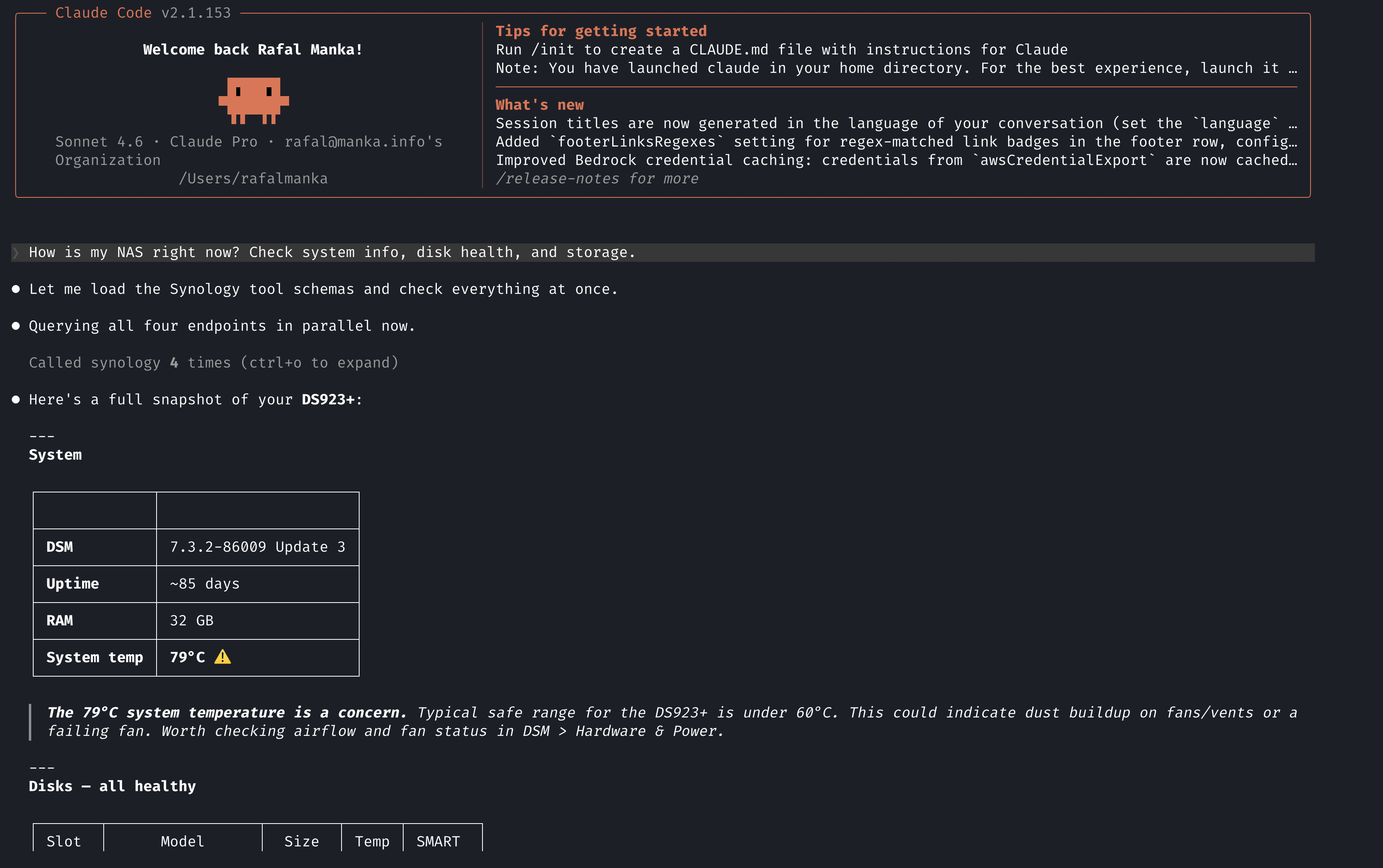
This MCP implementation focuses on home lab monitoring: storage health, disk SMART status, and system utilisation.
Demo
Supported DSM version
Tested on DSM 7.2+.
Prerequisites
- Synology NAS with Container Manager enabled
- A dedicated DSM user for MCP (see Security)
- DSM reverse proxy configured for HTTPS (Control Panel → Login Portal → Advanced)
- A domain pointing to your NAS
Installation
1. Download docker-compose.yml from this repo onto your Synology.
2. Create a project in Container Manager
Container Manager → Projects → Create → select the docker-compose.yml. In the environment variables section set:
SYNOLOGY_PASSWORD=your_dsm_password
MCP_AUTH_TOKEN=your_secret_token
Generate a token: openssl rand -hex 32
3. Start the project
Container Manager will pull the image and start the container automatically.
4. Configure DSM reverse proxy
Control Panel → Login Portal → Advanced → Reverse Proxy:
- Source:
https, hostnamemcp.yourdomain.com, port 443 - Destination:
http, hostnamelocalhost, port 3006
5. Configure your MCP client
~/.mcp.json (Claude Code) or equivalent:
{
  "mcpServers": {
    "synology": {
      "type": "https",
      "url": "https://mcp.yourdomain.com/mcp",
      "headers": {
        "Authorization": "Bearer <your_MCP_AUTH_TOKEN>"
      }
    }
  }
}
Tools
| Tool | Description | Returns |
|------|-------------|---------|
| get_system_info | Model, serial, DSM version, uptime, hostname, temperature, RAM | JSON object |
| get_system_utilisation | Real-time CPU%, memory usage, network throughput | JSON object |
| list_packages | All installed DSM packages with version and status | JSON array |
| get_volumes | Storage volumes: total/used/free GB, status, filesystem | JSON array |
| get_disks | Every drive: model, serial, temperature, health, SMART status, size | JSON array |
Environment variables
| Variable | Default | Description |
|----------|---------|-------------|
| SYNOLOGY_HOST | — | NAS IP or hostname, e.g. 127.0.0.1 |
| SYNOLOGY_PORT | 5001 | DSM API port |
| SYNOLOGY_USER | — | DSM username |
| SYNOLOGY_PASSWORD | — | DSM password |
| SYNOLOGY_HTTPS | true | Use HTTPS for DSM API calls |
| MCP_AUTH_TOKEN | — | Bearer token required on all MCP requests |
| MCP_PORT | 3000 | Port the MCP server listens on |
| RUST_LOG | synology_mcp=info | Log level |
Building from source
Requires the x86_64-unknown-linux-musl target:
rustup target add x86_64-unknown-linux-musl
cargo build --release --target x86_64-unknown-linux-musl
To build and push to ghcr.io, see deploy.sh.
Why Rust
Single static binary (~5 MB). Runs from a scratch container. No OS, no shell,
no runtime. Starts in under a second. The musl target means zero shared library
dependencies, so the Docker image is as small as it gets.
Security
The DSM system and storage APIs require administrator-level access. Create a dedicated DSM admin user for MCP.
Do not use the built-in admin account. Do not enable 2FA on the MCP user as DSM API auth does not support it.
Treat MCP_AUTH_TOKEN like a password and keep it out of version control.