MCP server by panda920
PanPan Image Generator MCP
AI 驱动的多模型图像生成 MCP 服务器
功能特性 • 支持的模型 • 快速开始 • 使用示例 • 联系作者
✨ 功能特性
- 🎨 多模型支持 - 集成 Google Gemini、ByteDance Seedream、智谱 GLM 等顶级 AI 图像模型
- 🖼️ 高清分辨率 - 支持 1K / 2K / 4K 多种分辨率输出
- ✏️ 图像编辑 - 基于已有图像进行智能修改
- 📦 批量生成 - 并发处理多个图像生成任务
- 📄 格式转换 - 支持图片转 PDF / PPTX
🎯 支持的模型
| 模型 | 提供商 | 特点 | |------|--------|------| | Nano Banana Pro | Google Gemini | 高质量生成,支持 1K/2K/4K | | Seedream 4.5 | ByteDance | 快速生成,效果优秀 | | GLM-Image | 智谱 AI | 中文优化,理解力强 |
🖼️ 生成效果展示
 🎨 艺术插画风格 |
 🌃 赛博朋克风格 |
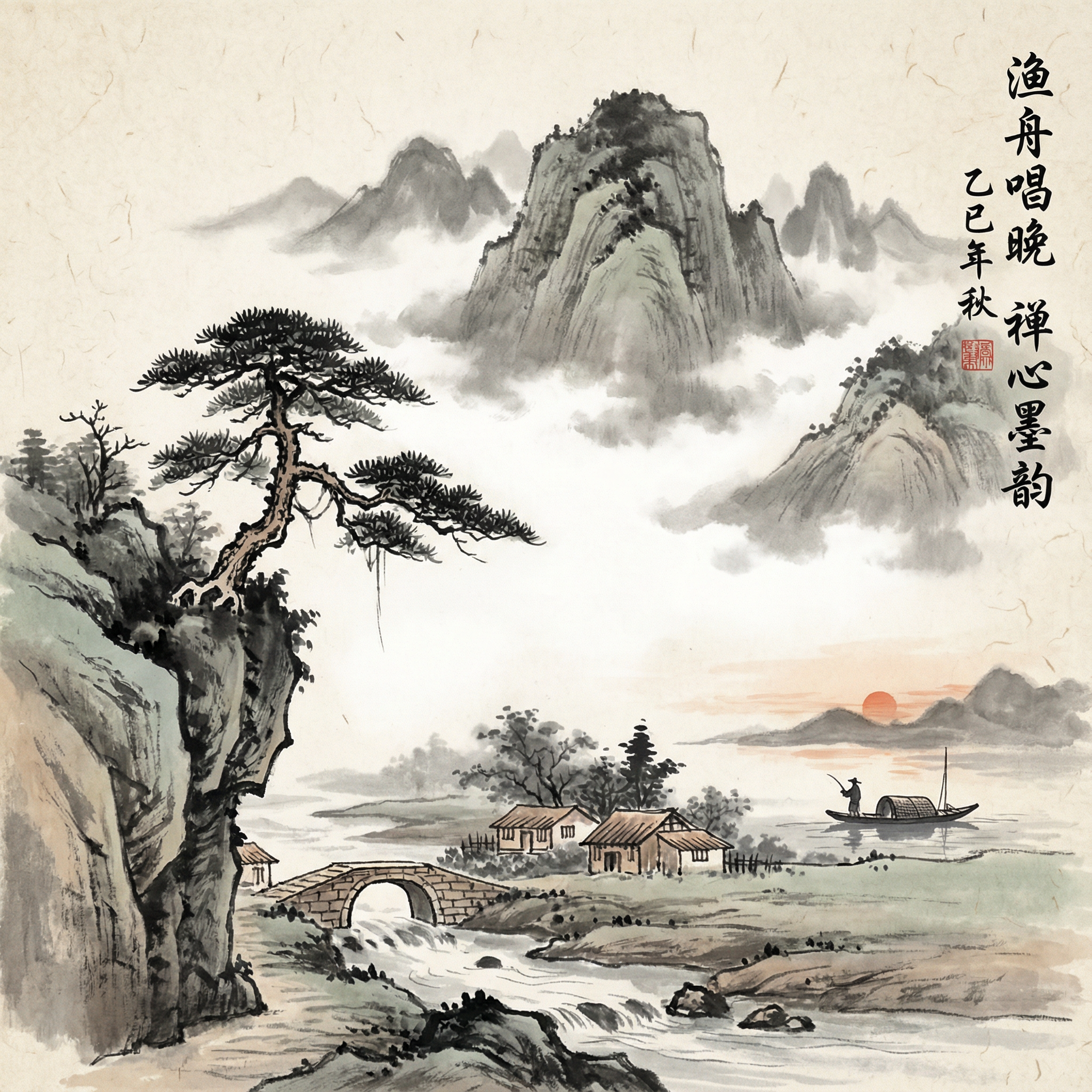 🏔️ 中国水墨风格 |
🚀 快速开始
安装
git clone https://github.com/panda920/panpan-image-generator-mcp.git
cd panpan-image-generator-mcp
npm install
配置
复制环境变量示例文件并填入你的 API Key:
cp .env.example .env
编辑 .env 文件:
# OpenRouter API 配置 (用于 Gemini 和 Seedream 模型)
GEMINI_API_KEY=your_openrouter_api_key_here
GEMINI_API_BASE=https://openrouter.ai/api/v1

# 智谱 API 配置 (用于 GLM-Image 模型)
ZHIPU_API_KEY=your_zhipu_api_key_here
在 Claude Code 中使用
在 ~/.claude.json 中添加以下配置:
{
  "mcpServers": {
    "panpan-image-generator": {
      "type": "stdio",
      "command": "node",
      "args": ["/path/to/panpan-image-generator-mcp/panpan-image-generator-mcp-server.js"],
      "env": {
        "GEMINI_API_KEY": "your_api_key",
        "GEMINI_API_BASE": "https://openrouter.ai/api/v1",
        "ZHIPU_API_KEY": "your_zhipu_api_key"
      }
    }
  }
}
🛠️ 可用工具
图像生成
| 工具 | 说明 |
|------|------|
| generate_image_nano | 使用 Nano Banana Pro 生成高质量图像 |
| generate_image_seedream | 使用 Seedream 4.5 快速生成图像 |
| generate_image_glm | 使用 GLM-Image 生成图像(中文优化) |
| generate_image_batch | 批量并发生成多张图像 |
| generate_image_glm_batch | 批量生成 GLM 图像 |
图像编辑
| 工具 | 说明 |
|------|------|
| edit_image_nano | 使用 Nano Banana Pro 编辑图像 |
| edit_image_seedream | 使用 Seedream 4.5 编辑图像 |
格式转换
| 工具 | 说明 |
|------|------|
| images_to_pdf | 将多张图片转换为 PDF 文档 |
| images_to_pptx | 将多张图片转换为 PowerPoint 演示文稿 |
💡 使用示例
在 Claude Code 中直接对话即可:
用户:生成一张赛博朋克风格的城市夜景图

用户:帮我把这张图的背景改成蓝色

用户:批量生成5张不同风格的猫咪插画

用户:把这些图片转成PDF文档
📋 环境要求
- Node.js >= 18.0.0
- npm 或 yarn
📄 许可证
MIT License
📬 联系作者
如有问题或建议,欢迎添加微信交流:

Made with ❤️ by PanPan