AI chatbot using deep knowledge MCP server
AI Chatbot with MCP Server
A complete AI Chatbot powered by Claude LLM and the Model Context Protocol (MCP). A monorepo composed of three backend services and a web frontend, where the chatbot calls real-time tools to fetch live user data during a conversation.
Screenshots
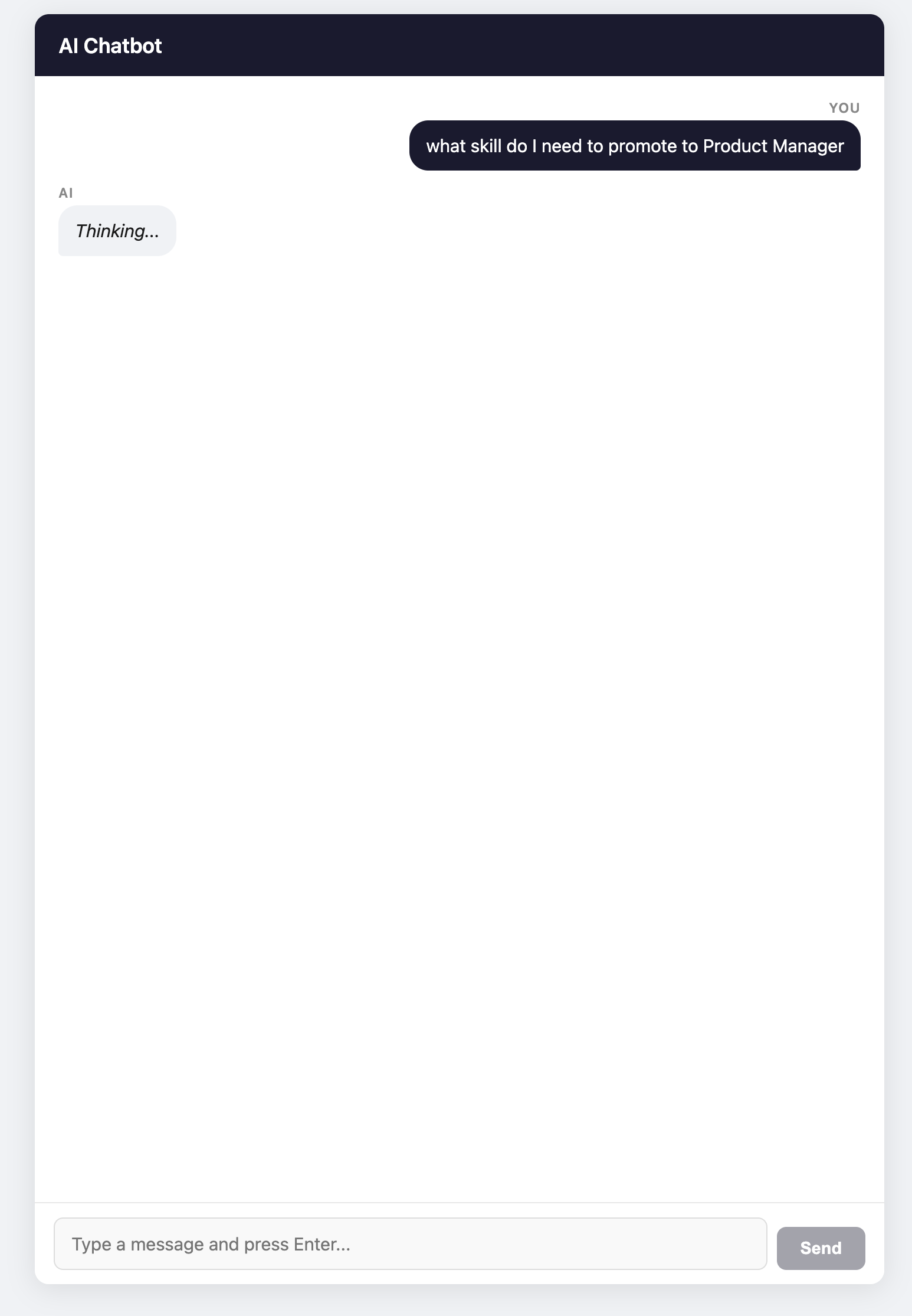
Question
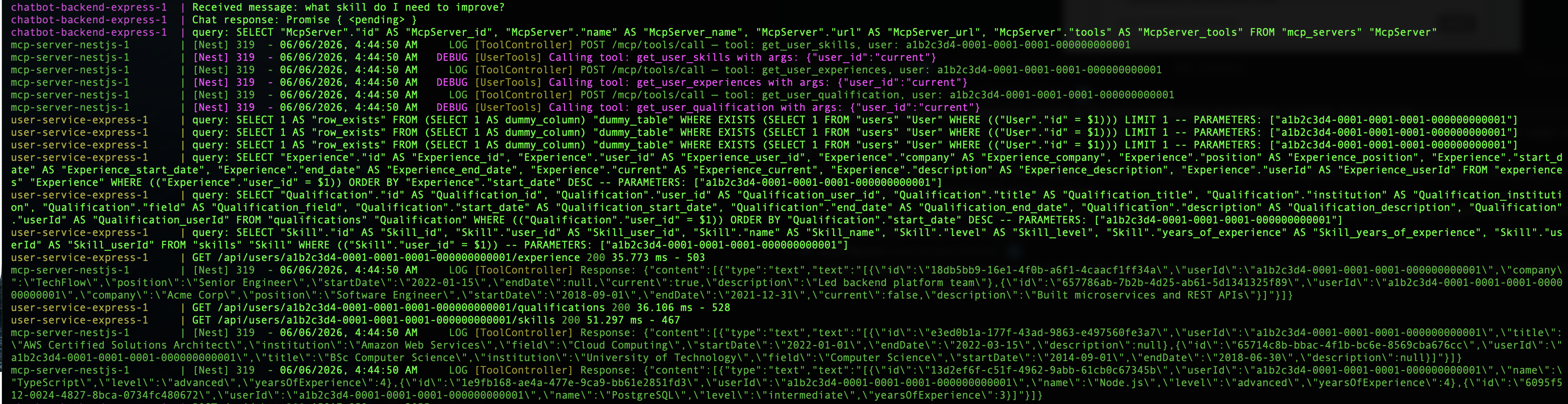
Service Logs
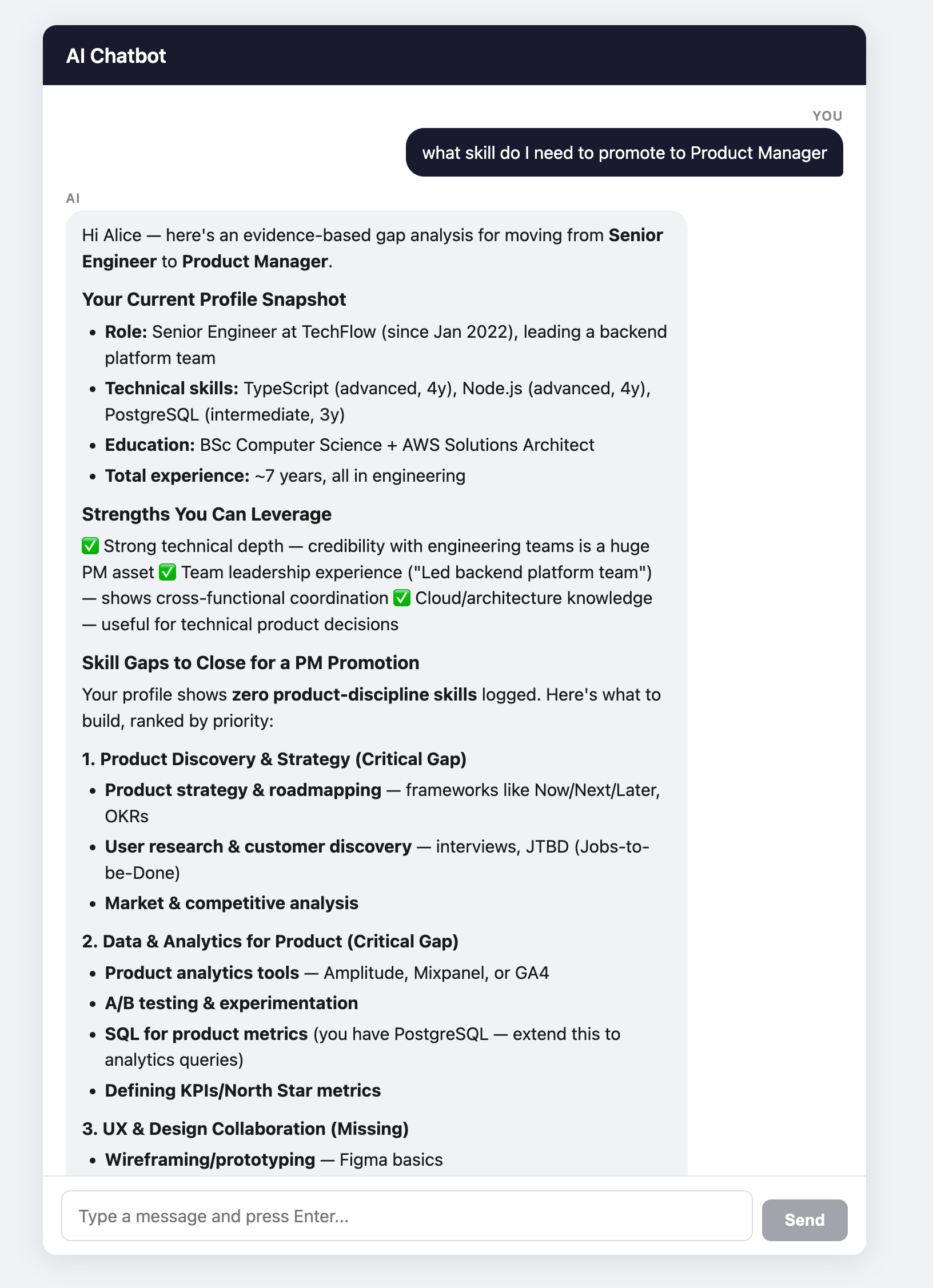
Answer
Services at a glance
| Directory | Framework | Port | Role |
|---|---|---|---|
| chatbot-frontend-nextjs | Next.js 15 | 3001 | Chat UI |
| chatbot-backend-express | Express | 4000 | Chat API & MCP Client |
| mcp-server-nestjs | NestJS | 3000 | MCP Server |
| user-service-express | Express | 4001 | User Data API |
chatbot-frontend-nextjs
Framework: Next.js 15 (React, TypeScript)
Single-page chatbox UI. Sends user messages to chatbot-backend-express via a Next.js rewrite proxy and displays the AI response in a chat interface with markdown rendering.
- Port: 3001
- Proxies:
/api/*→chatbot-backend-express:4000
chatbot-backend-express
Framework: Express (TypeScript, routing-controllers, tsyringe, TypeORM)
Chat API that drives a tool-calling loop with the Anthropic Claude API. Acts as an MCP Client — when Claude decides to call a tool, this service forwards the request to mcp-server-nestjs with the user's execution context. Persists conversation data in PostgreSQL.
- Port: 4000
- Database: PostgreSQL —
chatbot-backend-db(host port 5433) - Endpoints:
POST /api/chat— send a message, receive an AI replyGET /api/health— health check
POST /api/chat
Request:
{
  "message": "What are my skills?",
  "execution_context": {
    "user_id": "a1b2c3d4-0001-0001-0001-000000000001",
    "roles": ["employee"]
  }
}
execution_contextis optional. If omitted, a default context is used.
Response:
{
  "reply": "Based on your profile, you have the following skills:\n\n- **TypeScript** — intermediate level\n- **Node.js** — intermediate level\n- **PostgreSQL** — intermediate level"
}
GET /api/health
Response:
{
  "status": "ok",
  "timestamp": "2024-01-15T10:00:00.000Z",
  "database": "connected"
}
mcp-server-nestjs
Framework: NestJS (TypeScript, @modelcontextprotocol/sdk)
MCP Server that exposes tools for the chatbot backend to call. Each tool fetches live data from user-service-express using the user_id from the execution context — the LLM never supplies the user ID directly.
- Port: 3000
- Endpoints:
GET /health— health checkGET /mcp/tools— list all available user toolsPOST /mcp/tools/call— invoke a tool by name with an execution context
GET /health
Response:
{ "status": "ok" }
GET /mcp/tools response
{
  "tools": [
    {
      "name": "get_user_profile",
      "description": "Retrieve the current user's profile including name, email, bio, and avatar",
      "inputSchema": {
        "type": "object",
        "properties": {}
      }
    },
    {
      "name": "get_user_skills",
      "description": "Retrieve the current user's skills including skill level and years of experience",
      "inputSchema": {
        "type": "object",
        "properties": {}
      }
    },
    {
      "name": "get_user_experiences",
      "description": "Retrieve the current user's work experience history",
      "inputSchema": {
        "type": "object",
        "properties": {}
      }
    },
    {
      "name": "get_user_qualification",
      "description": "Retrieve the current user's academic and professional qualifications",
      "inputSchema": {
        "type": "object",
        "properties": {}
      }
    }
  ]
}
POST /mcp/tools/call
All requests share the same envelope. The tool_call.name selects which tool to run, and execution_context.user_id identifies the target user.
get_user_profile
Request:
{
  "tool_call": {
    "name": "get_user_profile",
    "arguments": {}
  },
  "execution_context": {
    "user_id": "a1b2c3d4-0001-0001-0001-000000000001",
    "roles": ["employee"]
  }
}
Response:
{
  "content": [
    {
      "type": "text",
      "text": "{\"id\":\"a1b2c3d4-0001-0001-0001-000000000001\",\"name\":\"Alice Nguyen\",\"email\":\"alice.nguyen@example.com\",\"bio\":null,\"avatar\":null}"
    }
  ]
}
get_user_skills
Request:
{
  "tool_call": {
    "name": "get_user_skills",
    "arguments": {}
  },
  "execution_context": {
    "user_id": "a1b2c3d4-0001-0001-0001-000000000001",
    "roles": ["employee"]
  }
}
Response:
{
  "content": [
    {
      "type": "text",
      "text": "[{\"id\":\"e1a2b3c4-0001-0001-0001-000000000001\",\"userId\":\"a1b2c3d4-0001-0001-0001-000000000001\",\"name\":\"TypeScript\",\"level\":\"intermediate\",\"yearsOfExperience\":null}]"
    }
  ]
}
get_user_experiences
Request:
{
  "tool_call": {
    "name": "get_user_experiences",
    "arguments": {}
  },
  "execution_context": {
    "user_id": "a1b2c3d4-0001-0001-0001-000000000001",
    "roles": ["employee"]
  }
}
Response:
{
  "content": [
    {
      "type": "text",
      "text": "[{\"id\":\"d1a2b3c4-0001-0001-0001-000000000001\",\"userId\":\"a1b2c3d4-0001-0001-0001-000000000001\",\"company\":\"Acme Corp\",\"position\":\"Software Engineer\",\"startDate\":\"2018-09-01\",\"endDate\":\"2021-12-31\",\"current\":false,\"description\":\"Built microservices and REST APIs\"}]"
    }
  ]
}
get_user_qualification
Request:
{
  "tool_call": {
    "name": "get_user_qualification",
    "arguments": {}
  },
  "execution_context": {
    "user_id": "a1b2c3d4-0001-0001-0001-000000000001",
    "roles": ["employee"]
  }
}
Response:
{
  "content": [
    {
      "type": "text",
      "text": "[{\"id\":\"f1a2b3c4-0001-0001-0001-000000000001\",\"userId\":\"a1b2c3d4-0001-0001-0001-000000000001\",\"title\":\"BSc Computer Science\",\"institution\":\"University of Technology\",\"field\":null,\"startDate\":\"2018-06-30\",\"endDate\":null,\"description\":null}]"
    }
  ]
}
user-service-express
Framework: Express (TypeScript, routing-controllers, tsyringe, TypeORM)
REST API that manages user profiles, skills, qualifications, and work experience, backed by PostgreSQL.
- Port: 4001
- Database: PostgreSQL —
user-service-db(host port 5432) - Endpoints:
GET /api/health— health checkGET /api/users/:id/profileGET /api/users/:id/skillsGET /api/users/:id/qualificationsGET /api/users/:id/experience
Seed user IDs for testing:
- Alice Nguyen —
a1b2c3d4-0001-0001-0001-000000000001 - Bob Smith —
a1b2c3d4-0002-0002-0002-000000000002
GET /api/health
Response:
{
  "status": "ok",
  "timestamp": "2024-01-15T10:00:00.000Z",
  "database": "connected"
}
GET /api/users/:id/profile
{
  "id": "a1b2c3d4-0001-0001-0001-000000000001",
  "firstName": "Alice",
  "lastName": "Nguyen",
  "email": "alice.nguyen@example.com",
  "bio": null,
  "avatarUrl": null,
  "createdAt": "2024-01-15T10:00:00.000Z",
  "updatedAt": "2024-01-15T10:00:00.000Z"
}
GET /api/users/:id/skills
[
  {
    "id": "e1a2b3c4-0001-0001-0001-000000000001",
    "userId": "a1b2c3d4-0001-0001-0001-000000000001",
    "name": "TypeScript",
    "level": "intermediate",
    "yearsOfExperience": null
  },
  {
    "id": "e1a2b3c4-0002-0002-0002-000000000002",
    "userId": "a1b2c3d4-0001-0001-0001-000000000001",
    "name": "Node.js",
    "level": "intermediate",
    "yearsOfExperience": null
  },
  {
    "id": "e1a2b3c4-0003-0003-0003-000000000003",
    "userId": "a1b2c3d4-0001-0001-0001-000000000001",
    "name": "PostgreSQL",
    "level": "intermediate",
    "yearsOfExperience": null
  }
]
GET /api/users/:id/qualifications
[
  {
    "id": "f1a2b3c4-0001-0001-0001-000000000001",
    "userId": "a1b2c3d4-0001-0001-0001-000000000001",
    "title": "BSc Computer Science",
    "institution": "University of Technology",
    "field": null,
    "startDate": "2018-06-30",
    "endDate": null,
    "description": null
  },
  {
    "id": "f1a2b3c4-0002-0002-0002-000000000002",
    "userId": "a1b2c3d4-0001-0001-0001-000000000001",
    "title": "AWS Certified Solutions Architect",
    "institution": "Amazon Web Services",
    "field": null,
    "startDate": "2022-03-15",
    "endDate": null,
    "description": null
  }
]
GET /api/users/:id/experience
[
  {
    "id": "d1a2b3c4-0001-0001-0001-000000000001",
    "userId": "a1b2c3d4-0001-0001-0001-000000000001",
    "company": "Acme Corp",
    "position": "Software Engineer",
    "startDate": "2018-09-01",
    "endDate": "2021-12-31",
    "current": false,
    "description": "Built microservices and REST APIs"
  },
  {
    "id": "d1a2b3c4-0002-0002-0002-000000000002",
    "userId": "a1b2c3d4-0001-0001-0001-000000000001",
    "company": "TechFlow",
    "position": "Senior Engineer",
    "startDate": "2022-01-15",
    "endDate": null,
    "current": true,
    "description": "Led backend platform team"
  }
]
Running with Docker Compose
# Build and start all services
docker compose up --build

# Detached mode
docker compose up --build -d

# Stop everything
docker compose down

# Tail logs for one service
docker compose logs -f <service-name>
Service URLs once running:
| Service | URL | |---|---| | mcp-server-nestjs | http://localhost:3000 | | chatbot-frontend-nextjs | http://localhost:3001 | | chatbot-backend-express | http://localhost:4000 | | user-service-express | http://localhost:4001 |
Running migrations locally
Migrations use TypeORM and run from each service's directory (requires local Node, not Docker).
user-service-express
cd user-service-express
npm install
npm run migration:run
Common commands
npm run migration:revert
npm run migration:generate -- src/database/migrations/<MigrationName>
Note: Ensure your
.envor environment variables match the values indocker-compose.ymlbefore running migrations locally.