Open-source Gmail MCP server. Multi-account, read, write, archive, label, auto-unsubscribe. Works with Claude, OpenClaw, Cursor, Windsurf, Cline, and any MCP-compatible AI agent or assistant.
Gmail MCP Server
Multi-Account Gmail for AI Agents & Assistants
An open-source Model Context Protocol (MCP) server that gives AI agents and assistants full read and write access to Gmail. Connect multiple Gmail accounts, search emails, archive, label, and auto-unsubscribe. All through one server.
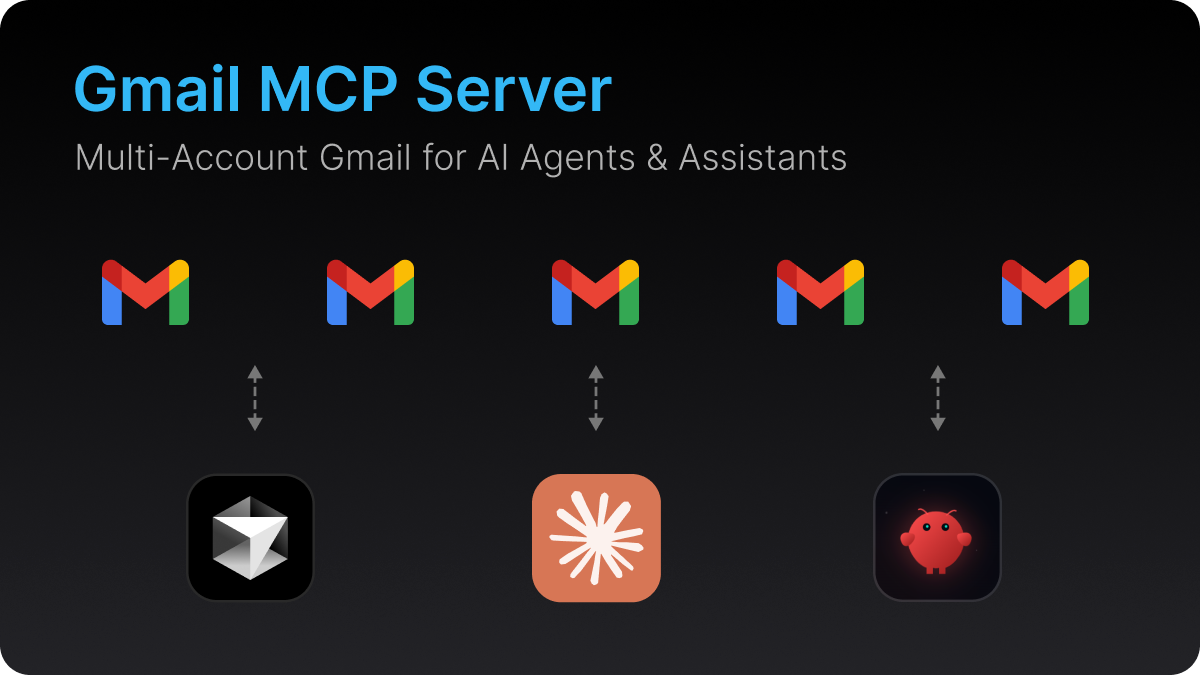
Works with Claude, OpenClaw, Cursor, Windsurf, Cline, Continue, and any MCP-compatible client.

Why This Exists
Most AI tools ship with a Gmail integration that can only read emails from a single account. No archiving. No labeling. No unsubscribing. And if you use multiple Gmail accounts? You're out of luck.
This MCP server fixes that. One server, all your accounts, full read and write access.
Gmail MCP Server vs Built-in Connectors
| Feature | Built-in Gmail (Claude) | Gmail MCP Server | |---|---|---| | Read emails | Yes | Yes | | Write / modify emails | No | Yes | | Multiple Gmail accounts | No | Yes | | Archive emails | No | Yes | | Apply labels | No | Yes | | Auto-unsubscribe | No | Yes | | Works with OpenClaw | No | Yes | | Works with Cursor | No | Yes | | Works with Windsurf | No | Yes | | Works with Cline | No | Yes | | Open source | No | Yes |
What is an MCP Server?
Model Context Protocol (MCP) is an open standard that lets AI agents and assistants connect to external tools and data sources. An MCP server exposes tools that any compatible client can call. Think of it as a plugin system for AI.
This Gmail MCP server turns any MCP-compatible AI client into a full-featured email agent.
Gmail MCP Server Features
- Multi-account support. Connect multiple Gmail accounts and switch between them, or query all at once.
- Full read and write access. Not just reading emails. Archive, label, modify, and unsubscribe.
- Gmail search syntax. Use Gmail's query language:
is:unread,from:,newer_than:7d,has:attachment, and more. - Auto-unsubscribe. Finds and triggers unsubscribe links automatically. Supports List-Unsubscribe headers, mailto links, and body link scanning.
- Batch operations. Fetch batches of emails for AI-powered triage and bulk actions.
- Secure by design. OAuth 2.0 authentication, AES-256-GCM encrypted token storage, minimal Gmail scopes.
- Deploy anywhere. Railway, Docker, or your own server.
Available Tools
| Tool | Description |
|---|---|
| list_accounts | List all connected Gmail accounts |
| list_emails | Search and list emails using Gmail query syntax. Supports account="all" |
| get_email | Get full email content, headers, and parsed unsubscribe links |
| archive_email | Archive an email by removing it from the inbox |
| apply_label | Apply a label to an email. Creates the label if it doesn't exist |
| unsubscribe_email | Auto-unsubscribe from mailing lists and newsletters |
| batch_process | Fetch a batch of emails for triage. Supports account="all" |
Setup Guide: Deploy in 5 Minutes
Prerequisites
- A Google Cloud project with the Gmail API enabled
- OAuth 2.0 credentials (Web application type)
- A hosting platform (Railway, your own server, or Docker)
Step 1: Google Cloud Setup
- Go to Google Cloud Console and create a new project
- Enable the Gmail API (APIs & Services → Library → search "Gmail API" → Enable)
- Configure the OAuth consent screen:
- User type: External
- Add scopes:
gmail.readonly,gmail.modify - Add your Gmail addresses as test users
- Create OAuth credentials:
- APIs & Services → Credentials → Create Credentials → OAuth client ID
- Application type: Web application
- Authorized redirect URI:
https://your-server-url/oauth/callback - Save the Client ID and Client Secret
Step 2: Deploy
Option A: Deploy to Railway (Recommended)
- Click the Deploy button above, or create a new project on Railway connected to this repo
- Add these environment variables:
| Variable | Value |
|---|---|
| GOOGLE_CLIENT_ID | Your OAuth Client ID |
| GOOGLE_CLIENT_SECRET | Your OAuth Client Secret |
| ENCRYPTION_KEY | Any random string (32+ characters) |
| ADMIN_PASSWORD | Password for the setup page |
| SERVER_URL | Your Railway app URL (e.g., https://your-app.railway.app) |
| PORT | 3000 |
- Generate a domain in Railway (Service → Settings → Networking → Generate Domain)
- Update
SERVER_URLwith the generated domain - Update the Authorized redirect URI in Google Cloud Console to
https://your-domain.railway.app/oauth/callback
Option B: Self-Host
git clone https://github.com/navbuildz/gmail-mcp-server.git
cd gmail-mcp-server
npm install
cp .env.example .env
# Edit .env with your values
npm run build
npm start
Option C: Docker
docker build -t gmail-mcp-server .
docker run -p 3000:3000 \
  -e GOOGLE_CLIENT_ID=your-client-id \
  -e GOOGLE_CLIENT_SECRET=your-client-secret \
  -e ENCRYPTION_KEY=your-random-string \
  -e ADMIN_PASSWORD=your-password \
  -e SERVER_URL=https://your-domain.com \
  gmail-mcp-server
Step 3: Connect Gmail Accounts
- Visit
https://your-server-url/setup - Enter your admin password
- Click + Add Gmail Account
- Sign in with Google and grant permissions
- Repeat for each Gmail account you want to connect
Railway users: After adding accounts, copy the
TOKENS_DATAvalue shown on the setup page and add it as an environment variable in Railway. This keeps your accounts connected across redeploys.
How to Connect Gmail MCP Server to Claude
- Go to Claude → Settings → Connectors
- Click + → Add custom connector
- Fill in:
- Name:
Gmail(or any name you prefer) - Remote MCP server URL:
https://your-server-url/mcp - Leave OAuth fields blank
- Name:
- Click Add
- Start a new conversation and try: "List my connected Gmail accounts"
How to Connect Gmail MCP Server to Cursor
Add to your Cursor MCP settings (.cursor/mcp.json):
{
  "mcpServers": {
    "gmail": {
      "url": "https://your-server-url/mcp"
    }
  }
}
How to Connect Gmail MCP Server to Windsurf
Add to your Windsurf MCP configuration:
{
  "mcpServers": {
    "gmail": {
      "serverUrl": "https://your-server-url/mcp"
    }
  }
}
Multi-Account Gmail Setup
Connect as many Gmail accounts as you need. Every tool accepts an account parameter:
- Use a specific email:
"account": "user@gmail.com" - Query all accounts at once:
"account": "all"
Example prompts you can try:
- "Show me unread emails from the last 2 days across all accounts"
- "Archive all promotional emails in user@gmail.com"
- "Unsubscribe from newsletters in all accounts"
- "Find emails with attachments from the last week in work@gmail.com"
Auto-Unsubscribe from Newsletters with AI
The unsubscribe_email tool handles the entire unsubscribe process:
- Checks the
List-Unsubscribeheader (RFC 8058 one-click POST) - Tries HTTP unsubscribe links from the header
- Sends an unsubscribe email via
mailto:links - Scans the email body for unsubscribe URLs
- Returns manual links if automatic unsubscribe isn't possible
Try it: "Find newsletters from the last month and unsubscribe from all of them"
Supported MCP Clients
| Client | Status | Configuration |
|---|---|---|
| Claude (Web, Desktop, Code) | Supported | Custom connector → Remote MCP server URL |
| OpenClaw | Supported | MCP configuration |
| Cursor | Supported | .cursor/mcp.json |
| Windsurf | Supported | MCP configuration |
| Cline | Supported | MCP settings |
| Continue | Supported | MCP configuration |
| Any MCP-compatible client | Supported | Point to the /mcp endpoint |
Architecture
AI Agent / Assistant (Claude, OpenClaw, Cursor, Windsurf, Cline)
  ↓ MCP Protocol (Streamable HTTP)
Gmail MCP Server (Railway / Self-hosted / Docker)
  ├── /mcp             MCP endpoint (tools)
  ├── /setup           Admin page (add/remove accounts)
  ├── /oauth/callback  Google OAuth callback
  └── Token Store      Encrypted refresh tokens
        ↓
Gmail API (per-account OAuth tokens)
Security
- OAuth 2.0 for authentication with Google
- AES-256-GCM encrypted refresh token storage
- Minimal scopes using only
gmail.readonlyandgmail.modify - No passwords stored. Your Gmail password never touches the server
- Password-protected setup. The
/setuppage requires admin authentication - Revocable anytime from Google Account Permissions
Gmail Search Query Examples
The list_emails and batch_process tools accept Gmail's full search syntax:
| Query | What it finds |
|---|---|
| is:unread | Unread emails |
| is:unread newer_than:2d | Unread emails from the last 2 days |
| from:user@example.com | Emails from a specific sender |
| subject:invoice | Emails with "invoice" in the subject |
| has:attachment | Emails with attachments |
| category:promotions | Promotional emails |
| newer_than:7d | Emails from the last week |
| after:2025/01/01 before:2025/02/01 | Emails in a date range |
| label:important is:unread | Unread important emails |
| larger:5M | Emails larger than 5MB |
Contributing
Want to help make this better? Here are some open ideas:
- [ ] Add
send_emailtool for composing and sending emails - [ ] Add
reply_to_emailtool - [ ] Add email attachment download support
- [ ] Add
delete_emailtool - [ ] Add
mark_as_read/mark_as_unreadtools - [ ] Add
remove_labeltool - [ ] Add support for Google Workspace accounts
PRs are welcome. See CONTRIBUTING.md for guidelines.
Tech Stack
- Runtime: Node.js 20+
- Language: TypeScript
- MCP SDK: @modelcontextprotocol/sdk
- Gmail API: googleapis
- HTTP: Express 5
- Auth: Google OAuth 2.0
License
If this project is useful to you, give it a star. It helps others find it.