MCP server by kevoconnell
MCPKit
Easy setup for MCPs with Browserbase. Run browser automation anywhere with just an API key.
What is MCPKit?
MCPKit is a CLI tool that generates Stagehand MCP servers for any website. With this, an LLM can do any kind of web flow.
Quick Start
Installation
npm install -g @kevinoconnell/mcpkit
Setup
Set up your Browserbase API key and llm model secrets:
mcpkit secrets
Create Your First MCP Server
# Create an MCP server for any website
mcpkit create https://mcpkit.sh

# Or use interactive mode
mcpkit create
At some point in the above, you will be prompted to sign in via a Browserbase session.
CLI Commands
mcpkit create <url>
Generate an MCP server for a website with AI-powered discovery.
Arguments:
url(optional): The website URL. If omitted, you'll be prompted interactively.
Examples:
mcpkit create https://news.ycombinator.com
mcpkit create  # Interactive mode
mcpkit contexts
Manage saved authentication contexts for websites.
Actions:
list: Show all saved contextsshow <domain>: Display details for a specific contextdelete <domain>: Remove a context
Examples:
mcpkit contexts list
mcpkit contexts show github.com
mcpkit contexts delete mcpkit.sh
mcpkit contexts create mcpkit.sh
mcpkit secrets
Set up and manage secrets for browserbase, as well as your model of choice
Examples:
mcpkit secrets # Interactive setup
mcpkit help
Display help information and available commands.
mcpkit version
Show the current version of MCPKit.
Note: For detailed documentation, examples, and guides, visit mcpkit.sh
Testing Generated MCP Servers
After running mcpkit create, test your generated server:
- Navigate to the created folder:
cd mcp-stagehand-{domain}/
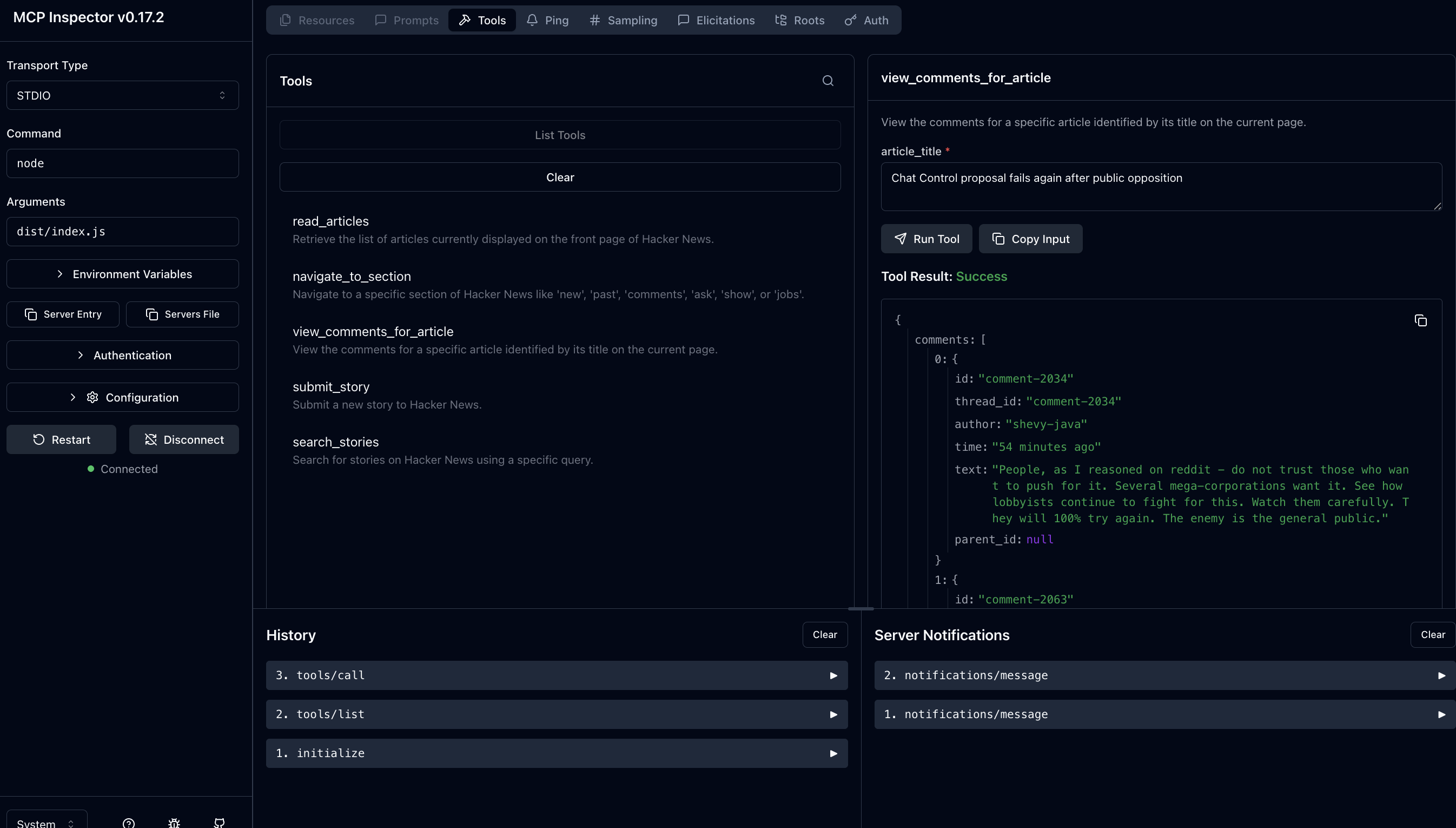
- Test with the MCP Inspector:
npx @modelcontextprotocol/inspector node dist/index.js
You should see a screen like this:
Alternatively, you can install into claude code with
claude mcp add --transport stdio "your-server-name" -- node /absolute/path/to/dist/index.js
Contributing
Contributions are welcome! Please feel free to submit a Pull Request.
Development Setup
Within the repo, run:
npm install && npm run build && npm link
Now you can run a local instance of MCPKit for testing :)
License
MIT