MCP server by KallistoX
MCP UniFi Applications

An MCP server that exposes UniFi application API documentation (Network, Protect, Site Manager) as queryable tools for Claude Desktop, Claude Code (VS Code / JetBrains), or any MCP-compatible client.
Includes a Playwright-based scraper that turns the JS-rendered docs SPA into structured JSON files, and a Python MCP server that serves them.
Example
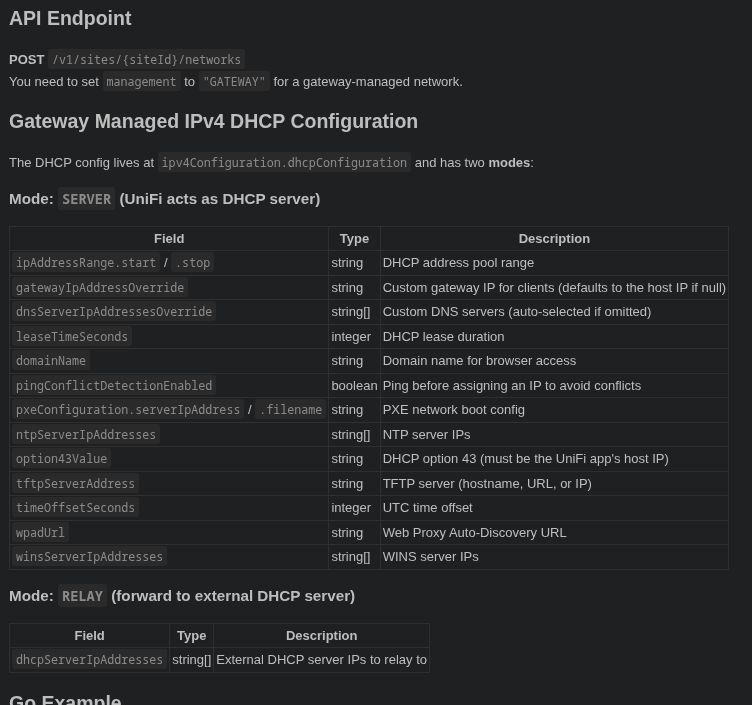
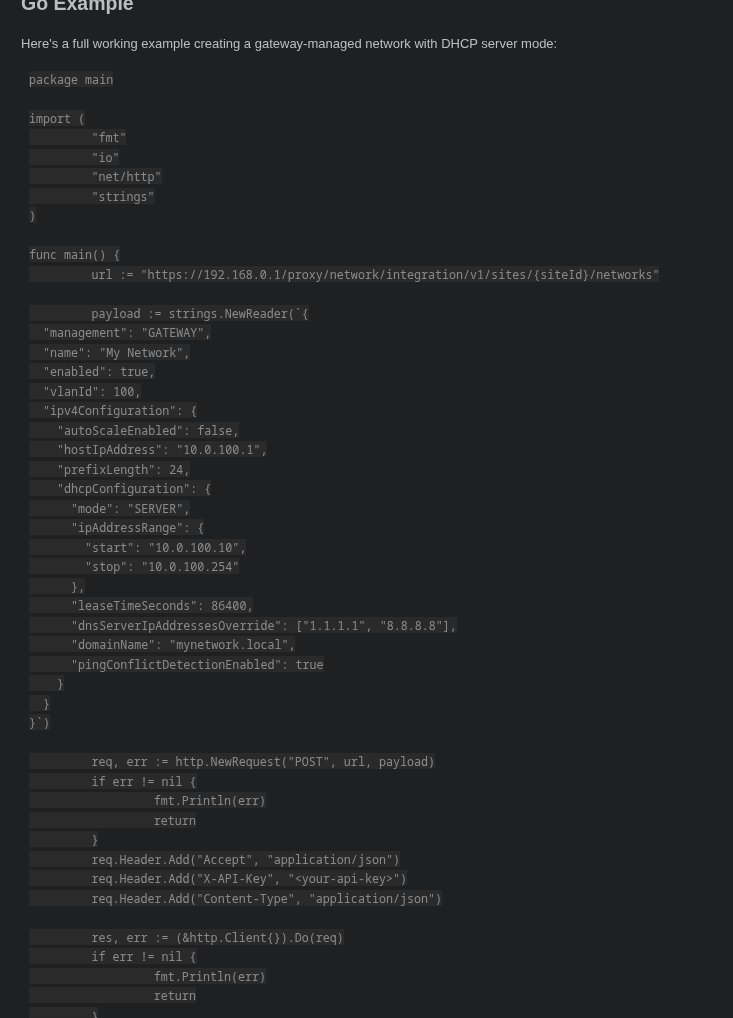
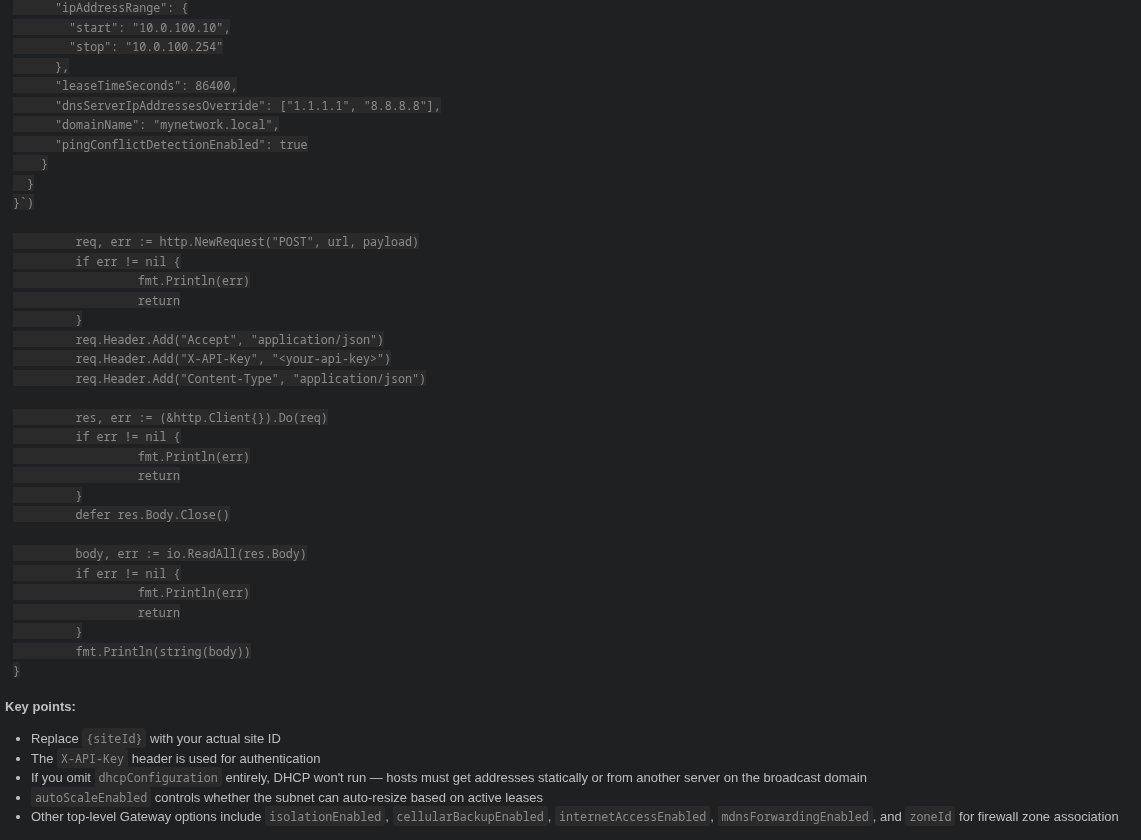
"Can you tell me how to create a network with Go with the network API from UniFi and what options I have regarding the managed IPv4 DHCP gateway configuration?"
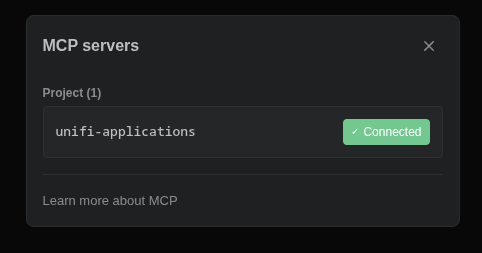

Claude automatically queries the MCP server — searching endpoints, fetching schemas, and drilling into discriminator variants — then responds with the full API details and a working Go example:
Quick Start
1. Scrape the docs
The scraper runs inside Docker (requires Playwright/Chromium):
# Build the scraper image
docker build -t unifi-scraper .

# Scrape Network API docs (default, latest version)
docker run --rm -v $(pwd)/docs:/output unifi-scraper node scrape.mjs

# Scrape Protect API docs
docker run --rm -v $(pwd)/docs:/output unifi-scraper node scrape.mjs --app protect

# Scrape Site Manager API docs
docker run --rm -v $(pwd)/docs:/output unifi-scraper node scrape.mjs --app site-manager

# Scrape a specific API version
docker run --rm -v $(pwd)/docs:/output unifi-scraper node scrape.mjs --app network --version v9.5.21

# List available API versions for an app
docker run --rm unifi-scraper node scrape.mjs --app protect --list-versions

# Scrape specific pages only
docker run --rm -v $(pwd)/docs:/output unifi-scraper node scrape.mjs createnetwork filtering

# Force re-scrape (overwrite existing files)
docker run --rm -v $(pwd)/docs:/output unifi-scraper node scrape.mjs --force
Pre-scraped docs for Network API v10.1.84 are included in docs/network/.
2. Install the MCP server
python -m venv .venv
source .venv/bin/activate  # or: source .venv/bin/activate.fish
pip install .
3. Register with your client
Claude Code (VS Code / JetBrains) - add .mcp.json to your project root (Reload Window after):
{
  "mcpServers": {
    "unifi-docs": {
      "type": "stdio",
      "command": "/path/to/mcp-unifi-applications/.venv/bin/python",
      "args": ["/path/to/mcp-unifi-applications/mcp_server.py"]
    }
  }
}
Claude Desktop - add to ~/.config/Claude/claude_desktop_config.json (Linux) or ~/Library/Application Support/Claude/claude_desktop_config.json (macOS):
{
  "mcpServers": {
    "unifi-docs": {
      "command": "/path/to/mcp-unifi-applications/.venv/bin/python",
      "args": ["/path/to/mcp-unifi-applications/mcp_server.py"]
    }
  }
}
Supported Applications
| Application | URL | Local/Remote | Notes |
|---|---|---|---|
| Network | developer.ui.com/network | Both | Default app |
| Protect | developer.ui.com/protect | Both | |
| Site Manager | developer.ui.com/site-manager | Remote only | No local/remote switch |
All three applications share the same docs SPA structure with version dropdowns, endpoint pages, and guide pages.
Available Tools
| Tool | Description |
|---|---|
| list_endpoints | List all API endpoints, optionally filtered by HTTP method or app |
| search_endpoints | Fuzzy search by name, path, method, or description (filterable by app) |
| get_endpoint | Full schema for an endpoint (summary or raw JSON) |
| get_endpoint_group | All CRUD operations for a resource (e.g. "networks") |
| get_example | Code examples in curl, Go, Node.js, Python, or Ansible (local/remote) |
| get_response_sample | Example JSON response for an endpoint |
| find_field | Search for a field name across all endpoint schemas |
| get_field_schema | Drill into a specific field's subtree (e.g. management[GATEWAY].dhcpV4) |
| get_guide | API guide pages (filtering syntax, error handling, getting started) |
Tools that return multiple results accept an optional app parameter (network, protect, site-manager) to filter by application.
Environment Variables
| Variable | Default | Description |
|---|---|---|
| DOCS_DIR | ./docs (relative to mcp_server.py) | Directory containing scraped JSON docs. Expects app subdirectories (network/, protect/, site-manager/). |
Scraper CLI
node scrape.mjs [options] [slug...]

Options:
  --app <name>      Application: network (default), protect, site-manager.
  --version <ver>   API version to scrape (e.g. v10.1.84). Default: latest.
  --list-versions   Print available versions and exit.
  --force           Re-scrape even if output file exists.

Arguments:
  [slug...]         Scrape only these pages. Omit to scrape all pages.
The slug is the last path segment of the docs URL:
https://developer.ui.com/network/v10.1.84/createnetwork -> createnetwork
Output is written to <output>/<app>/ (e.g. docs/network/, docs/protect/).
The full scan is resumable - already-scraped pages are skipped. Use --force to re-scrape.
Project Structure
mcp-unifi-applications/
├── scrape.mjs          # Playwright scraper (runs in Docker)
├── mcp_server.py       # MCP server (Python, stdio transport)
├── Dockerfile          # Scraper container image
├── pyproject.toml      # Python project config
├── docs/               # Scraped JSON output
│   ├── network/        # Network API docs
│   ├── protect/        # Protect API docs
│   └── site-manager/   # Site Manager API docs
└── tests/
    └── test_mcp_server.py
Output Format
Endpoint pages
{
  "h1": "Create Network",
  "method": "POST",
  "path": "/v1/sites/{siteId}/networks",
  "description": "Create a new network on a site.",
  "pathParameters": [ "...fields" ],
  "requestBody": [ "...fields" ],
  "responses": [{ "statuses": ["201"], "fields": [ "...fields" ] }],
  "examples": {
    "local": { "curl": "...", "go": "...", "nodejs": "...", "python": "...", "ansible": "..." },
    "remote": { "curl": "...", "go": "...", "nodejs": "...", "python": "...", "ansible": "..." }
  },
  "responseSample": "{ ... }",
  "sourceUrl": "https://developer.ui.com/network/v10.1.84/createnetwork"
}
Guide pages
{
  "h1": "Filtering",
  "type": "guide",
  "content": "Markdown content...",
  "sourceUrl": "https://developer.ui.com/network/v10.1.84/filtering"
}
Field objects (recursive)
{
  "name": "management",
  "required": true,
  "type": "string",
  "description": null,
  "discriminator": [
    { "value": "UNMANAGED", "selected": true, "schema": [ "...sibling fields" ] },
    { "value": "GATEWAY", "selected": false, "schema": [ "...sibling fields" ] }
  ],
  "children": [ "...child fields for object types" ]
}
discriminator.schemacontains sibling fields visible when that option is active (not the discriminator field itself)- Nesting is recursive - discriminators within variants are fully expanded
childrencaptures statically expanded object fields
Disclaimer
This project is not affiliated with, endorsed by, or sponsored by Ubiquiti Inc. The API documentation content scraped and served by this tool is the property of Ubiquiti Inc. and is sourced from their public developer portal. "UniFi" is a trademark of Ubiquiti Inc.
License
MIT