MCP server by HarryB05
supabase-schema-mcp
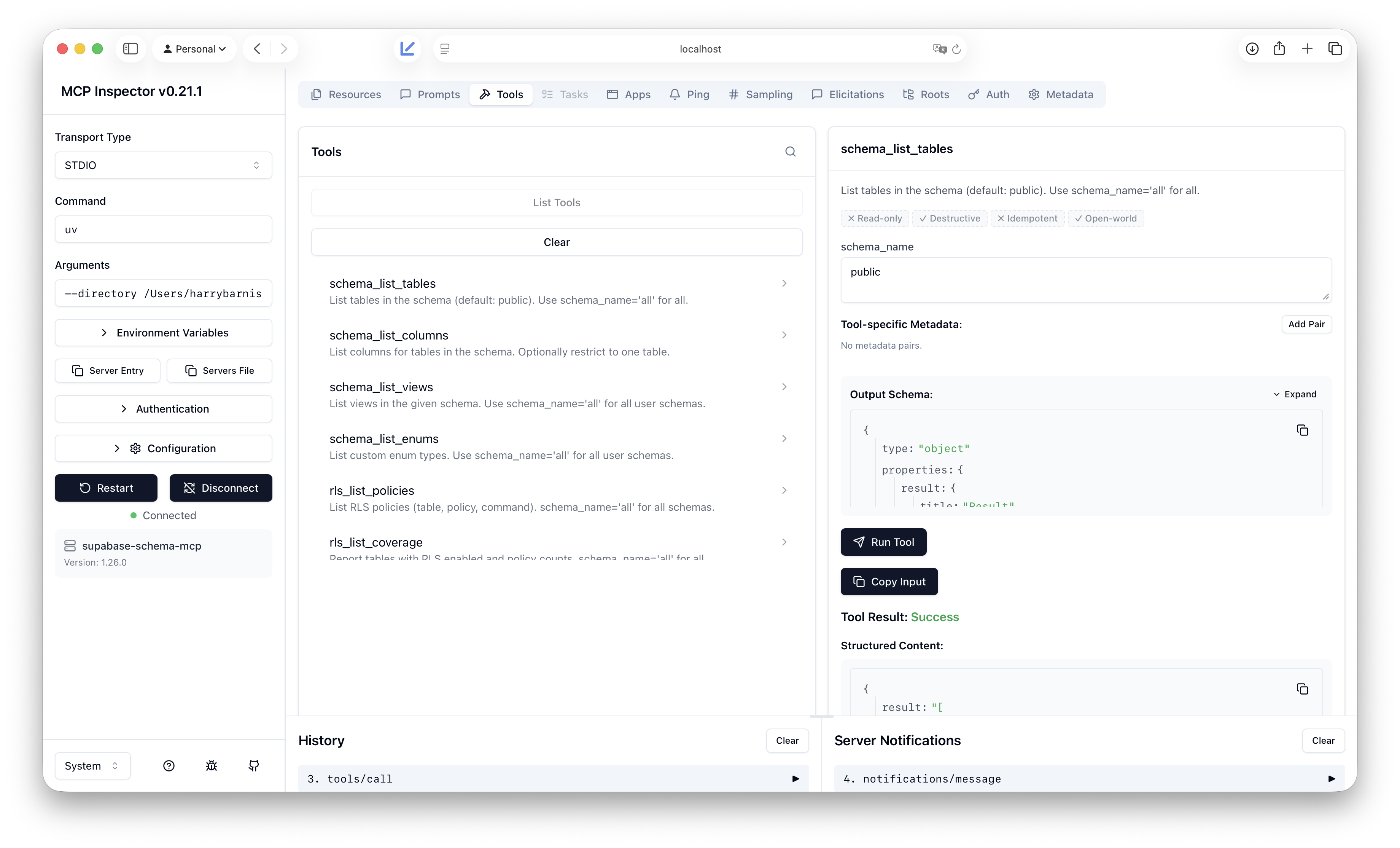
An MCP server that provides deep schema introspection for Supabase/Postgres. I built it because the official Supabase MCP focuses on project overview, branches, and API usage; it does not expose the kind of schema detail needed for migrations, RLS audits, relationship graphs, or RPC/trigger discovery.
Why this exists (limitations of Supabase’s MCP)
The official Supabase MCP is great for project-level and API workflows. It does not, however, give tools or agents fine-grained access to your database schema: tables, columns, views, enums, RLS policies, functions/RPCs, foreign keys, indexes, and triggers. If you want an AI or tool to reason about your schema (e.g. “which tables have RLS?”, “what does this RPC look like?”, “what FKs reference this table?”), you either run custom SQL yourself or use something that introspects the DB. This server fills that gap by connecting directly to your Supabase Postgres and exposing schema-only, read-only tools.
What this one does that Supabase’s doesn’t
- Schema introspection only: tables, columns, views, enums, RLS policies (and coverage), functions (including RPC candidates), foreign keys, indexes, triggers.
- No project/API scope: no branches, no API calls; just database structure. Use the official MCP for project management; use this one when you need schema metadata.
- Read-only: designed for introspection only; no writes or DDL. Suited to a read-only Postgres role.
Full tool list and parameters are in Tools reference.
Setup
- Clone the repo. All commands below must be run from the repo root (the directory that contains
pyproject.tomlandsrc/). - Create a virtual environment and install dependencies with uv:
uv sync --extra dev - Copy
.env.exampleto.envand set your Supabase Postgres connection:- Required:
SUPABASE_DB_HOST(e.g.db.<project_ref>.supabase.co),SUPABASE_DB_USER(usuallypostgres),SUPABASE_DB_PASSWORD(from Project Settings > Database) - Optional:
SUPABASE_DB_PORT,SUPABASE_DB_NAME
- Required:
- From the repo root, run the MCP server over stdio:
Or use the script entry point:uv run python -m supabase_schema_mcp.serveruv run supabase-schema-mcp
Adding as an MCP in Cursor
-
Open Cursor Settings (e.g. Cursor > Settings or
Cmd+,). -
Search for MCP or open Features > MCP.
-
Add this server via the JSON config. Edit
~/.cursor/mcp.json(or your project's.cursor/mcp.json) and add asupabase-schema-mcpentry undermcpServers. ReplacePATH_TO_SUPABASE_SCHEMA_MCPwith the full path to the repo root (the folder that containspyproject.tomlandsrc/):{ "mcpServers": { "supabase-schema-mcp": { "command": "uv", "args": [ "--directory", "PATH_TO_SUPABASE_SCHEMA_MCP", "run", "python", "-m", "supabase_schema_mcp.server" ] } } }Example with a real path (macOS):
{ "mcpServers": { "supabase-schema-mcp": { "command": "uv", "args": [ "--directory", "/Users/you/Developer/supabase-mcp", "run", "python", "-m", "supabase_schema_mcp.server" ] } } } -
Restart Cursor (MCP servers load at startup). When the server starts, you should see on stderr:
supabase-schema-mcp server started (stdio). Any config warnings appear in a yellow panel above that. -
You do not need to run the server in a terminal yourself. Cursor starts and manages the process when it needs to call the tools.
Read-only safety model
This MCP server is designed to read schema and metadata only. It does not execute arbitrary writes or DDL. Database access should use a read-only Postgres role where possible; the connection layer enforces that only introspection-style, read-only operations are performed. Management API usage is limited to reading project/config data as needed. Never put a role with write or DDL privileges into this server's configuration unless you explicitly require it for a future feature.