Self-hosted remote MCP server that lets an AI (Claude, etc.) read, search and send email through multiple IMAP/SMTP accounts
imap-mcp
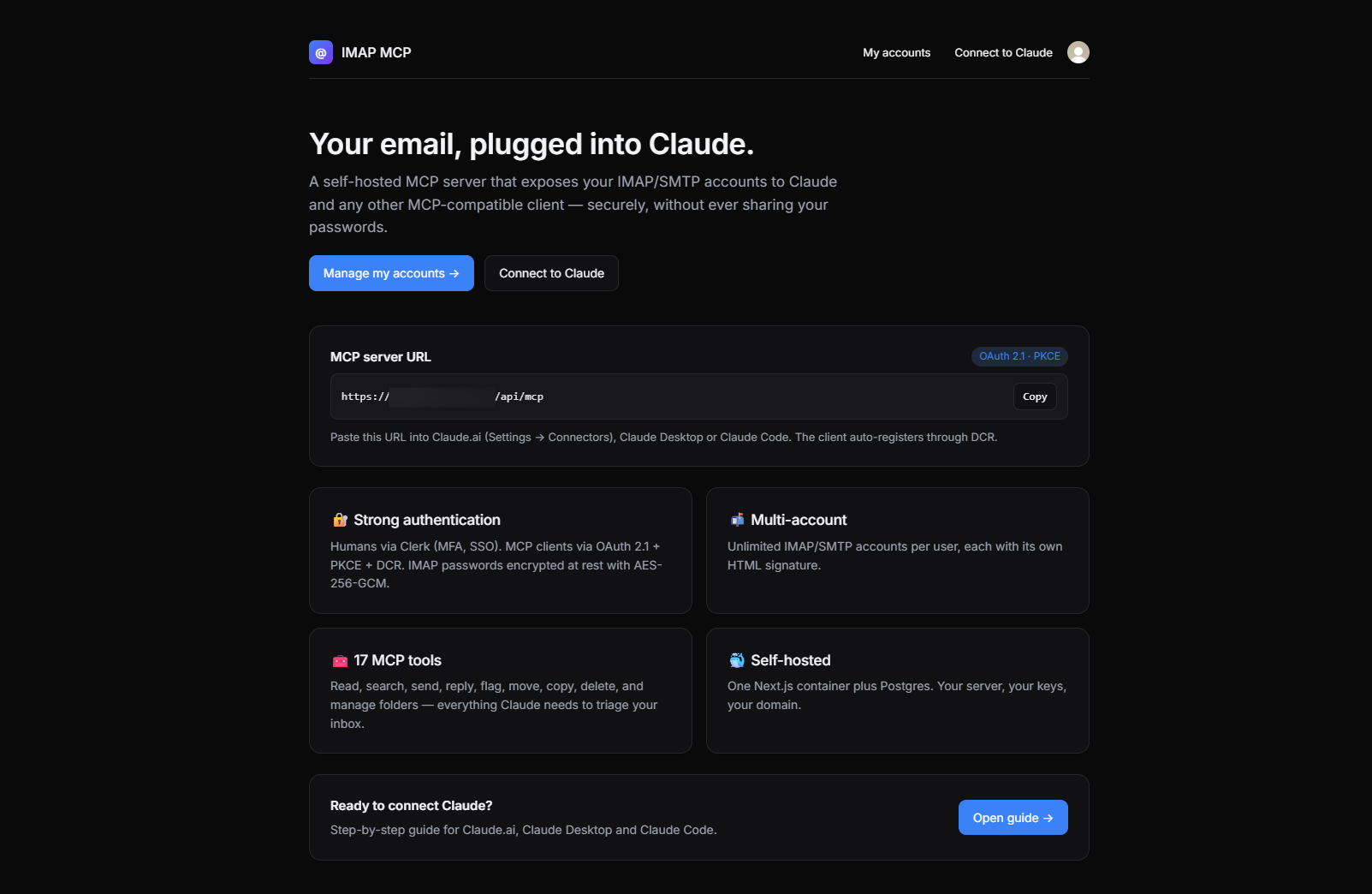
Self-hosted remote MCP server that lets an AI (Claude, etc.) read, search and send email through multiple IMAP/SMTP accounts, authenticated via Clerk.



Why
MCP clients (Claude Desktop, Claude.ai, …) can talk to remote servers, but none of them ship with a way to plug your own IMAP/SMTP accounts securely. Shoving raw credentials into a client config or shipping them to a third-party SaaS is a non-starter for anything serious.
imap-mcp is a tiny, self-hosted Next.js app that:
- authenticates humans with Clerk (you get a real sign-in UI, MFA, SSO, whatever Clerk supports),
- authenticates MCP clients with OAuth 2.1 (PKCE + Dynamic Client Registration),
- stores an arbitrary number of IMAP/SMTP accounts per user, encrypted at rest (AES-256-GCM),
- exposes those accounts to any MCP client through a clean set of tools.
One container, one domain, your server, your keys.
Features
- 🔐 Clerk for user auth — you manage users, not us
- 🔑 OAuth 2.1 (Authorization Code + PKCE) with Dynamic Client Registration (RFC 7591)
- 📬 Unlimited IMAP/SMTP accounts per user, each with its own HTML signature (Tiptap editor, DOMPurify-sanitized)
- 🔒 Credentials encrypted with AES-256-GCM; OAuth tokens stored as SHA-256 hashes only
- 🧰 19 MCP tools across four groups: reading (
list_accounts,list_folders,list_messages,get_message,get_thread,search_messages,get_attachment), sending (send_message,reply_message), flags & triage (mark_read,mark_unread,flag_messages,unflag_messages,set_flags), and mailbox ops (move_messages,copy_messages,delete_messages,create_folder,rename_folder,delete_folder) - 🧪 Test connection from the list (IMAP
NOOP+ SMTPVERIFY) with per-account status badges and actionable error hints - ⚡ Provider presets on account creation: Gmail, Outlook / Microsoft 365, iCloud, Yahoo, Fastmail, OVH — pre-fills hosts, ports and SSL flags
- ⚠️ Live port/SSL consistency warnings — catches the
wrong version numbertrap before it happens - 🎯
/connectguide with tabbed, copy-to-clipboard setup instructions for Claude.ai (web), Claude Desktop and Claude Code - 🎨 Polished UI: light/dark, hero homepage, status badges, shadows, focus rings
- 🐳 Ships as a 2-service
docker-compose(Postgres + app)
Architecture
┌─────────────────┐   OAuth 2.1 (PKCE + DCR)   ┌──────────────────────────┐
│   MCP client    │ ◀────────────────────────▶ │  /api/oauth/*            │
│ (Claude, …)     │   Bearer-auth'd JSON-RPC   │  /api/mcp   ← tools      │
└─────────────────┘                            │                          │
                                               │   Next.js 15 (App Router)│
┌─────────────────┐   Clerk session            │   /accounts  ← web UI    │
│     Browser     │ ─────────────────────────▶ │                          │
└─────────────────┘                            └──────────────┬───────────┘
                                                              │ Drizzle
                                                        ┌─────▼─────┐
                                                        │ Postgres  │
                                                        └───────────┘
The Next.js app is simultaneously:
- the OAuth Authorization Server (issues codes and tokens),
- the OAuth Resource Server (validates Bearer tokens at
/api/mcp), - the web UI for users to manage their accounts.
Human auth at the /authorize endpoint is delegated to the active Clerk session.
Stack
| Concern | Choice |
| ------------ | ------------------------------------------------------- |
| Framework | Next.js 15 (App Router), React 19 |
| Language | TypeScript (strict) |
| Human auth | @clerk/nextjs |
| Database | PostgreSQL 16 |
| ORM | drizzle-orm |
| IMAP client | imapflow |
| SMTP client | nodemailer |
| MCP SDK | @modelcontextprotocol/sdk |
| HTML editor | Tiptap |
| Sanitizer | isomorphic-dompurify |
| Transport | Streamable HTTP (MCP spec 2025-06-18) |
Getting started
1. Clone & configure
git clone <your-fork> imap-mcp
cd imap-mcp
cp .env.example .env
Fill in .env:
# Generate a fresh 32-byte master key
openssl rand -base64 32
Paste it as MCP_MASTER_KEY. Add your Clerk keys (pk_test_… / sk_test_…) and set NEXT_PUBLIC_APP_URL to the public URL of your deployment (e.g. https://mcp.example.com or http://localhost:3000 for local).
⚠️ Losing MCP_MASTER_KEY means losing every stored IMAP/SMTP password. Back it up.
2. Run with Docker
docker compose up --build
# In another terminal, apply the schema on first install:
docker compose exec app npx drizzle-kit push
App is now available at http://localhost:3000.
3. Add an email account
- Open the app, sign up with Clerk.
- Go to
/accounts/new. - Pick a provider preset (Gmail, Outlook, iCloud, Yahoo, Fastmail, OVH) to auto-fill hosts, ports and SSL flags — or fill them by hand.
- Gmail / Google Workspace: use an app password (
https://myaccount.google.com/apppasswords). - Optionally paste/edit an HTML signature.
- Save, then click Test on the account card. Both IMAP and SMTP must come back green.
4. Connect your MCP client
Every signed-in user has a built-in guide at /connect with tabbed setup instructions
and copy-to-clipboard snippets for the three major Claude surfaces:
Claude.ai (web)
- Open Settings → Connectors → Add custom connector.
- Paste
https://<your-domain>/api/mcp. - Sign in with Clerk in the popup, approve.
Claude Desktop
Merge into ~/Library/Application Support/Claude/claude_desktop_config.json
(or the equivalent on Windows/Linux):
{
  "mcpServers": {
    "email-mcp": {
      "command": "npx",
      "args": ["-y", "mcp-remote", "https://<your-domain>/api/mcp"]
    }
  }
}
Restart the app; the OAuth browser flow launches on first use. Requires Node ≥ 18.
Claude Code
claude mcp add --transport http email-mcp https://<your-domain>/api/mcp
Then type /mcp in a session — the first tool call triggers OAuth.
Under the hood
The client will:
GET /.well-known/oauth-protected-resource— discover the auth server,POST /api/oauth/register— auto-register itself,- open
/api/oauth/authorizein a browser — you sign in with Clerk and approve, POST /api/oauth/token— exchange the code for an access token,- call
/api/mcpwithAuthorization: Bearer ….
All of this is handled transparently by conformant MCP clients.
Troubleshooting
SMTP test fails with tls_validate_record_header:wrong version number
Port/SSL mismatch. The form now warns about this live, and the accounts list surfaces a hint when the test fails. Use one of:
| Port | SSL/TLS checkbox | Meaning | | ---- | ---------------- | -------------------- | | 465 | ✅ on | Implicit TLS | | 587 | ❌ off | STARTTLS upgrade | | 25 | ❌ off | Plain (discouraged) |
First Docker build fails on DATABASE_URL is not set
The builder needs a placeholder at build-time; this repo's Dockerfile already sets a
dummy DATABASE_URL and MCP_MASTER_KEY for the build stage, and receives
NEXT_PUBLIC_CLERK_PUBLISHABLE_KEY / NEXT_PUBLIC_APP_URL as build args from
docker-compose.yml. Make sure your .env defines them before docker compose up --build.
Applying the schema inside Docker
docker compose exec app node node_modules/drizzle-kit/bin.cjs push
(The drizzle-kit push command needs esbuild at runtime to load the TS config. If
missing, install it in the container: docker compose exec app npm i esbuild --no-save.)
MCP tools
Reading & searching
| Tool | Purpose |
| ----------------- | ----------------------------------------------------------------------- |
| list_accounts | List the current user's configured accounts |
| list_folders | IMAP LIST — all mailboxes for a given account |
| list_messages | Headers of the N most recent messages in a folder (with filters) |
| get_message | Full message: headers, text, HTML, attachments metadata (with indexes) |
| get_thread | Full conversation around a message; Gmail X-GM-THRID fast-path + RFC 5322 References fallback. cross_folder=true scans every mailbox. |
| search_messages | IMAP SEARCH by from, to, subject, body, date ranges, unread |
| get_attachment | Return a signed 15-minute HTTPS download URL for an attachment (file never persisted on the MCP server). Images are also previewed inline. inline_blob=true opts into returning the raw base64 as an embedded MCP resource. |
Sending
| Tool | Purpose |
| ----------------- | ----------------------------------------------------------------------- |
| send_message | Send via the account's SMTP, appending the HTML signature and base64 attachments; the sent copy is IMAP-appended to the Sent folder (skipped on Gmail, which saves it automatically). |
| reply_message | Reply preserving In-Reply-To / References; same Sent-folder behavior as send_message. |
Flags & triage
| Tool | Purpose |
| ----------------- | ----------------------------------------------------------------------- |
| mark_read | Add \Seen to one or more UIDs |
| mark_unread | Remove \Seen |
| flag_messages | Add \Flagged (the star/favorite) |
| unflag_messages | Remove \Flagged |
| set_flags | Add and/or remove arbitrary IMAP flags (\Answered, $Important, labels…) |
Mailbox operations
| Tool | Purpose |
| ----------------- | ----------------------------------------------------------------------- |
| move_messages | Move UIDs from one folder to another |
| copy_messages | Copy UIDs to another folder without removing the original |
| delete_messages | Move to Trash by default; permanent: true expunges |
| create_folder | Create a new IMAP mailbox (supports hierarchical paths) |
| rename_folder | Rename or reparent a mailbox |
| delete_folder | Delete a mailbox (INBOX is rejected) |
The authenticated user's ID is always injected from the OAuth token — tools never accept it as an argument, so a client cannot impersonate another user.
Local development
npm install
# Start postgres however you want (docker, local, …) and export DATABASE_URL
npm run db:push          # apply schema
npm run dev              # Next.js dev server on :3000
npm run typecheck        # strict TypeScript
npm run build            # production build
Data model
users(id, clerk_user_id UNIQUE)
mail_accounts(id, user_id, label, email,
              imap_{host,port,secure,user,password_enc},
              smtp_{host,port,secure,user,password_enc},
              signature_html, is_default)
oauth_clients(id, client_secret_hash, redirect_uris[], token_endpoint_auth_method)
oauth_auth_codes(code, client_id, user_id, redirect_uri,
                 code_challenge, code_challenge_method, expires_at, consumed_at)
oauth_tokens(id, access_token_hash UNIQUE, refresh_token_hash,
             client_id, user_id, access_expires_at, refresh_expires_at, revoked_at)
Security notes
- Master key: AES-256-GCM, IV per ciphertext, authenticated. Ciphertext =
base64(iv(12) ‖ ct ‖ tag(16)). - Passwords are never returned from the REST API — only their encrypted blob is stored.
- Access tokens are opaque random strings; DB stores only their SHA-256.
- Refresh tokens rotate on every use (old one is revoked).
- Signatures pass through DOMPurify server-side before storage and before being injected into outgoing mail.
- Attachment download URLs are HMAC-SHA256-signed (separate key derived from
MCP_MASTER_KEY) and expire in 15 minutes. They encode{userId, accountId, folder, uid, index, exp}— tampering is rejected in constant time, expired tokens are refused. Files are never written to disk on the MCP server; each request streams directly from IMAP and is garbage-collected after the response. - The
/api/mcpendpoint always returnsWWW-Authenticate: Bearer resource_metadata="…"on 401, per RFC 9728.
Out of scope (v1)
- XOAUTH2 for Gmail / Outlook (password/app-password only for now)
- IMAP IDLE / push notifications
- Master-key rotation flow (schema supports it, tool not written yet)
- Per-user rate limiting on MCP tools
PRs welcome for any of the above.
Contributing
Issues and PRs are welcome. Before opening a PR, please:
npm run typecheckmust pass.npm run buildmust pass.- Keep the monolith mindset: one Next.js app, one container, boring dependencies.
License
MIT — do whatever you want, no warranty.