A standalone MCP server that provides on-device Vision Framework access for PDF and image text extraction.
VisionMCP
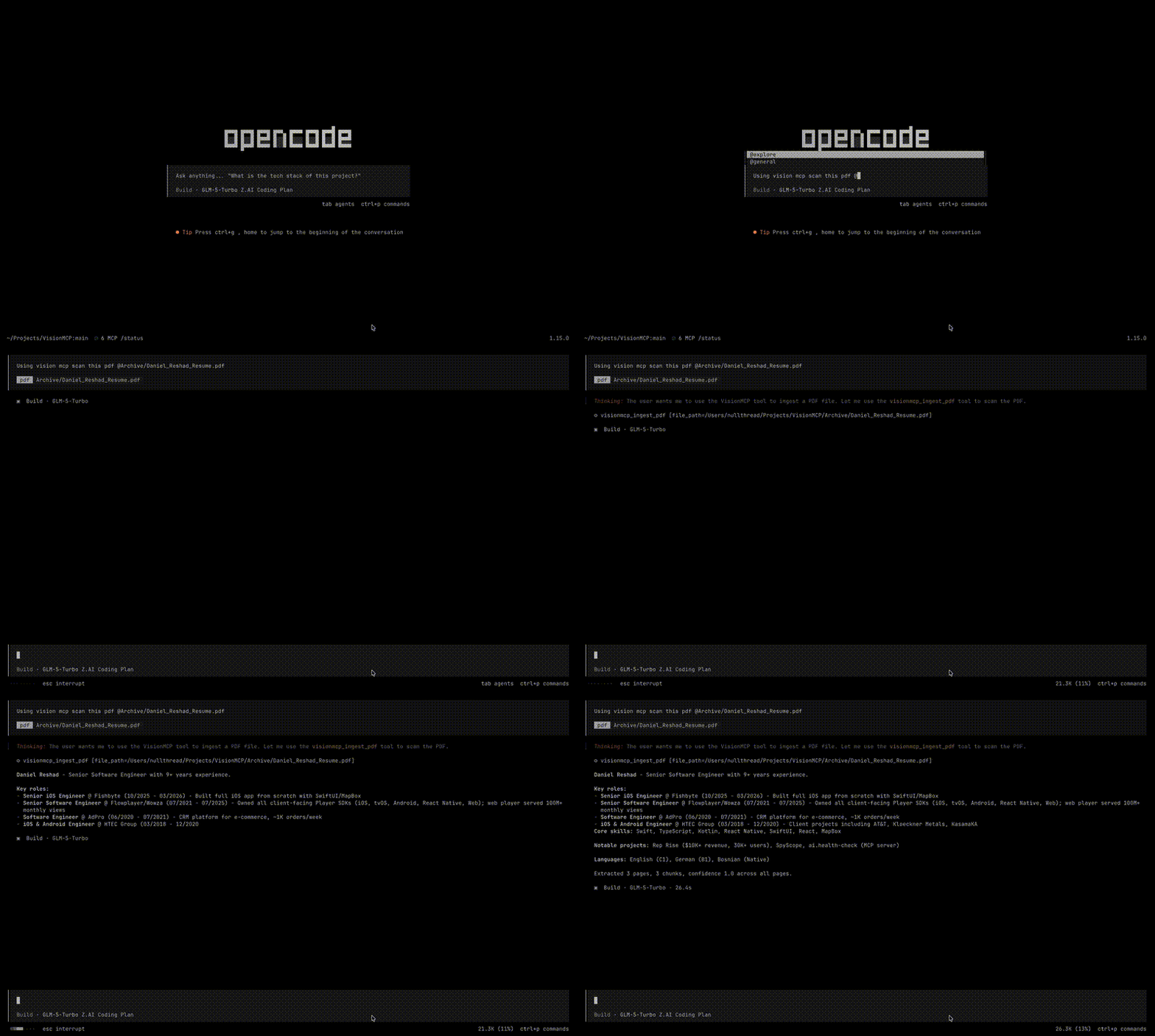
A standalone MCP server that provides on-device Vision Framework access for PDF and image text extraction. Uses Apple's Vision OCR exclusively -- no cloud services, no API keys, no data leaves your machine.
Built with Swift 6.3, macOS 26, and the MCP Swift SDK.
How it works
Two independent parsers, each producing structured PageExtraction results:
- PDF ingestion -- renders PDF pages to images via PDFKit, then runs
RecognizeDocumentsRequest(macOS 26 Vision API) for structured document OCR. Extracts text, tables, lists, and paragraphs. - Image ingestion -- loads images via
CGImageSource, then runsVNRecognizeTextRequestfor text OCR. Supports PNG, JPEG, TIFF, BMP, GIF, HEIC, and WebP.
Both paths produce extracted text, confidence scores, and automatic text chunking with configurable overlap. The server is read-only -- it extracts and returns data with no persistence or database.
Requirements
- macOS 26 (Tahoe) or later
- Xcode 26 beta or later
- Swift 6.3 or later
Build
git clone https://codeberg.org/<your-user>/VisionMCP.git
cd VisionMCP
swift build -c release
The release binary is at .build/release/VisionMCP.
Install
sudo ln -sf $(pwd)/.build/release/VisionMCP /usr/local/bin/visionmcp
Verify:
visionmcp --version
MCP Configuration
opencode
Add to your project's opencode.json:
{
  "mcp": {
    "visionmcp": {
      "type": "local",
      "command": ["/usr/local/bin/visionmcp"],
      "enabled": true
    }
  }
}
Or add to your global ~/.config/opencode/opencode.json to make it available across all projects.
Tools
ingest_pdf
Extracts text from a PDF document using Vision OCR. Returns extracted text, chunks, and metadata.
Parameters:
| Name | Type | Required | Description |
|------|------|----------|-------------|
| file_path | string | yes | Absolute path to the PDF file |
Returns:
raw_text-- full extracted textchunks-- text split into token-limited chunks with overlappages-- per-page extraction with text, confidence, tables, lists, paragraphsfile_hash-- SHA-256 hash of the filepage_count,chunk_count,status
ingest_image
Extracts text from an image file using Vision OCR. Returns extracted text and metadata.
Parameters:
| Name | Type | Required | Description |
|------|------|----------|-------------|
| file_path | string | yes | Absolute path to the image file |
Supports: PNG, JPEG, TIFF, BMP, GIF, HEIC, WebP. Max file size: 250 MB.
Returns: Same structure as ingest_pdf.
Example response
{
  "file_name": "invoice-001.jpeg",
  "page_count": 1,
  "chunk_count": 2,
  "file_hash": "a258e31c...",
  "raw_text": "Invoice text here...",
  "chunks": "[{\"chunk_index\":0,\"content\":\"...\",\"token_count\":558}]",
  "pages": "[{\"page_number\":1,\"text\":\"...\",\"confidence\":0.97}]",
  "status": "extracted"
}
Architecture
VisionMCP
├── PDFParser              # Renders pages, runs RecognizeDocumentsRequest
├── PDFDocumentActor       # Thread-safe PDFDocument wrapper (Sendable)
├── ImageParser            # Loads images, runs VNRecognizeTextRequest
├── TextChunker            # Splits text into overlapping token-limited chunks
├── IngestService          # Orchestrates parsing + chunking
├── IngestTools            # MCP tool definitions + handlers
├── ToolRegistry           # Wires MCP server to tools
└── main.swift             # Entry point, stdio transport
No shared protocol, no factory, no reconciliation. Each tool routes directly to its parser.
Development
Build
swift build
Test
swift test
Tests use Swift Testing (import Testing, @Test, #expect).
Run locally
swift run VisionMCP
The server communicates over stdio using the MCP protocol.