MCP data gateway
db-mcp
Your teams are copy-pasting company data into Claude. Give them a safe way to do it.
db-mcp is an open-source MCP server that connects Claude Desktop to your databases—with a self-improving semantic layer that gets smarter with every query.
No infrastructure needed. Runs locally. Data never leaves your network.
Installation
curl -fsSL https://download.apelogic.ai/db-mcp/install.sh | sh
Why db-mcp?
- Ask Claude, get answers — Stop waiting for reports. Query your data in natural language without SQL, copy-pasting schemas, or context-setting
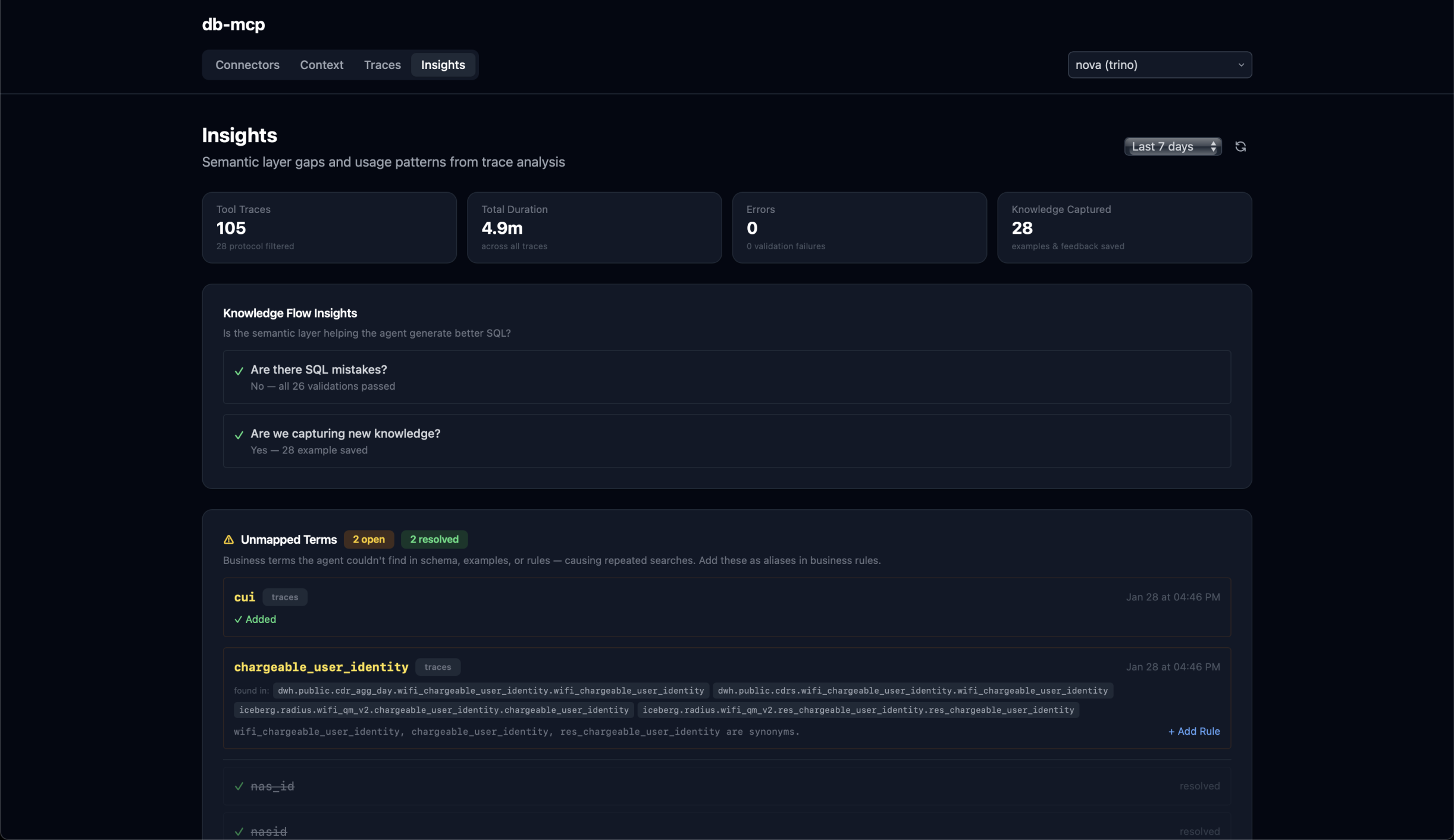
- Self-improving semantic layer — Auto-generates descriptions of your schema, then learns from every query to improve accuracy over time
- Runs on your desktop — No cloud infrastructure, no data leaving your network. Uses your existing database credentials and access controls
- Git-style collaboration — Data teams review and approve semantic layer improvements. You stay in control, users get accurate answers
- Open source & auditable — MIT licensed, fully transparent, no vendor lock-in
Who is db-mcp for?
| Role | Benefit | |------|---------| | Business Teams | Ask Claude questions about your data and get accurate answers instantly—no SQL required | | Data Teams | Turn your warehouse into an agent-ready platform with a semantic layer that builds itself | | IT & Security | Govern AI data access with full interaction history, read-only enforcement, and cost guards |
How It Works
From install to insight in four steps:
- Install — Download db-mcp to your laptop. No infrastructure needed—runs locally in minutes
- Connect — Add data sources using your existing credentials. Your security posture stays intact
- Query — Ask Claude questions across your connected data. Every query is validated before execution
- Improve — The semantic layer learns from usage. Review and approve improvements with a git-style workflow
Quick Start
# Configure your database and Claude Desktop
db-mcp init

# Check configuration
db-mcp status
Supported Agents
Claude Desktop
The default setup works with Claude Desktop. Follow the Quick Start instructions above.
OpenClaw
db-mcp works with OpenClaw via mcporter:
# Install mcporter (MCP bridge for OpenClaw)
npm i -g mcporter

# Configure db-mcp for OpenClaw
db-mcp init
Or manually add to ~/.openclaw/workspace/config/mcporter.json:
{
  "mcpServers": {
    "db-mcp": {
      "command": "db-mcp",
      "args": ["start"]
    }
  }
}
Supported Databases
- PostgreSQL
- ClickHouse
- Trino
- MySQL
- SQL Server
Security & Governance
- Runs locally — Data stays on your machine, never routed through external servers
- Read-only by default — Query validation and cost guards prevent accidental data modification
- Uses existing RBAC — Connects with your database credentials and respects your access controls
- Full audit trail — Complete interaction history for compliance and debugging
- Open source — Fully auditable, MIT licensed
Commands
Setup & Configuration
| Command | Description |
|---------|-------------|
| db-mcp init [NAME] | Interactive setup wizard - configure database and Claude Desktop |
| db-mcp status | Show current configuration status |
| db-mcp config | Open config file in editor |
Connection Management
| Command | Description |
|---------|-------------|
| db-mcp list | List all configured connections |
| db-mcp use NAME | Switch to a different connection |
| db-mcp edit [NAME] | Edit connection credentials (.env file) |
| db-mcp rename OLD NEW | Rename a connection |
| db-mcp remove NAME | Remove a connection |
| db-mcp all COMMAND | Run a command for all connections |
Server & Diagnostics
| Command | Description |
|---------|-------------|
| db-mcp start | Start the MCP server (stdio mode for Claude Desktop) |
| db-mcp console | Start local trace console (view MCP server activity) |
| db-mcp traces | Manage trace capture for diagnostics and learning |
Git Sync (Team Collaboration)
| Command | Description |
|---------|-------------|
| db-mcp git-init [NAME] | Enable git sync for an existing connection |
| db-mcp sync [NAME] | Sync connection changes with git remote |
| db-mcp pull [NAME] | Pull connection updates from git remote |
Migration
| Command | Description |
|---------|-------------|
| db-mcp migrate | Migrate from legacy storage format to new connection structure |
Configuration
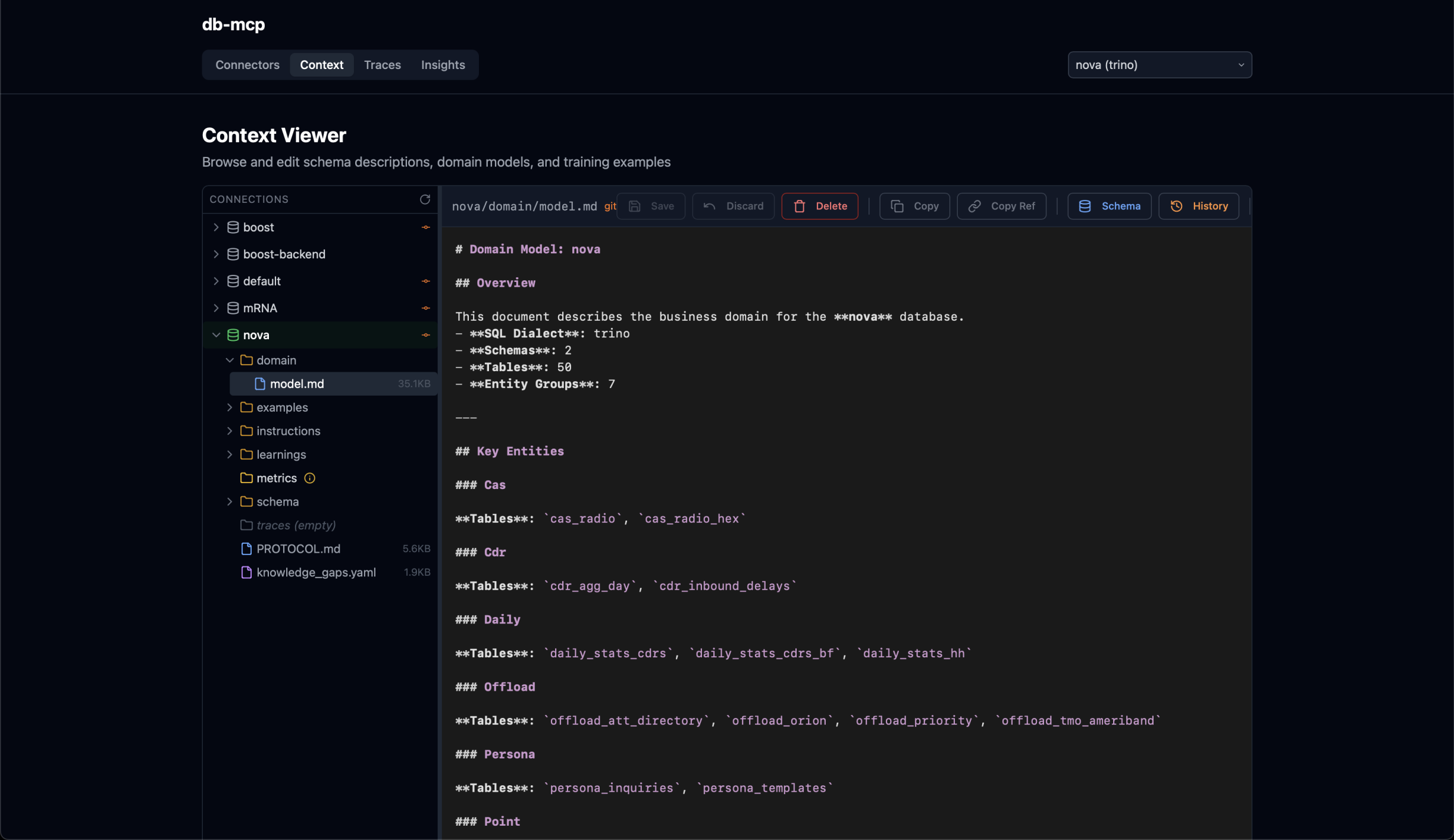
Connection data is stored in ~/.db-mcp/:
~/.db-mcp/
├── config.yaml                      # Global config, active connection
└── connections/{name}/
    ├── .env                         # Database credentials (gitignored)
    ├── state.yaml                   # Onboarding state
    ├── schema/
    │   └── descriptions.yaml        # Table/column descriptions
    ├── domain/
    │   └── model.md                 # Domain model documentation
    ├── training/
    │   ├── examples.yaml            # Query examples (NL → SQL mappings)
    │   └── instructions.yaml        # Custom SQL generation rules
    └── .git/                        # Optional git sync for team sharing
Configuration Artifacts
| File | Purpose |
|------|---------|
| config.yaml | Global settings: active connection, preferences |
| .env | Database URL and credentials (never committed to git) |
| state.yaml | Onboarding progress (discovery → review → domain-building → complete) |
| schema/descriptions.yaml | Human-readable descriptions of tables and columns |
| domain/model.md | Business domain documentation for the LLM |
| training/examples.yaml | Known-good query examples to guide SQL generation |
| training/instructions.yaml | Custom rules and constraints for SQL generation |
Environment Variables
| Variable | Description |
|----------|-------------|
| DATABASE_URL | Connection string (required) |
| CONNECTION_NAME | Override active connection |
| CONNECTION_PATH | Override connection directory path |
| LOG_LEVEL | Logging verbosity (default: INFO) |
Development
# Clone
git clone https://github.com/apelogic-ai/db-mcp.git
cd db-mcp

# Install dependencies
uv sync

# Run locally
cd packages/core
uv run db-mcp --help

# Lint
cd packages/core && uv run ruff check . --fix
cd packages/ui && bun run lint

# Build binary
cd packages/core
uv run python scripts/build.py
Testing
93 tests across three layers:
# Python unit tests (49 tests)
cd packages/core
uv run pytest tests/ -v

# UI unit tests (20 tests)
cd packages/ui
bun run test

# UI E2E tests (24 tests)
cd packages/ui
bunx playwright test
All tests run in CI via GitHub Actions on every push and PR. See docs/testing.md for the full testing guide.
Tool Coverage Check
Verify that 100% of MCP tools implemented in the codebase are exposed by the MCP server at runtime:
# Run the tool coverage audit (default SQL mode)
python scripts/tool_coverage_audit.py

# Test different configuration modes
python scripts/tool_coverage_audit.py --config api
python scripts/tool_coverage_audit.py --config shell
python scripts/tool_coverage_audit.py --config metabase

# Verbose output with all tool names
python scripts/tool_coverage_audit.py --verbose

# JSON output for CI integration
python scripts/tool_coverage_audit.py --json
The audit returns exit code 0 on success (100% coverage) and 1 on failure.
Project Structure
db-mcp/
├── packages/
│   ├── core/                # Main application (db-mcp)
│   ├── models/              # Shared Pydantic models (db-mcp-models)
│   └── ui/                  # Next.js control plane UI
├── docs/                    # Design documents
├── scripts/                 # Installation scripts
└── .github/workflows/       # CI/CD
Roadmap
See docs/ for design documents on planned features:
- Metrics Layer - Semantic metric definitions (DAU, revenue, etc.)
- Desktop App - Electron GUI with visual query builder
- Knowledge Extraction - Learn from query traces automatically
- Data Gateway - Unified access to multiple data sources
Resources
License
MIT