Design-first MCP for frontend improvement, screenshot-grounded refinement, and proof capture for coding agents.
Frontend Design Loop MCP
Coding agents can get a page functional. Frontend Design Loop makes it materially better with screenshot-grounded iteration and proof artifacts.
Use it when the base model got the page working but the result is still generic, flat, rough, or visibly under-designed. The main design workflow stays on one main provider and model lane by default, so multi-model routing is opt-in instead of the default story.
Quick Start
Install the current public build from PyPI:
pipx install frontend-design-loop-mcp
Set up every detected supported client:
frontend-design-loop-setup --install-all-detected-clients
Real MCP call example:
frontend_design_loop_design(
  repo_path="/absolute/path/to/site",
  goal="make the homepage look materially more premium without changing the information architecture",
  provider="gemini_cli",
  model="gemini-3.1-pro-preview",
  preview_command="python3 -m http.server {port}",
  preview_url="http://127.0.0.1:{port}/index.html"
)
What The MCP Does
frontend_design_loop_design is the main workflow:
- the host agent points the MCP at a real repo plus a concrete design goal
- the MCP boots a local preview, captures screenshots, and iterates against the rendered result
- the same main provider and model lane is used by default across planning, generation, and vision unless you explicitly override it
- the MCP returns the winning patch plus screenshots and run artifacts
frontend_design_loop_eval is the proof workflow:
- use it when the host agent already has the patch
- the MCP applies the patch in an isolated worktree, runs deterministic checks, captures screenshots, and returns proof artifacts
This is the wedge:
- coding agents can already get pages working
- this MCP helps them make pages materially better
- screenshot-grounded iteration plus proof artifacts is the differentiator
Official MCP Registry metadata is tracked in server.json.
Proof Gallery
The public proof set uses owned/generated GA SMB previews plus the ACA full-page before/after.
Selected Desktop Previews
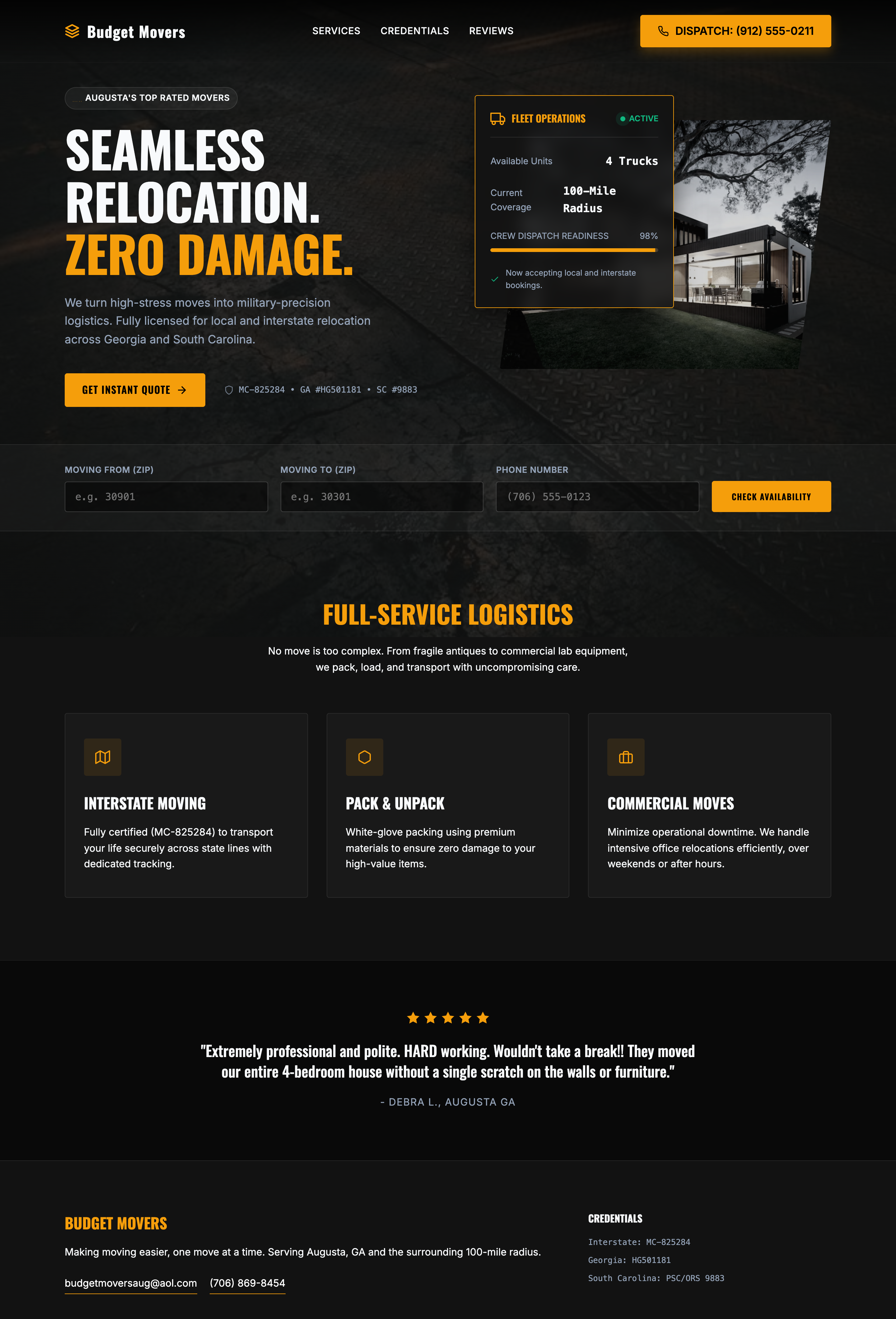 11 Budget Movers Augusta |  13 Peachtree Flooring Atlanta |  19 TNT Cabinets Columbus |
 21 Henry Plumbing Savannah |  22 Silverback Electric Savannah |  25 Robins Body & Paint Warner Robins |
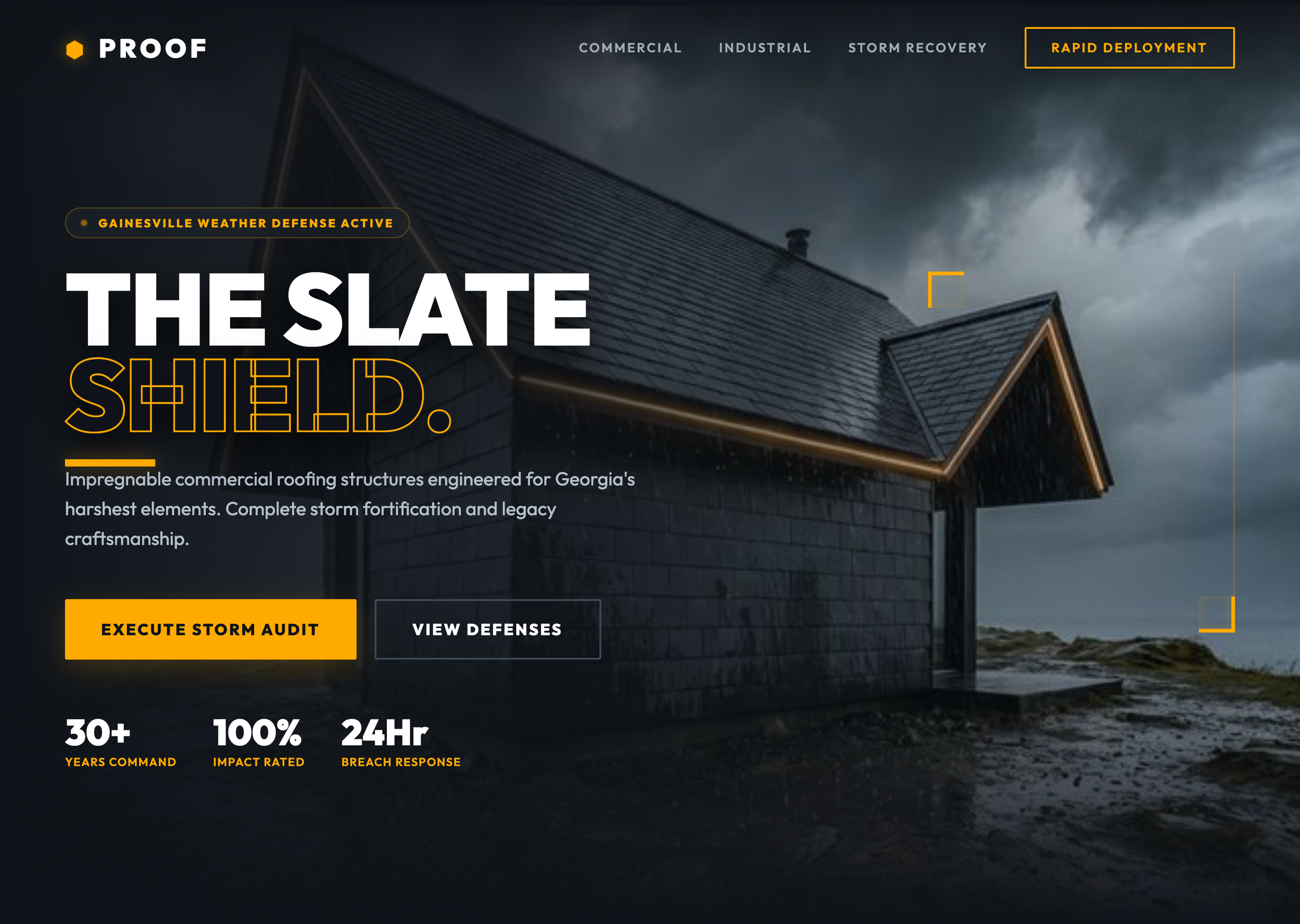 34 Proof Roofing Services Gainesville | 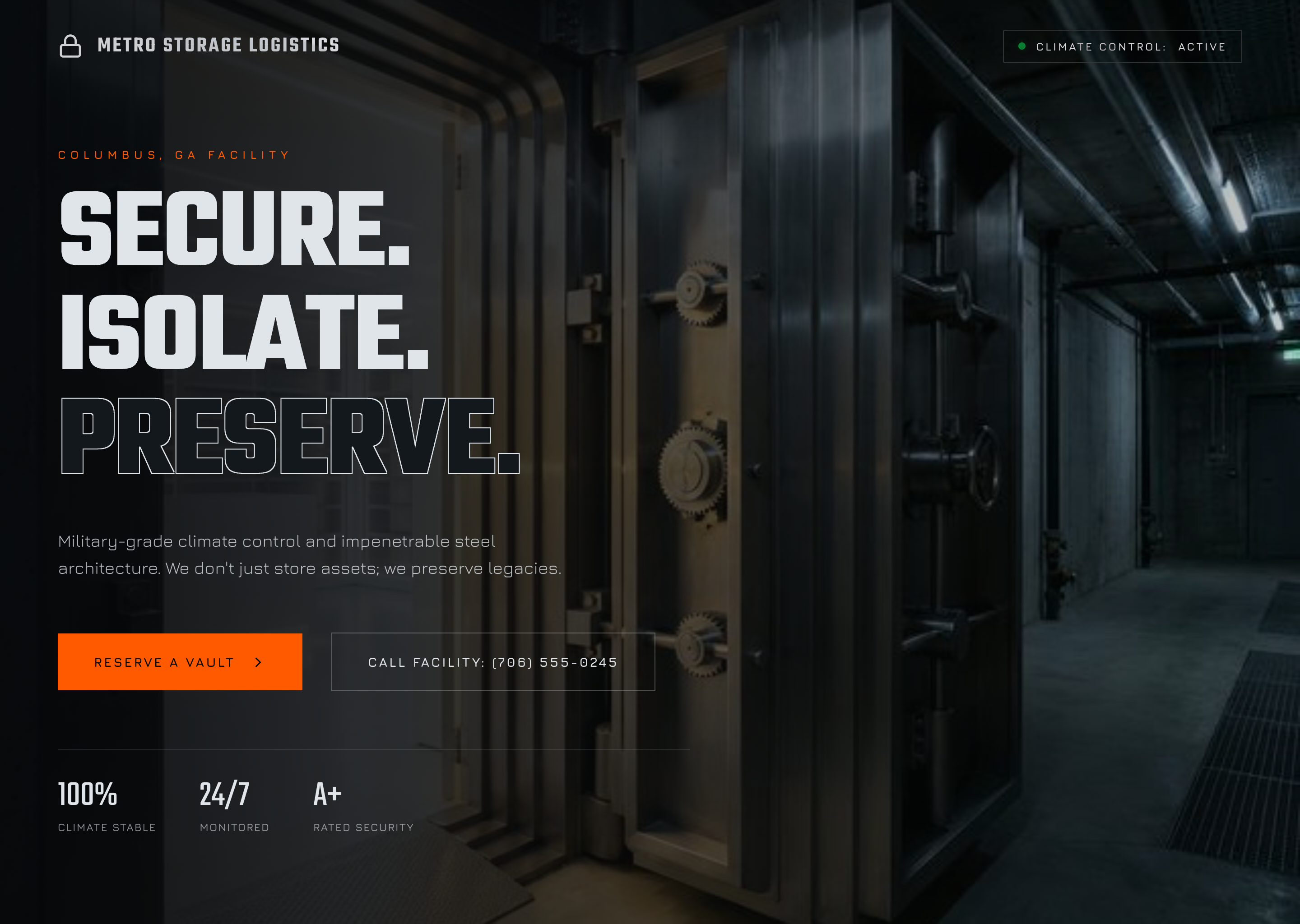 45 Metro Storage Columbus |  47 Miller Light Construction Commerce |
ACA Full-Page Before / After
Before: early ACA full homepage.
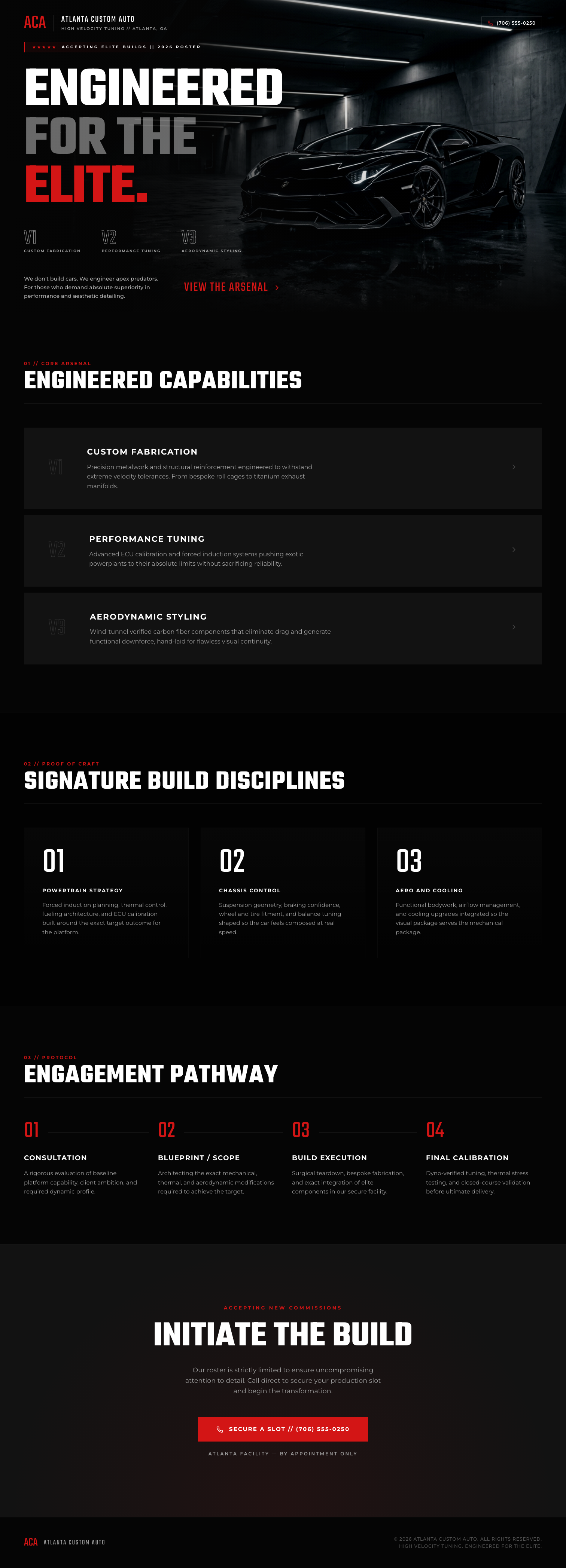
After: rebuilt ACA homepage with a stronger hero, cleaner sequencing, and a materially better full-page result.

See the proof notes in the case studies index.
How It Works In Practice
- Point the MCP at a real repo and give it a concrete design goal.
- It creates an isolated worktree, boots a preview, and captures rendered screenshots.
- It iterates against the actual rendered page instead of only raw code.
- It returns the winning patch, screenshot proof, and run artifacts so the host agent can judge the result.
Workflow Summary
frontend_design_loop_design
Use it when:
- the page is functional but weak
- the section structure is there but the design is not
- you want the MCP to improve the page instead of only judging it
Key defaults:
- one main
provider+modellane by default planning_mode="single"vision_mode="on"section_creativity_mode="on"- split planner or vision lanes only happen when explicitly requested
frontend_design_loop_eval
Use it when:
- the host agent already has the patch
- you want deterministic checks, screenshots, and artifact capture
- you want the host agent to judge the result from returned screenshots
Returned proof fields include:
deterministic_passedvision_pendingvision_scoredfinal_passrun_dircandidate_dirscreenshot_filespatch
frontend_design_loop_solve
frontend_design_loop_solve still exists for advanced unattended workflows, but it is not the main public story.
Install And Setup
Public install now
pipx install frontend-design-loop-mcp
frontend-design-loop-setup --install-all-detected-clients
GitHub install remains the fallback:
pipx install git+https://github.com/alexalexalex222/frontend-design-loop-mcp.git
frontend-design-loop-setup --install-all-detected-clients
Local clone path
git clone https://github.com/alexalexalex222/frontend-design-loop-mcp.git
cd frontend-design-loop-mcp
./scripts/setup.sh
The local setup path:
- creates
.venv - installs the package
- installs Playwright Chromium
- installs detected client entries when supported clients are present
- runs the built-in doctor
- runs the stdio smoke test
If you want the repo-local environment without auto-installing client entries:
FDL_SKIP_CLIENT_INSTALL=1 ./scripts/setup.sh
Setup helpers
Bulk installer:
frontend-design-loop-setup --install-all-detected-clients
Targeted installers:
frontend-design-loop-setup --install-claude --scope user
frontend-design-loop-setup --install-codex
frontend-design-loop-setup --install-gemini
frontend-design-loop-setup --install-droid
frontend-design-loop-setup --install-opencode
Config printers:
frontend-design-loop-setup --print-claude-config
frontend-design-loop-setup --print-codex-config
frontend-design-loop-setup --print-gemini-config
frontend-design-loop-setup --print-droid-config
frontend-design-loop-setup --print-opencode-config
Safety Defaults
- custom commands are parsed as shell-free argv by default
- shell syntax, substitutions, and inline interpreter execution like
bash -c,python -c, andnode -erequireunsafe_shell_commands=true preview_urlmust match the launched local preview origin and port by default- external preview fetches require
unsafe_external_preview=true - preview readiness checks reject cross-origin redirects, and browser screenshots block cross-origin subresources by default
- auto-context skips common secret-bearing paths such as
.env*,.git/,.aws/,.ssh/,.config/gcloud/,.docker/,.kube/, token-named files, and service-account-style JSON - native CLI providers inherit a minimal allowlisted environment instead of the full host shell environment
- shared worktree reuse directories are off by default
Client-side vision is the default proof path for frontend_design_loop_eval, so the host agent can judge the screenshots without provider credentials.
Proxy-only MiniMax vision lanes are explicitly treated as structural-only review:
vision_review_mode="proxy_structural"- they do not count as full automated visual scoring
Verification
Offline preflight:
PYTHONPATH=src .venv/bin/python scripts/preflight_check.py
stdio smoke:
PYTHONPATH=src .venv/bin/python scripts/smoke_mcp_stdio.py
Built-in doctor:
frontend-design-loop-setup --doctor
frontend-design-loop-setup --doctor --smoke
Docs
Distribution State
Current public install path:
pipx install frontend-design-loop-mcp