MCP server by v833
My RAG
A full-stack document processing and retrieval MVP for building local-first RAG workflows.
一个面向文档处理、语义检索与回答生成的全流程 RAG 原型项目。




Overview | 项目简介
English
My RAG is a visual, end-to-end RAG playground that helps you go from raw documents to searchable knowledge and citation-aware answers. It includes upload, parsing, chunking, embedding, indexing, semantic search, and answer generation in one interface.
中文
My RAG 是一个可视化的端到端 RAG 演示项目,覆盖从原始文档上传,到结构化解析、文本分块、向量化、索引、语义搜索,再到带引用回答生成的完整流程。项目默认采用本地 JSON 持久化每一步结果,方便调试、教学演示和二次开发。
Highlights | 特性亮点
- End-to-end RAG pipeline with 7 linked UI pages
- Local-first storage with persistent JSON outputs for each stage
- Support for
pdf / txt / md / docx - Parse modes for full text, per-page, and heading-aware structure extraction
- Chunk strategies for
heading_aware,fixed_length, andper_page - OpenAI and HuggingFace embedding/generation support
- Fallback local embedding and answer generation when API keys are missing
- Milvus/Pinecone-style indexing entrypoints backed by local JSON collections
- FastAPI backend plus Vue 3 frontend for quick iteration
Screenshots | 项目截图
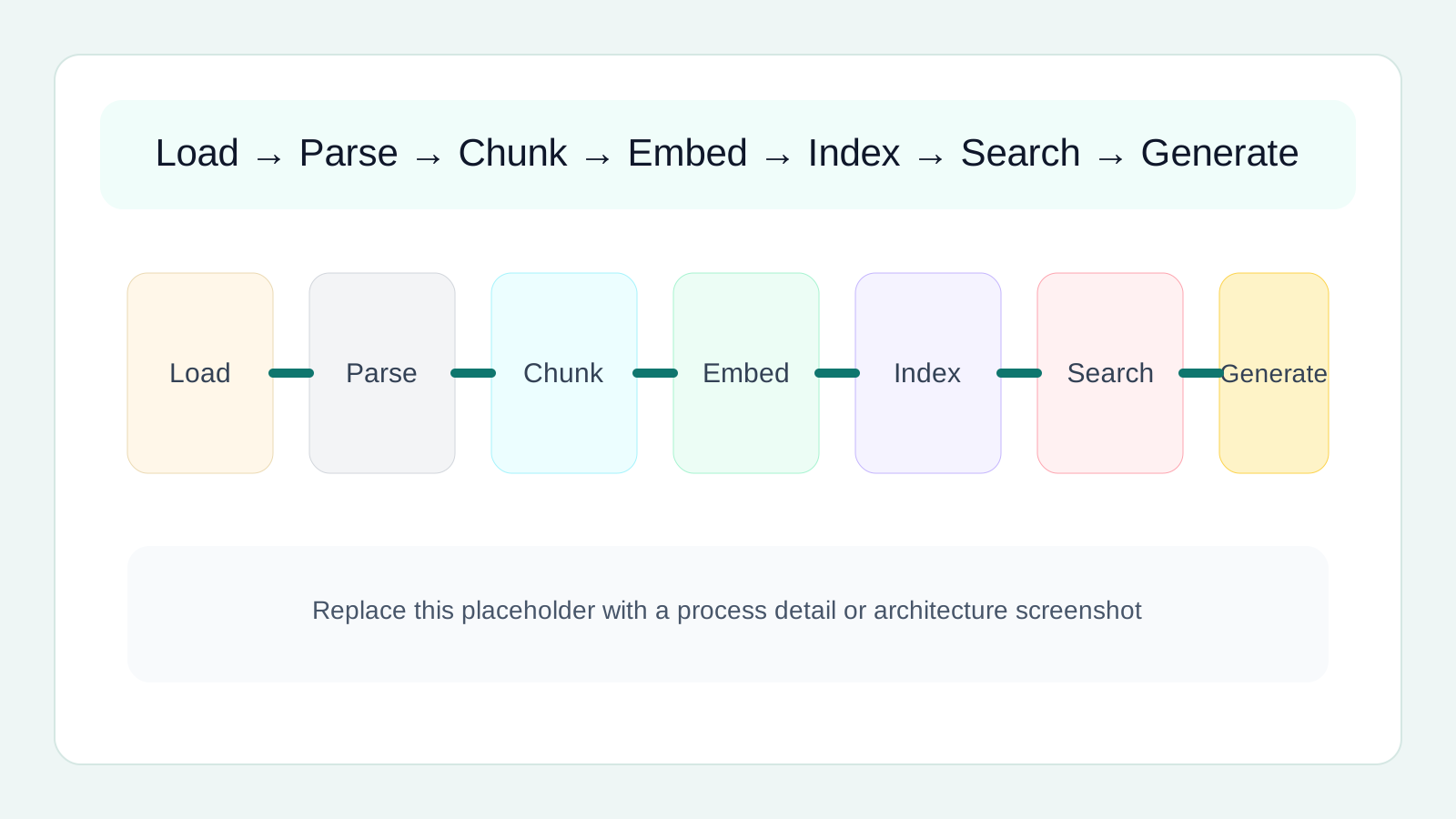
当前仓库还没有真实页面截图,README 已先放入占位图,后续你可以直接替换这些文件:
docs/images/dashboard-overview.svgdocs/images/pipeline-detail.svgdocs/images/search-generation.svg
Workflow | 处理流程
flowchart LR
    A["Upload"] --> B["Load"]
    B --> C["Parse"]
    C --> D["Chunk"]
    D --> E["Embedding"]
    E --> F["Indexing"]
    F --> G["Search"]
    G --> H["Generation"]
对应的前端页面为:
LoadFileParseFileChunkFileEmbeddingFileIndexingSearchGeneration
Architecture | 架构图
flowchart TB
    subgraph UI["Frontend · Vue 3 + Vite"]
        P1["LoadFile"]
        P2["ParseFile"]
        P3["ChunkFile"]
        P4["EmbeddingFile"]
        P5["Indexing"]
        P6["Search"]
        P7["Generation"]
    end

    subgraph API["Backend · FastAPI"]
        R1["/api/load"]
        R2["/api/parse"]
        R3["/api/chunk"]
        R4["/api/embedding"]
        R5["/api/indexing"]
        R6["/api/search"]
        R7["/api/generation"]
    end

    subgraph Service["Core Services"]
        S1["loading_service"]
        S2["parse_service"]
        S3["chunk_service"]
        S4["embedding_service"]
        S5["indexing_service"]
        S6["search_service"]
        S7["generation_service"]
        S8["model_gateway"]
    end

    subgraph Data["Storage"]
        D1["backend/data/uploads"]
        D2["backend/data/*_results"]
        D3["backend/data/index_collections"]
    end

    P1 --> R1 --> S1 --> D1
    P2 --> R2 --> S2 --> D2
    P3 --> R3 --> S3 --> D2
    P4 --> R4 --> S4 --> S8
    P5 --> R5 --> S5 --> D3
    P6 --> R6 --> S6 --> S8
    P7 --> R7 --> S7 --> S8
    S4 --> D2
    S5 --> D2
    S6 --> D2
    S7 --> D2
Tech Stack | 技术栈
Frontend
- Vue 3
- TypeScript
- Vite
- Vue Router
- Tailwind CSS
Backend
- FastAPI
- Pydantic
- Uvicorn
- httpx
Document Processing
- PyMuPDF
- pypdf
- unstructured
- python-docx
Testing
- pytest
Repository Structure | 仓库结构
.
├── frontend/                     # Vue 3 前端
│   ├── src/pages/                # 工作流页面
│   ├── src/api/                  # 前端 API 封装
│   ├── src/layouts/              # 布局组件
│   └── src/components/           # 通用组件
├── backend/                      # FastAPI 后端
│   ├── app/api/                  # 路由层
│   ├── app/services/             # 核心业务逻辑
│   ├── app/models/               # Pydantic 模型
│   ├── app/core/                 # 配置与常量
│   ├── app/utils/                # 文件存储等工具
│   ├── data/                     # 本地输入、输出与索引数据
│   └── tests/                    # 测试
├── docs/images/                  # README 配图
└── README.md
后端会自动创建并使用这些数据目录:
backend/data/uploads/
backend/data/load_results/
backend/data/parse_results/
backend/data/chunk_results/
backend/data/embedding_results/
backend/data/index_results/
backend/data/search_results/
backend/data/generation_results/
backend/data/index_collections/
Quick Start | 快速开始
1. Start Backend
cd backend
python3 -m venv .venv
source .venv/bin/activate
pip install -r requirements.txt
uvicorn app.main:app --reload
Backend default:
http://127.0.0.1:8000
Health check:
curl http://127.0.0.1:8000/api/health
2. Start Frontend
cd frontend
npm install
npm run dev
Frontend default:
http://127.0.0.1:5173
If your backend runs elsewhere:
VITE_API_BASE_URL=http://127.0.0.1:8000
Environment Variables | 环境变量
The backend reads backend/.env. The project can still run most demo flows without API keys because it includes local fallback logic.
OPENAI_API_KEY=
OPENAI_EMBEDDING_MODEL=text-embedding-3-small

HUGGINGFACE_API_KEY=
HUGGINGFACE_EMBEDDING_MODEL=sentence-transformers/all-MiniLM-L6-v2

BACKEND_CORS_ORIGINS=http://127.0.0.1:5173,http://localhost:5173
Suggested backend/.env:
OPENAI_API_KEY=your_key_here
OPENAI_EMBEDDING_MODEL=text-embedding-3-small
HUGGINGFACE_API_KEY=
HUGGINGFACE_EMBEDDING_MODEL=sentence-transformers/all-MiniLM-L6-v2
BACKEND_CORS_ORIGINS=http://127.0.0.1:5173,http://localhost:5173
Pages | 页面说明
LoadFile
- Upload raw files
- Choose
auto / pymupdf / pypdf / unstructured - Produce standardized
LoadResultJSON with full text and page previews
ParseFile
- Transform
LoadResultinto structuredParseResult - Support
by_heading / per_page / full_text - Generate reusable blocks for downstream chunking
ChunkFile
- Convert
ParseResultintoChunkResult - Support
heading_aware / fixed_length / per_page - Preserve page ranges, heading paths, and source block references
EmbeddingFile
- Prefer chunk-based embeddings
- Keep compatibility with legacy page-level embedding from
LoadResult - Show vector previews and lightweight 2D projections
Indexing
- Write chunk embeddings into collections
- Expose
milvus / pineconeprovider names - Current implementation uses local JSON collections instead of real vector databases
Search
- Run semantic retrieval on saved collections
- Support
top_k, file filter, and page-range filter - Persist search results for reuse in generation
Generation
- Generate answers from saved search results
- Support OpenAI and HuggingFace
- Return answer text plus citations
API Summary | API 概览
POST /api/load/uploadPOST /api/load/processGET /api/load/uploadsGET /api/load/filesPOST /api/parse/processGET /api/parse/filesPOST /api/chunk/processGET /api/chunk/filesPOST /api/embedding/runGET /api/embedding/tasksPOST /api/indexing/runGET /api/indexing/tasksGET /api/indexing/collectionsPOST /api/search/runGET /api/search/resultsPOST /api/generation/runGET /api/generation/results
Testing | 测试
Run backend tests:
cd backend
pytest
Current coverage includes:
- filename sanitization
- JSON persistence helpers
- heading detection
- heading-aware chunk grouping
- fallback embedding stability
Current Scope | 当前范围
milvusandpineconeare currently local JSON-backed mock providers- Embedding and generation can fall back to local logic when external credentials are not configured
- This repository is best suited for demos, teaching, prototyping, and secondary development
Roadmap Ideas | 可扩展方向
- Connect to real Milvus, Pinecone, or pgvector
- Add reranking and richer retrieval strategies
- Support streaming answers and conversation memory
- Add OCR and more file format pipelines
- Add auth, dataset management, and multi-user capabilities
License
You can add an open-source license such as MIT before publishing publicly.