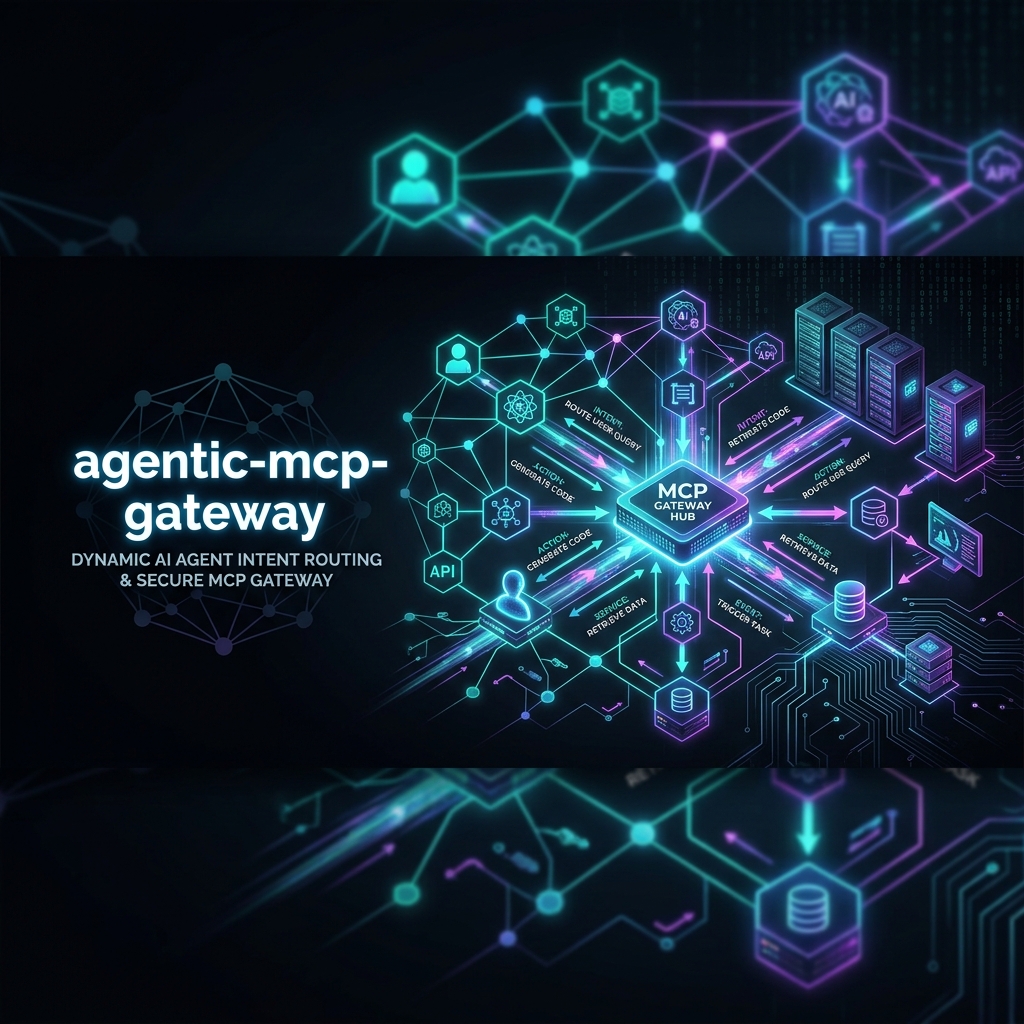
A LangGraph-powered gateway for multi-MCP agent workflows with intent routing, observability, and OpenClaw-compatible skill export.
agentic-mcp-gateway
Connect any LLM to any MCP server through a single LangGraph-powered gateway



agentic-mcp-gateway is an open-source Python framework for building robust, multi-server Model Context Protocol (MCP) agent workflows. Run any LLM (OpenAI, NVIDIA NIM, Anthropic, Ollama) and orchestrate tool usage across multiple independent MCP servers using an intelligent LangGraph intent classifier.
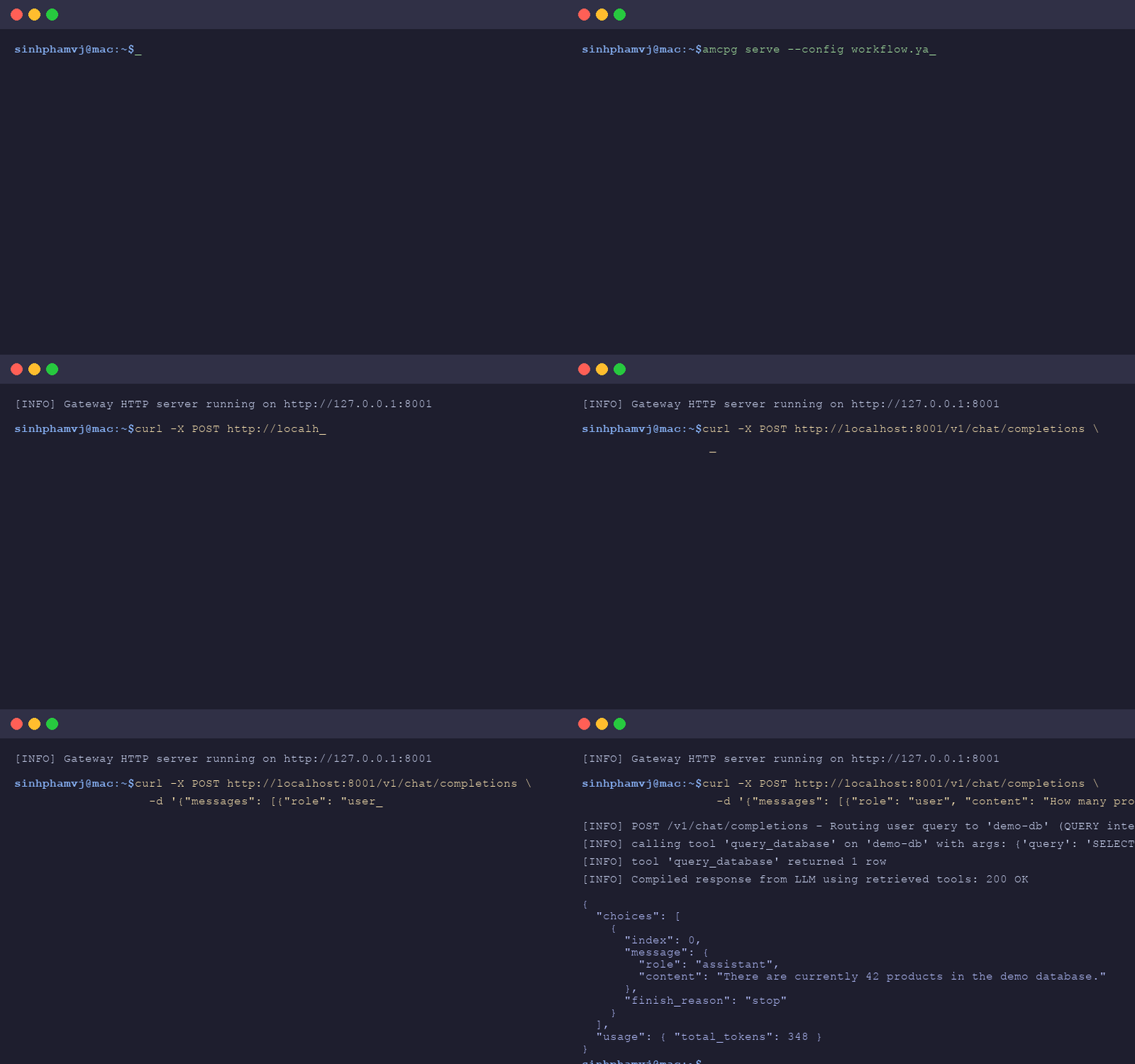
Demo
Features
- Multi-LLM: Seamlessly switch between OpenAI, Anthropic, NVIDIA NIM, and Ollama.
- Multi-MCP: Connect and orchestrate multiple Model Context Protocol (MCP) servers.
- LangGraph Integration: Built-in intent routing and agent orchestration.
- Skills Export: OpenClaw-compatible skill export for agent tooling.
- OTel Observability: Native OpenTelemetry tracing and integration with Arize Phoenix.
- YAML-first Configuration: Define workflows and connections cleanly with declarative YAML.
Architecture
flowchart TD
    User([User Request]) --> Gateway[LangGraph Intent Router]

    subgraph Gateway System
        Gateway -->|Route| AgentA[Agent A]
        Gateway -->|Route| AgentB[Agent B]
        Gateway -->|Route| AgentC[Agent C]
    end

    subgraph MCP Ecosystem
        AgentA --> MCPServer1[MCP Server 1]
        AgentB --> MCPServer2[MCP Server 2]
        AgentC --> MCPServerN[MCP Server N]
    end

    MCPServer1 --> ResponseCompiler[Compile Response]
    MCPServer2 --> ResponseCompiler
    MCPServerN --> ResponseCompiler

    ResponseCompiler -->|With OTel Trace| User
Why agentic-mcp-gateway?
Most current solutions for Model Context Protocol (MCP) are either single-client SDKs or rigid adapters. agentic-mcp-gateway bridges the gap between raw LLM capabilities and complex multi-server environments by using LangGraph to perform intelligent routing, state management, and orchestration.
Design highlights
| Capability | How it works in agentic-mcp-gateway |
| :--- | :--- |
| Multi-server orchestration | A single gateway process connects to N MCP servers; an intent classifier routes each request to the right one (or chains them). |
| Stateful workflows | Built on LangGraph — every step is a node in a StateGraph with typed GatewayState flowing through it. |
| Swappable LLM backend | One config field switches between OpenAI, Anthropic, NVIDIA NIM, and any Ollama-compatible endpoint. |
| Structured tool routing | An LLM-driven intent classifier picks the target server from a schema; routing logic is a plain Python function you can override. |
| OpenTelemetry by default | Every request, classifier call, and tool invocation is traced. Point OTEL_EXPORTER_OTLP_ENDPOINT at Arize Phoenix (or any OTel collector) to inspect. |
| OpenClaw skill export | amcpg skills openclaw-setup turns your configured tools into a SKILL.md compatible with the OpenClaw skill format. |
| YAML-first configuration | Define LLM, agents, and MCP servers in workflow.yaml; no Python glue required for the common case. |
Quick Start
Follow these 5 steps to get up and running:
-
Install uv (the recommended Python package manager):
curl -LsSf https://astral.sh/uv/install.sh | sh -
Install the gateway:
uv pip install agentic-mcp-gateway -
Start an MCP server (e.g., local filesystem):
mcp-server-filesystem /path/to/files --port 8000 -
Start the gateway:
amcpg serve --config workflow.yaml -
Test it:
curl -X POST http://localhost:8081/v1/chat/completions \
  -H "Content-Type: application/json" \
  -d '{"messages": [{"role": "user", "content": "List files in my directory"}]}'
Configuration Guide
The gateway is configured via a simple YAML file (workflow.yaml). Here is a basic example:
llm:
  provider: openai
  model: gpt-4o
  api_key: ${OPENAI_API_KEY}

agents:
  - name: FileAgent
    description: Handles file system operations
    mcp_servers:
      - name: local-fs
        url: http://localhost:8000

observability:
  otel_endpoint: ${OTEL_EXPORTER_OTLP_ENDPOINT}
LLM Providers
| Provider | Supported Models | Required Environment Variable |
| --- | --- | --- |
| OpenAI | gpt-4o, gpt-4-turbo, gpt-3.5-turbo | OPENAI_API_KEY |
| Anthropic | claude-3-opus, claude-3-sonnet | ANTHROPIC_API_KEY |
| NVIDIA NIM | meta/llama3-70b-instruct, etc. | NVIDIA_API_KEY |
| Ollama | llama3, mistral, phi3 | OLLAMA_BASE_URL (default: http://localhost:11434/v1) |
MCP Servers
| Server Type | Description | Common Use Case | | --- | --- | --- | | Database | SQL / NoSQL database integrations | Querying application data | | Filesystem | Local or remote file access | Reading/writing configurations and logs | | REST API | Generic HTTP integrations | Interacting with external SaaS platforms |
Custom Server Guide
Adding a custom MCP server is straightforward. Any MCP-compliant server that implements @server.list_tools() and @server.call_tool() over an HTTP transport (e.g., using Starlette + Uvicorn) can be plugged directly into the gateway. Just add it to your workflow.yaml:
mcp_servers:
  - name: my-custom-server
    url: http://custom-server:8000
OpenClaw Integration
Export your configured MCP tools as OpenClaw-compatible skills with a single command. This allows external agents to natively understand and utilize your MCP ecosystem.
amcpg skills openclaw-setup --output ./skills.json
Observability
We use OpenTelemetry to trace every step of your LLM interactions and tool calls.
- Ensure
OTEL_EXPORTER_OTLP_ENDPOINTis set in your environment. - Start Arize Phoenix locally (default port
6006) to view your traces:PHOENIX_PORT=6006 python -m phoenix.server
Real-World Use Cases
1. File Analyst Agent
Inspects repository changes, audits security rules, and runs linters.
- Server:
mcp-server-filesystem - Intent:
FILE_ANALYSIS(reads files, processes content, returns reports) - Prompt: "Analyze my project dependencies and suggest version updates."
2. Live Database Assistant
Provides natural language querying and schema exploration.
- Server:
demo-db(SQLite/PostgreSQL) - Intent:
QUERY(translates user request to SELECT queries, executes safely) - Prompt: "Find the top 5 customers who placed the most orders last month."
3. DevOps Assistant
Orchestrates CLI tooling, server statuses, and deployments.
- Server: Local command-line tool integrations
- Intent:
DEPLOY(verifies build, checks status, triggers deployment)
Roadmap
- [x] v0.1.0 (Current): LangGraph intent routing, OTel tracing, YAML config, SQLite demo.
- [ ] v0.2.0: Advanced multi-agent conversation states, persistent chat memory.
- [ ] v0.3.0: Native Web UI for visual workflow building and real-time trace inspection.
- [ ] v0.4.0: Authentication and access-control list (ACL) support for secure server access.
Reference Implementations
The following end-to-end examples live in this repository and demonstrate real, runnable workflows built on the gateway:
examples/devops-assistant— Natural-language control of Docker containers and logs.examples/music-store— Multi-agent querying over a SQLite music catalog.examples/research-agent— Research workflow orchestrated through MCP tool routing.
Using
agentic-mcp-gatewayin production? Open a PR to add your project to this list.
Sponsors
Support this project to help us build a more open and connected agent ecosystem!
Contributing
We welcome contributions! Please see our CONTRIBUTING.md for details on how to set up the development environment, run tests, and submit pull requests.
License
This project is licensed under the Apache-2.0 License - see the LICENSE file for details.