MCP server by RuiRomano
Agentic Power BI Development with GitHub Copilot Coding Agent
Learn how to Power BI semantic model tasks - documentation, naming audits, and more - to GitHub Copilot coding agent, powered by the Power BI Modeling MCP Server. Open a GitHub issue, assign it to the agent, and review the pull request it delivers.
How It Works
This template combines three pieces:
- Power BI project in PBIP format - the semantic model and report source code, stored as Power BI Project files in
src/. - Power BI Modeling MCP Server - gives the coding agent programmatic access to the semantic model (tables, measures, relationships, RLS, etc.).
- Skills - curated step-by-step workflows in
.github/skills/that guide the agent to produce consistent, team-standard results.
Getting Started
-
Create your repository - Click Use this template and select Create a new repository in your GitHub account.
-
Configure the MCP server - Navigate to Settings > Copilot > Cloud Agent and paste the following into MCP configuration:
{
    "mcpServers": {
        "powerbi-modeling-mcp": {
            "type": "stdio",
            "command": "npx",
            "args": [
                "-y",
                "@microsoft/powerbi-modeling-mcp",
                "--start"
            ],
            "tools": ["*"]
        }
    }
}
Click Save MCP Configuration.
-
Create an issue and assign the agent - Open a new GitHub issue describing the task you want performed on the semantic model.
Example issues:
Generate documentation for the Sales semantic model
Analyze the naming conventions of the Sales semantic model and propose changes
Then assign the issue to the coding agent:
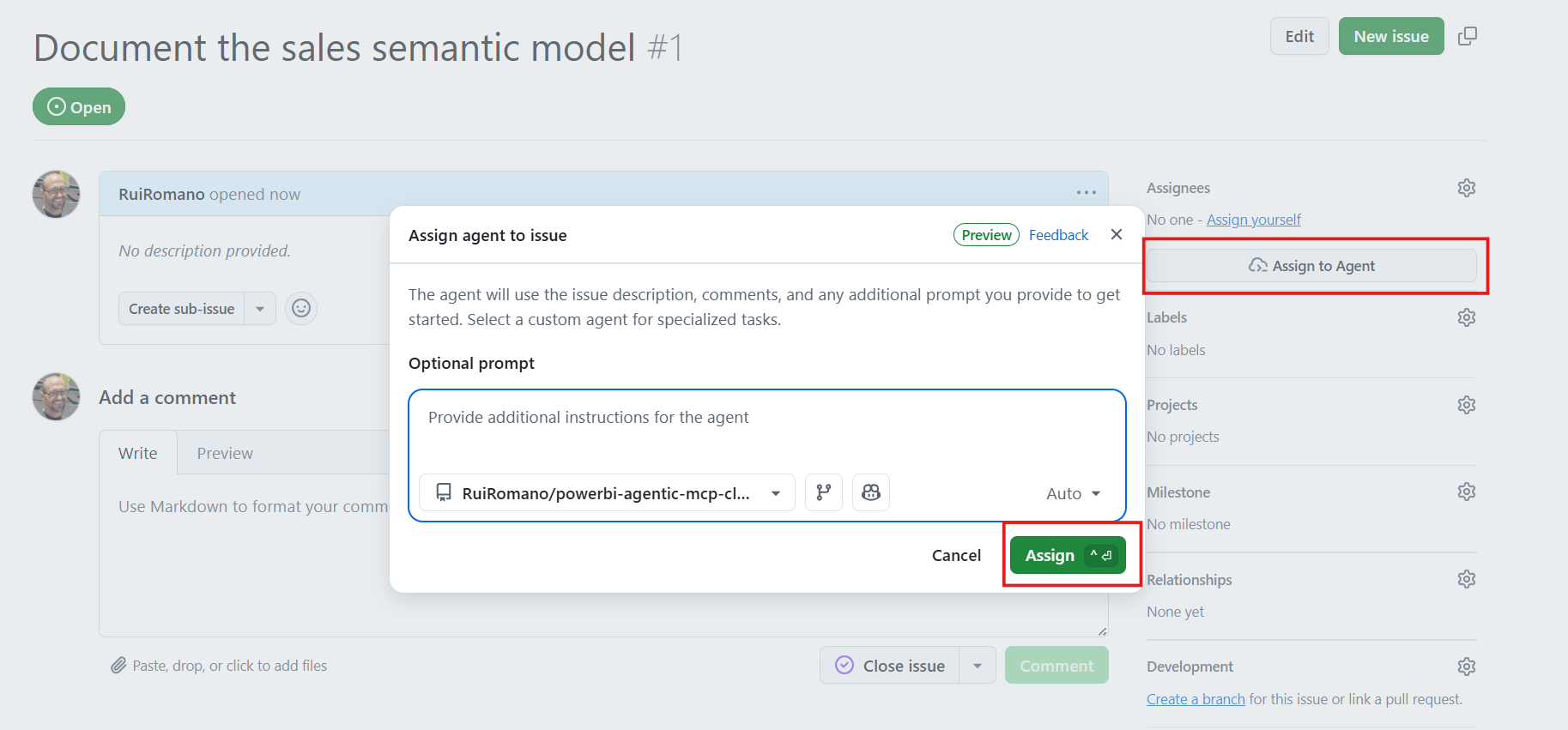
-
Review the pull request - Copilot creates a branch, executes the task, and opens a PR for your review:
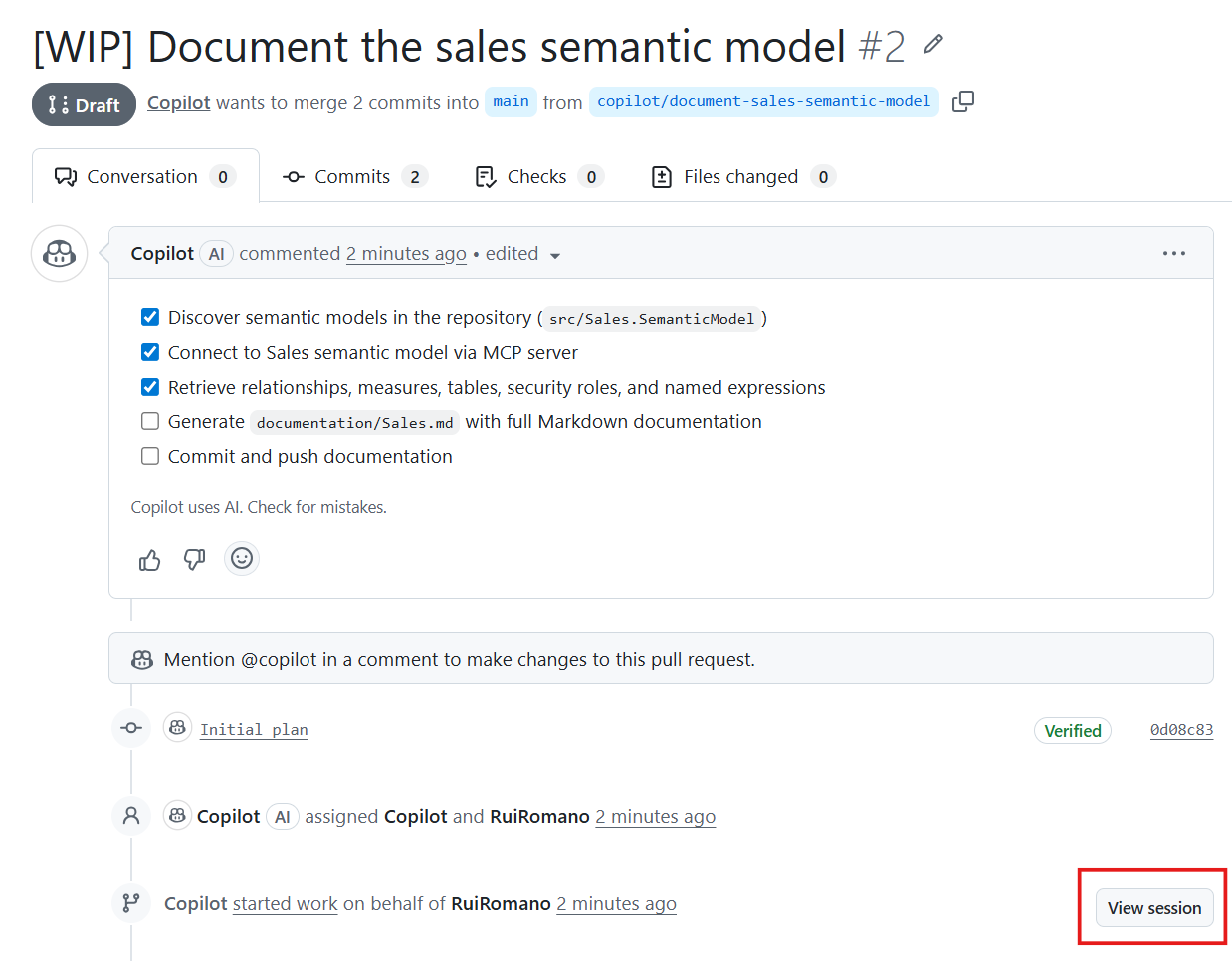
You can open the Copilot session log to verify that the skills and Power BI Modeling MCP were loaded successfully:
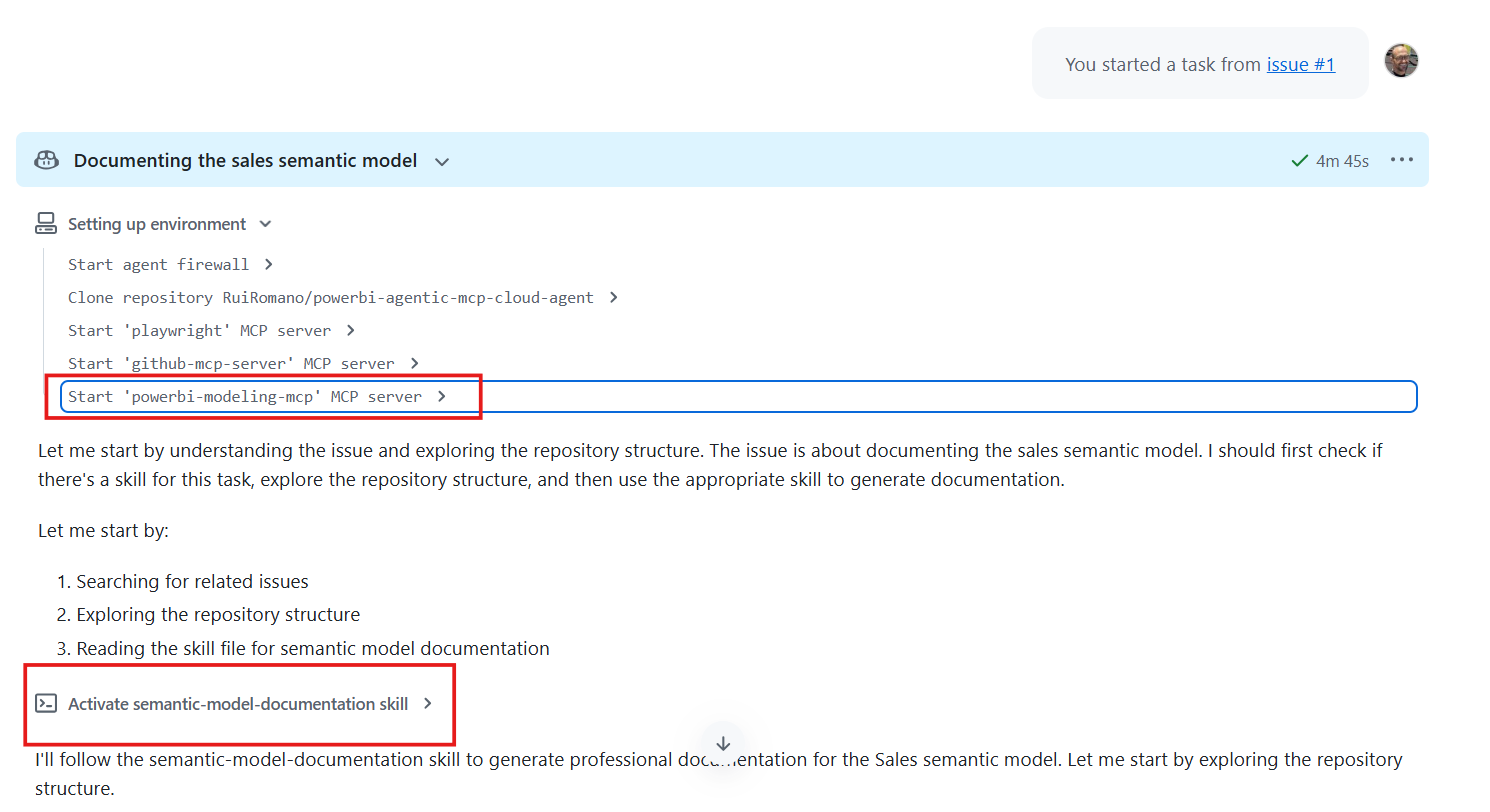
The agent follows the instructions defined in the skills, so the output conforms to your team's standards:
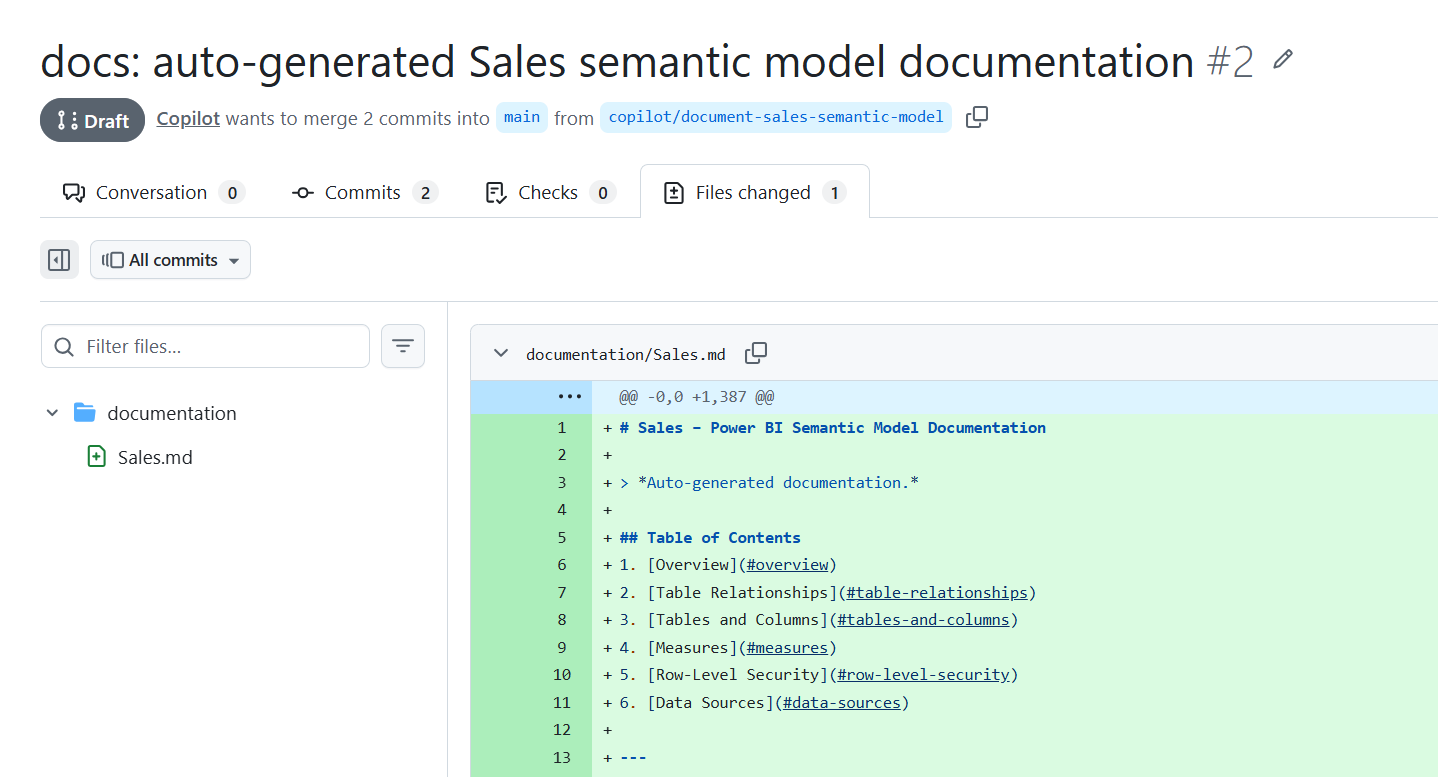
[!TIP]
- Try creating issues from your smartphone - you can delegate tasks to the coding agent from anywhere and focus on reviewing the results.
- This is a starting point. Customize the skills and add new ones to match your team's development standards and workflows.
- Learn more about the GitHub coding agent in the official documentation.
Available Skills
| Skill | Description | |-------|-------------| | semantic-model-documentation | Generates professional Markdown documentation including table relationships, measures, RLS rules, and data sources. | | standardize-naming-conventions | Audits and fixes naming conventions across tables, columns, measures, and display folders. |
You can add your own skills to .github/skills/ to extend the agent's capabilities for your team's workflows.
Acknowledgments
- semantic-model-documentation skill was copied from John Kerski repo github-agentic-workflow-power-bi-mcp-example
- standardize-naming-conventions skill was copied from Kurt Buhler repo power-bi-agentic-development