MCP server for Slack - Access DMs, channels & messages from Claude. Works with Claude Desktop, Claude Code, and claude.ai
Slack MCP Server





A Model Context Protocol server that gives Claude full access to your Slack workspace - including DMs, channels, and message history.
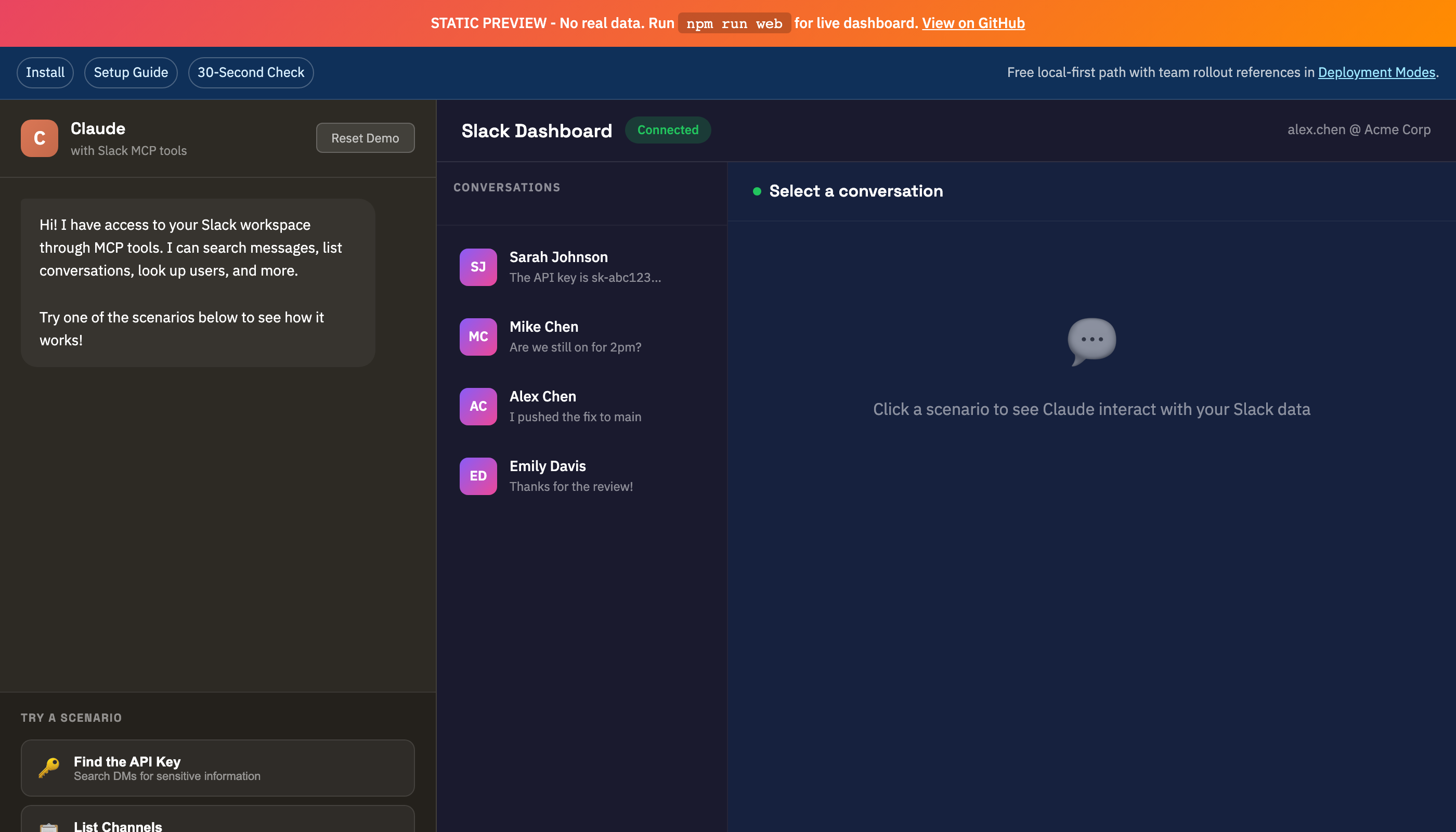
Try the Interactive Demo - See the Web UI in action with mock data
Why This Exists
Official Slack integrations require OAuth and can't access DMs without explicit per-conversation authorization. This server uses your browser session tokens to provide the same access you have in Slack's web interface.
Works with:
- Claude Desktop (macOS/Windows)
- Claude Code (CLI)
- claude.ai (via Web UI)
Features
- Read Messages - Fetch history from any DM or channel
- Full Export - Export conversations with threads and resolved usernames
- Search - Search messages across your workspace
- Send Messages - Send to DMs or channels
- Auto Token Recovery - Refreshes expired tokens from Chrome automatically
- Rate Limit Handling - Automatic retry with exponential backoff
- Web UI - Browser interface for use with claude.ai
Quick Start
1. Install
# Clone the repository
git clone https://github.com/jtalk22/slack-mcp-server.git
cd slack-mcp-server

# Install dependencies
npm install
### 2. Get Your Slack Tokens

You need two tokens from your browser session:

**Option A: Automatic (Recommended)**
```bash
# Open Chrome with Slack (app.slack.com) logged in
npm run tokens:auto
Option B: Manual
- Open https://app.slack.com in Chrome
- Press F12 → Application → Cookies → Find
dcookie (starts withxoxd-) - Press F12 → Console → Run:
JSON.parse(localStorage.localConfig_v2).teams[Object.keys(JSON.parse(localStorage.localConfig_v2).teams)[0]].token - Copy both values and run:
npm run tokens:refresh
3. Configure Claude
For Claude Desktop
Edit ~/Library/Application Support/Claude/claude_desktop_config.json (macOS) or %APPDATA%\Claude\claude_desktop_config.json (Windows):
{
  "mcpServers": {
    "slack": {
      "command": "node",
      "args": ["/path/to/slack-mcp-server/src/server.js"],
      "env": {
        "SLACK_TOKEN": "xoxc-your-token",
        "SLACK_COOKIE": "xoxd-your-cookie"
      }
    }
  }
}
For Claude Code
Add to ~/.claude.json:
{
  "mcpServers": {
    "slack": {
      "type": "stdio",
      "command": "node",
      "args": ["/path/to/slack-mcp-server/src/server.js"]
    }
  }
}
Claude Code reads tokens from ~/.slack-mcp-tokens.json automatically.
4. Restart Claude
The Slack tools will now be available.
Available Tools
| Tool | Description |
|------|-------------|
| slack_health_check | Verify token validity and show workspace info |
| slack_refresh_tokens | Auto-extract fresh tokens from Chrome |
| slack_list_conversations | List DMs and channels with resolved names |
| slack_conversations_history | Get messages from a channel or DM |
| slack_get_full_conversation | Export full history with threads |
| slack_search_messages | Search across workspace |
| slack_send_message | Send a message |
| slack_get_thread | Get thread replies |
| slack_users_info | Get user details |
| slack_list_users | List workspace users |
Web UI (for claude.ai)
Since claude.ai doesn't support MCP, you can use the web server:
npm run web
Open http://localhost:3000 in your browser. It auto-connects with the default API key (slack-mcp-local).
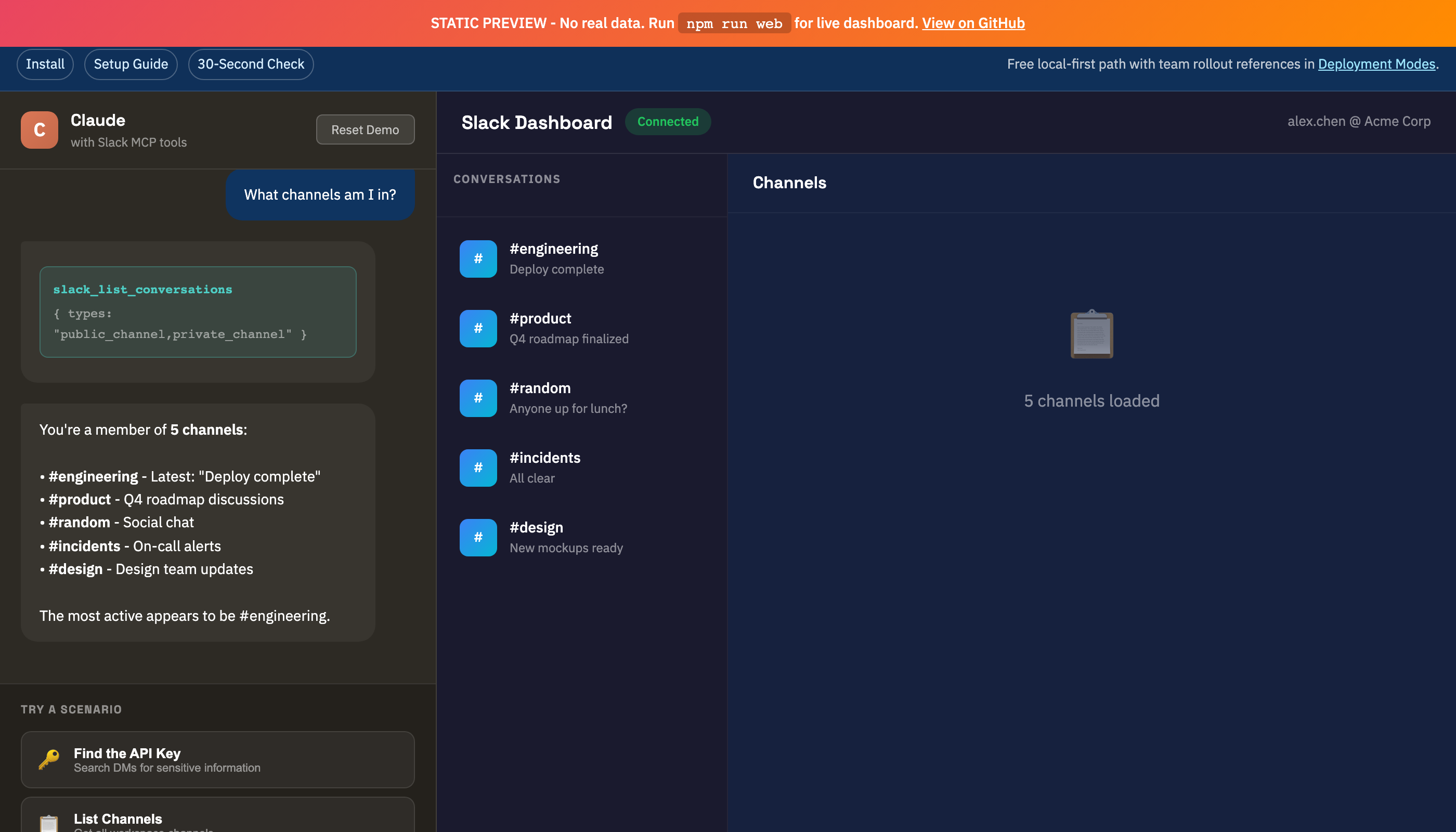
View Web UI Screenshots
| DMs View | Channels View |
|----------|---------------|
| |  |
|
Auto-Start on Login (macOS)
# Create LaunchAgent
cat > ~/Library/LaunchAgents/com.slack-mcp-server.plist << 'EOF'
<?xml version="1.0" encoding="UTF-8"?>
<!DOCTYPE plist PUBLIC "-//Apple//DTD PLIST 1.0//EN" "http://www.apple.com/DTDs/PropertyList-1.0.dtd">
<plist version="1.0">
<dict>
    <key>Label</key>
    <string>com.slack-mcp-server</string>
    <key>ProgramArguments</key>
    <array>
        <string>/usr/local/bin/node</string>
        <string>/path/to/slack-mcp-server/src/web-server.js</string>
    </array>
    <key>WorkingDirectory</key>
    <string>/path/to/slack-mcp-server</string>
    <key>RunAtLoad</key>
    <true/>
    <key>KeepAlive</key>
    <true/>
</dict>
</plist>
EOF

launchctl load ~/Library/LaunchAgents/com.slack-mcp-server.plist
Token Management
Tokens are stored in multiple layers for reliability:
- Environment variables - From MCP config
- Token file -
~/.slack-mcp-tokens.json(chmod 600) - macOS Keychain - Encrypted persistent storage
- Chrome auto-extraction - Fallback when tokens expire
When Tokens Expire
Tokens typically last 1-2 weeks. When they expire:
# Option 1: In Claude
slack_refresh_tokens

# Option 2: CLI
npm run tokens:auto
Troubleshooting
DMs Not Showing
This is handled automatically. The server discovers DMs by calling conversations.open for each user (Slack's conversations.list doesn't return DMs with browser tokens).
Rate Limiting
The client implements automatic retry with exponential backoff. If you still hit limits, reduce batch sizes in your queries.
Claude Desktop Not Seeing Tools
- Verify JSON syntax in config
- Check logs:
~/Library/Logs/Claude/mcp-server-slack.log - Fully restart Claude Desktop (Cmd+Q, then reopen)
Chrome Extraction Fails
- Chrome must be running (not just in Dock)
- Have a Slack tab open at
app.slack.com - Be logged into Slack
How It Works
This server uses Slack's internal Web API with browser session tokens (xoxc- token and xoxd- cookie). This provides the same access level as the Slack web interface.
Why not a Slack App?
Slack apps require OAuth and cannot access DMs without explicit per-conversation authorization from users. Browser tokens bypass this limitation.
Trade-offs:
- ✅ Full access to all conversations
- ✅ No per-conversation authorization
- ❌ Tokens expire every 1-2 weeks
- ❌ Requires Chrome for token extraction
- ❌ Not officially supported by Slack
Security Notes
- Tokens are stored with
chmod 600(owner read/write only) - macOS Keychain provides encrypted storage
- Never commit tokens to version control
- Web server only accessible on localhost by default
Project Structure
slack-mcp-server/
├── src/
│   ├── server.js         # MCP server entry point
│   └── web-server.js     # REST API + Web UI
├── lib/
│   ├── token-store.js    # 4-layer token persistence
│   ├── slack-client.js   # API client with retry logic
│   ├── tools.js          # MCP tool definitions
│   └── handlers.js       # Tool implementations
├── public/
│   ├── index.html        # Web UI
│   └── demo.html         # Interactive demo with mock data
├── scripts/
│   └── token-cli.js      # Token management CLI
└── docs/
    ├── images/           # Screenshots
    ├── SETUP.md          # Detailed setup guide
    ├── API.md            # Tool reference
    ├── WEB-API.md        # REST API reference
    └── TROUBLESHOOTING.md
Contributing
Contributions welcome! Please:
- Fork the repository
- Create a feature branch
- Make your changes
- Submit a pull request
Support
If you find this useful, consider supporting the project:
Star the repo if it helped you!
License
MIT - See LICENSE for details.
Disclaimer
This project uses unofficial Slack APIs. Use at your own risk. The authors are not responsible for any account issues that may arise from using this software.