An MCP server for searching content on Nowcoder
NowCoder MCP Server



一个基于 FastMCP 框架实现的 牛客网搜索 MCP 服务器,为 AI 助手(如 Claude、Cursor 等)提供牛客网内容搜索和获取能力。
支持搜索牛客网上的各类内容,包括但不限于:面经、讨论帖、求职经验、技术分享等。
功能特性
- 🔍 关键词搜索 - 支持搜索牛客网上的各类内容(面经、讨论帖、求职经验、技术分享等)
- 🏷️ 标签筛选 - 支持按标签筛选内容(面经、求职进度、内推、公司评价)
- 📊 排序方式 - 支持默认排序和按时间排序
- 📚 批量搜索 - 一次性搜索多个关键词,高效获取信息
- 📄 获取详情 - 获取 Feed 动态或讨论帖的完整内容
- 📖 多页获取 - 支持获取多页搜索结果,覆盖更多内容
- 🔄 双传输模式 - 支持 stdio(Claude Desktop)和 HTTP 两种传输方式
提供的工具
| 工具名称 | 描述 |
|---------|------|
| search | 根据关键词搜索牛客网内容,支持标签筛选、排序和分页 |
| batch_search | 批量搜索多个关键词,支持标签筛选和排序 |
| get_feed_details | 获取 Feed 动态详情(rc_type=201) |
| get_discuss_details | 获取讨论帖详情(rc_type=207) |
搜索参数说明
标签筛选 (tag)
| tag ID | 含义 |
|--------|------|
| 818 | 面经 |
| 861 | 求职进度 |
| 823 | 内推 |
| 856 | 公司评价 |
| null | 不筛选(全部) |
排序方式 (order)
| order 值 | 含义 |
|----------|------|
| "" | 默认排序 |
| "create" | 按时间排序 |
内容类型说明
牛客网的内容分为两种类型:
| 类型 | rc_type | 标识字段 | 获取详情工具 | 详情页 URL |
|-----|---------|---------|-------------|-----------|
| Feed 动态 | 201 | uuid | get_feed_details | nowcoder.com/feed/main/detail/{uuid} |
| 讨论帖 | 207 | content_id | get_discuss_details | nowcoder.com/discuss/{content_id} |
💡 搜索结果中会返回
rc_type字段,根据此字段选择对应的工具获取详情。
安装
前置要求
- Python 3.12+
- uv(推荐)或 pip
使用 uv 安装(推荐)
# 克隆项目
git clone https://github.com/Infinityay/nowcoder-mcp.git
cd nowcoder-mcp

# 安装依赖
uv sync
使用 pip 安装
# 克隆项目
git clone https://github.com/Infinityay/nowcoder-mcp.git
cd nowcoder-mcp

# 创建虚拟环境
python -m venv .venv
source .venv/bin/activate  # Linux/macOS
# .venv\Scripts\activate  # Windows

# 安装依赖
pip install fastmcp==2.13.3
使用方法
方式一:stdio 模式(用于 Claude Desktop等)
uv run nowcoder_mcp.py
方式二:HTTP 模式(用于其他客户端)
uv run nowcoder_mcp.py --http
服务将在 http://localhost:8359 启动。
测试
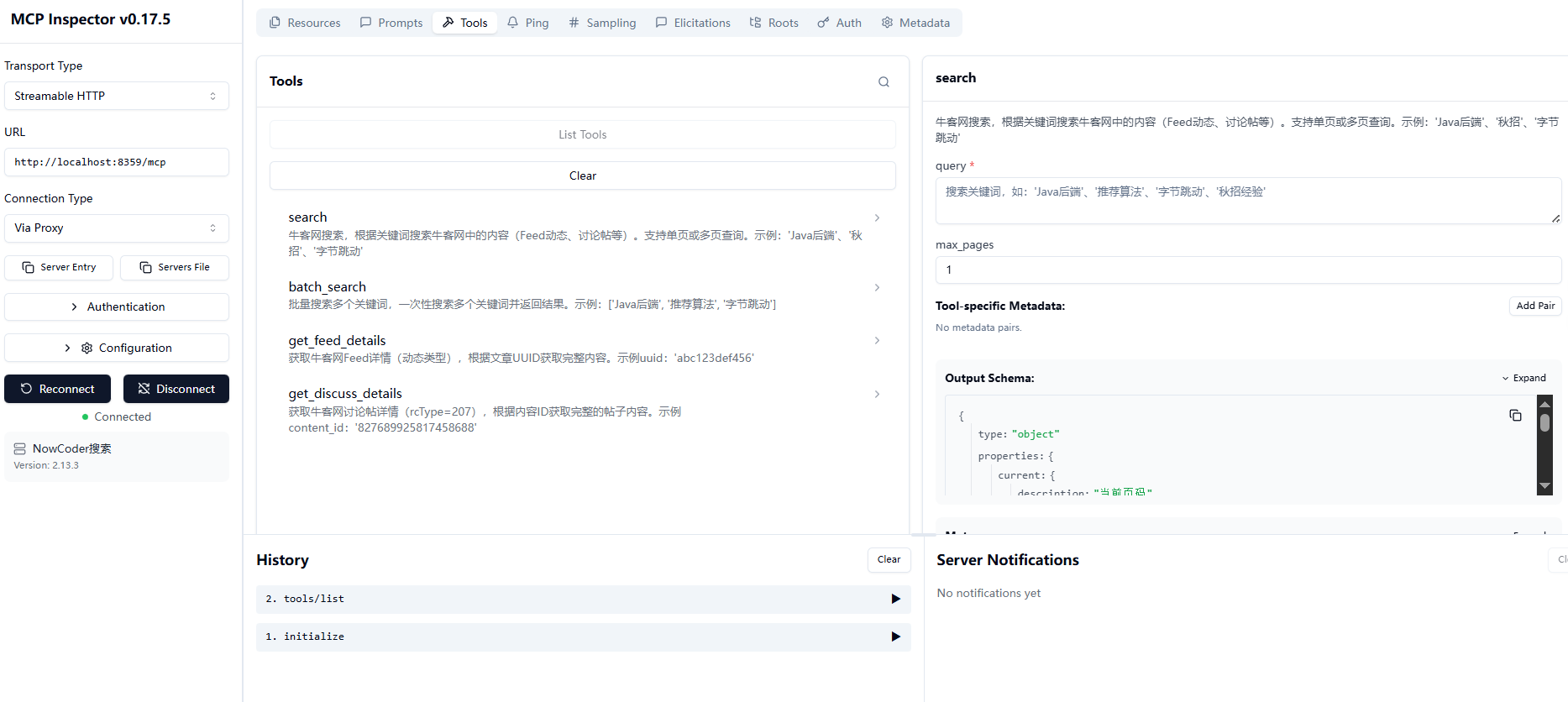
推荐使用 npx @modelcontextprotocol/inspector@0.17.5 连接mcp进行测试功能, http模式展示如下:
注意事项
- 获取详情时,需要根据
rc_type选择正确的工具:rc_type=201(Feed 动态)→ 使用get_feed_details,传入uuidrc_type=207(讨论帖)→ 使用get_discuss_details,传入content_id
- 建议
max_pages不超过 10 页,以避免请求过多
API 文档
详细的 API 文档请参阅 docs/api.md。
License
MIT License
贡献
欢迎提交 Issue 和 Pull Request!
Made with ❤️ by Infinityay