Persistent cognitive memory for Claude Code — 8 MCP tools, zero config, cloud-first.
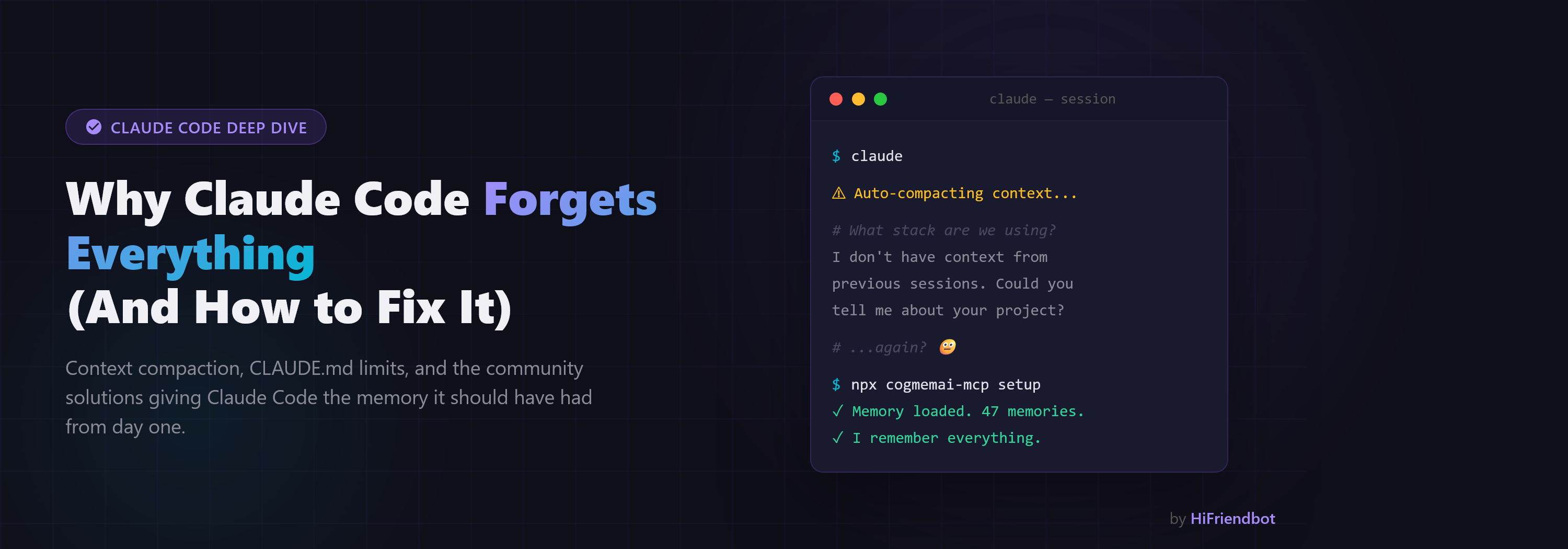
CogmemAi — Cognitive Memory for Claude Code
Claude Code forgets everything between sessions. CogmemAi fixes that.
One command. Claude Code remembers your architecture, patterns, decisions, bugs, and preferences — permanently.
Quick Start
npx cogmemai-mcp setup
That's it. The setup wizard verifies your API key, configures Claude Code, and you're ready. Start Claude Code by typing claude and your memories are ready.
Don't have an API key yet? Get one free at hifriendbot.com/developer.
The Problem
Every time you start a new Claude Code session, you lose context. You re-explain your tech stack, your architecture decisions, your coding preferences. Claude Code's built-in memory is a 200-line flat file with no search, no structure, and no intelligence.
CogmemAi gives Claude Code a real memory system:
- Semantic search — finds relevant memories by meaning, not keywords
- Ai-powered extraction — automatically identifies facts worth remembering from your conversations
- Smart deduplication — detects duplicate and conflicting memories automatically
- Privacy controls — auto-detects API keys, tokens, and secrets before storing
- Document ingestion — feed in READMEs and docs to instantly build project context
- Project scoping — memories tied to specific repos, plus global preferences that follow you everywhere
- Smart context — blends importance, semantic relevance, and recency for better retrieval
- Auto-reload after compaction — survives Claude Code context compaction automatically
- Zero setup — no databases, no Docker, no Python, no vector stores
Why Not Local Memory?
Every local memory solution has the same problems: database corruption, memory leaks, version conflicts, complex setup. claude-mem (13K+ stars) leaks 15GB+ of RAM. mcp-memory-service released v10.0.0 marked "BROKEN."
CogmemAi runs extraction and search server-side. Your MCP server is a thin HTTP client — zero local databases, zero RAM issues, zero crashes.
Compaction Recovery
When Claude Code compacts your context (auto or manual), conversation history gets compressed and context is lost. CogmemAi handles this automatically with two hooks:
- PreCompact — Before compaction, saves a session summary to the cloud
- UserPromptSubmit — On your next message after compaction, detects the compaction, fetches your project context from the API, and injects it directly into the conversation
The result: seamless recovery. Claude responds with full context after compaction — no re-explaining, no manual prompting.
The npx cogmemai-mcp setup command installs both hooks automatically into ~/.claude/settings.json. Hooks are session-specific — multiple terminals won't interfere with each other.
CLI Commands
npx cogmemai-mcp setup          # Interactive setup wizard
npx cogmemai-mcp setup <key>    # Setup with API key
npx cogmemai-mcp verify         # Test connection and show usage
npx cogmemai-mcp --version      # Show installed version
npx cogmemai-mcp help           # Show all commands
Manual Setup
If you prefer to configure manually instead of using npx cogmemai-mcp setup:
Option A — Per project (add .mcp.json to your project root):
{
  "mcpServers": {
    "cogmemai": {
      "command": "cogmemai-mcp",
      "env": {
        "COGMEMAI_API_KEY": "cm_your_api_key_here"
      }
    }
  }
}
Option B — Global (available in every project):
claude mcp add cogmemai cogmemai-mcp -e COGMEMAI_API_KEY=cm_your_api_key_here --scope user
Works With
| Editor | Setup |
|--------|-------|
| Claude Code | npx cogmemai-mcp setup (automatic) |
| Cursor | Add to ~/.cursor/mcp.json |
| Windsurf | Add to ~/.codeium/windsurf/mcp_config.json |
| Cline | VS Code settings → Cline MCP Servers |
| Continue | Add to ~/.continue/config.yaml |
All editors use the same config format — see the setup guides for each editor.
Tools
CogmemAi provides 12 tools that Claude Code uses automatically:
| Tool | Description |
|------|-------------|
| save_memory | Store a fact explicitly (architecture decision, preference, etc.) |
| recall_memories | Search memories using natural language (semantic search) |
| extract_memories | Ai extracts facts from a conversation exchange automatically |
| get_project_context | Load top memories at session start (with optional context for smart ranking) |
| list_memories | Browse memories with filters (paginated) |
| update_memory | Update a memory's content, importance, or scope |
| delete_memory | Permanently delete a memory |
| get_usage | Check your usage stats and tier info |
| export_memories | Export all memories as JSON for backup or transfer |
| import_memories | Bulk import memories from a JSON array |
| ingest_document | Feed in a document (README, API docs) to auto-extract memories |
| save_session_summary | Save a summary of what was accomplished in this session |
SDKs
Build your own integrations with the CogmemAi API:
- JavaScript/TypeScript:
npm install cogmemai-sdk— npm · GitHub - Python:
pip install cogmemai— PyPI · GitHub
Memory Types
Memories are categorized for better organization and retrieval:
- identity — Who you are, your role, team
- preference — Coding style, tool choices, conventions
- architecture — System design, tech stack, file structure
- decision — Why you chose X over Y
- bug — Known issues, fixes, workarounds
- dependency — Version constraints, package notes
- pattern — Reusable patterns, conventions
- context — General project context
Scoping
- Project memories — Architecture, decisions, bugs specific to one repo. Auto-detected from
git remote. - Global memories — Your coding preferences, identity, tool choices. Available in every project.
Pricing
| | Free | Pro | Team | Enterprise | |---|---|---|---|---| | Price | $0 | $14.99/mo | $39.99/mo | $99.99/mo | | Memories | 1,000 | 2,000 | 10,000 | 50,000 | | Extractions/mo | 500 | 2,000 | 5,000 | 20,000 | | Projects | 5 | 20 | 50 | 200 |
Start free. Upgrade when you need more.
Privacy & Security
- No source code leaves your machine. We store extracted facts (short sentences), never raw code.
- API keys hashed with SHA-256 (irreversible) server-side.
- All traffic over HTTPS.
- No model training on your data. Ever.
- Delete everything instantly via dashboard or MCP tool.
- No cross-user data sharing.
Read our full privacy policy.
Environment Variables
| Variable | Required | Description |
|----------|----------|-------------|
| COGMEMAI_API_KEY | Yes | Your API key (starts with cm_) |
| COGMEMAI_API_URL | No | Custom API URL (default: hifriendbot.com) |
How It Works
Your Terminal                          CogmemAi Cloud
┌──────────────┐                     ┌─────────────────────┐
│ Claude Code  │                     │ 3-Layer Memory      │
│              │                     │                     │
│ cogmemai-mcp │ ──── HTTPS ────►    │ 1. Ai Extraction    │
│ (MCP Server) │ ◄──── JSON ────    │ 2. Semantic Search  │
│              │                     │ 3. Time-Aware Rank  │
└──────────────┘                     └─────────────────────┘
- Extraction — When Claude Code works on your project, CogmemAi's Ai identifies important facts (architecture decisions, preferences, bugs) and stores them.
- Embedding — Each memory gets a semantic embedding vector for meaning-based search.
- Surfacing — When you start a new session, relevant memories are surfaced by meaning, importance, and recency.
Support
- Issues: GitHub Issues
- Docs: hifriendbot.com/developer
License
MIT — see LICENSE
Built by HiFriendbot — Better Friends, Better Memories, Better Ai.