An MCP server to generate anime images via a local Stable Diffusion XL backend
anime-sd-mcp
An MCP server that lets any AI client (Claude Desktop, Claude Code, Cursor, …) generate anime images through a local Stable Diffusion XL backend such as Animagine XL.
It is a thin protocol layer — it does not load the model itself. You keep running your own SD HTTP server (on your GPU); this exposes it to AI clients over the standard MCP protocol.
AI client (Claude / Cursor / ...) --MCP--> anime-sd-mcp --HTTP--> your SD backend (GPU)
Showcase

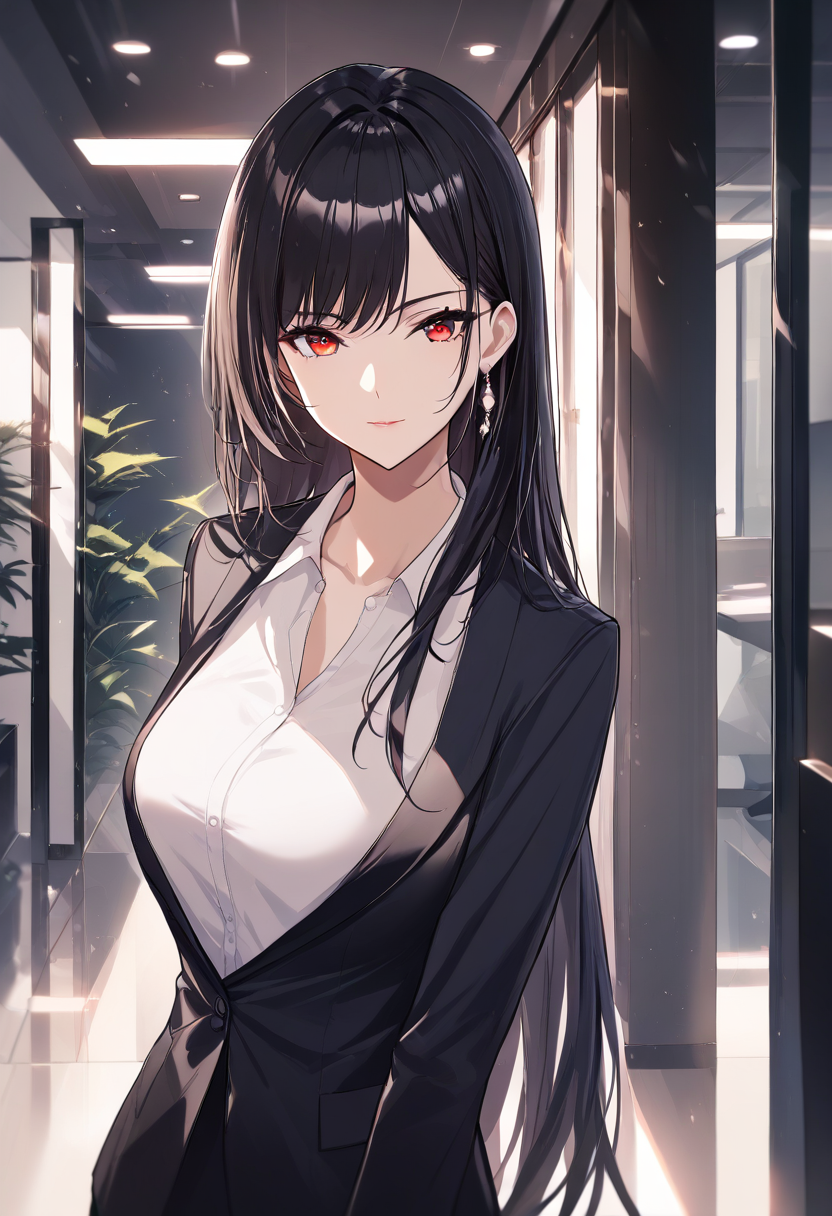
Generated locally and returned straight into the chat via generate_anime_image.
Left prompt: 1girl, silver hair, blue eyes, school uniform, cherry blossoms, smile
Why
Plenty of people run a local Stable Diffusion server but can only reach it from one custom script. This wraps that server in MCP so any AI client can call it as a tool — "draw me a cat girl with silver hair" just works, inside the chat.
Requirements
- Python 3.10+
- A running local SD backend that accepts a JSON
POSTand returns PNG bytes (see SD backend contract below). The reference setup is an Animagine XL 4.0 server onhttp://127.0.0.1:7860.
Install
pip install anime-sd-mcp
Or from source:
git clone https://github.com/haotongliu58-sudo/anime-sd-mcp
cd anime-sd-mcp
pip install -e .
Configure your AI client
Claude Desktop / Claude Code
Add to your MCP config (claude_desktop_config.json, or via
claude mcp add):
{
  "mcpServers": {
    "anime-sd": {
      "command": "anime-sd-mcp",
      "env": {
        "SD_SERVER_URL": "http://127.0.0.1:7860"
      }
    }
  }
}
If you installed from source without the console script, use:
{
  "mcpServers": {
    "anime-sd": {
      "command": "python",
      "args": ["-m", "anime_sd_mcp.server"],
      "env": { "SD_SERVER_URL": "http://127.0.0.1:7860" }
    }
  }
}
Restart the client. You should now see the anime-sd tools available.
Tools
| Tool | Description |
| --- | --- |
| generate_anime_image | Generate an anime image from Danbooru-style tags. Returns a PNG. |
| check_sd_server | Check whether your local SD backend is reachable. |
generate_anime_image
| Argument | Type | Default | Notes |
| --- | --- | --- | --- |
| prompt | str | — | Danbooru-style tags. Required. |
| negative_prompt | str | sensible default | Tags to avoid. |
| width | int | 832 | Image width (px). |
| height | int | 1216 | Image height (px). |
| steps | int | 25 | Denoising steps. |
| guidance_scale | float | 7.0 | Prompt adherence. |
| add_quality_tags | bool | true | Append masterpiece-grade quality tags. |
Prompt tip: comma-separated tags work best, e.g.
1girl, silver hair, blue eyes, school uniform, cherry blossoms, smile.
Configuration (environment variables)
| Variable | Default | Description |
| --- | --- | --- |
| SD_SERVER_URL | http://127.0.0.1:7860 | URL of your local SD backend. |
| SD_TIMEOUT | 600 | Request timeout in seconds (SDXL is slow). |
SD backend contract
anime-sd-mcp expects a backend that:
- accepts
POST <SD_SERVER_URL>with a JSON body:{"prompt", "negative_prompt", "width", "height", "steps", "guidance_scale"} - responds with raw PNG bytes (
Content-Type: image/png) on success.
Any server matching this contract works. A minimal Animagine XL reference
server is a few dozen lines of diffusers + http.server.
License
MIT