Automated Anki deck generation service built with genanki and the Model Context Protocol (MCP). Focuses on dependable deck creation, strict media sandboxing, and keeping the workflow lean—nothing more.
genanki-mcp
Automated Anki deck generation service built with genanki and the Model Context Protocol (MCP).
Focuses on dependable deck creation, strict media sandboxing, and keeping the workflow lean—nothing more.
Highlights
- Streamable MCP HTTP tool that plugs into any MCP-compliant client
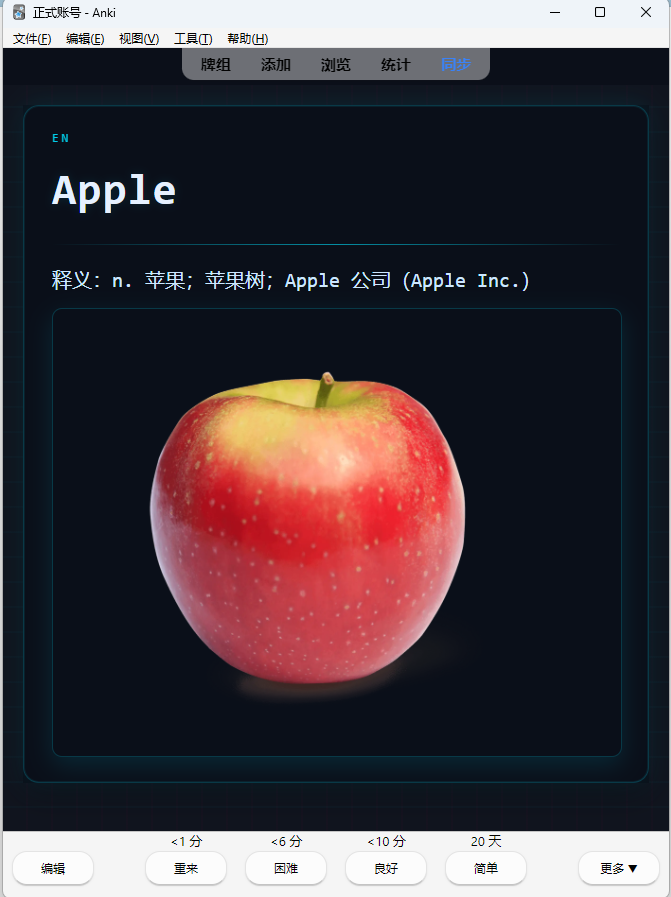
- Agents can craft rich CSS templates and embed media assets safely
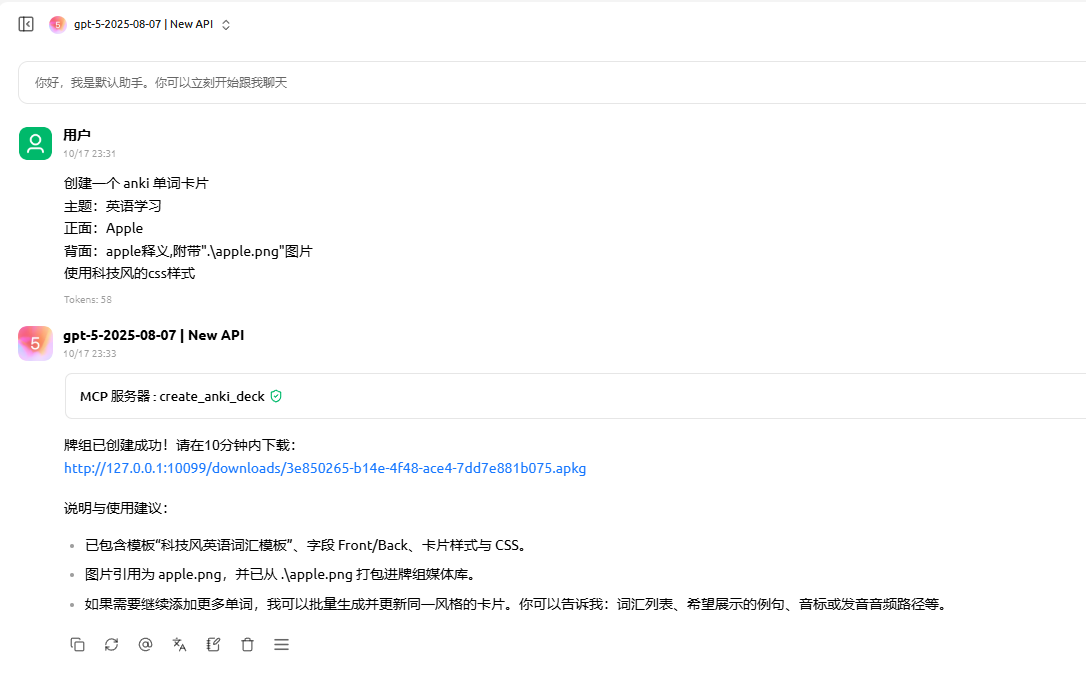
- Temporary download links (default expiry 600 seconds) for
.apkgretrieval - Media path sandbox prevents out-of-scope file access and orphaned assets
Project Layout
anki_mcp/
├── anki_tools/           # genanki utility wrapper
│   └── genanki_tool.py
├── server/               # MCP + HTTP entrypoints
│   ├── anki_models.py    # Pydantic request/response models
│   └── anki_server.py    # FastMCP / Starlette server
├── temp_anki_decks/      # Temporary .apkg exports
├── .envexample           # Environment variable template
├── pyproject.toml        # uv / pip project definition
└── uv.lock
Quick Start
git clone https://github.com/Epiphany-0312/genanki-mcp.git
cd genanki-mcp
Requirements
- Python ≥ 3.13
- Dependency management via uv (recommended) or
pip
Install Dependencies
# With uv (recommended)
uv sync

# Or with pip
python -m venv .venv
.venv\Scripts\activate  # PowerShell
pip install -r requirements.txt
Configure Environment Variables
Duplicate .envexample to .env and adjust as needed.
| Variable | Description | Default |
| ----------- | ---------------------------------------------- | ------------ |
| PORT | Uvicorn/FastMCP listening port | 10099 |
| SREVERIP | Public IP/host used to compose download links | 127.0.0.1 |
| TOKEN | Optional bearer token protecting tool access | (empty) |
If TOKEN is omitted, the service skips authentication. Set it in production environments.
Run the Service
uv run python -m server.anki_server
# or
python -m server.anki_server
FastMCP exposes the tool at http://0.0.0.0:<PORT>/anki and temporary downloads at http://0.0.0.0:<PORT>/downloads.
Usage
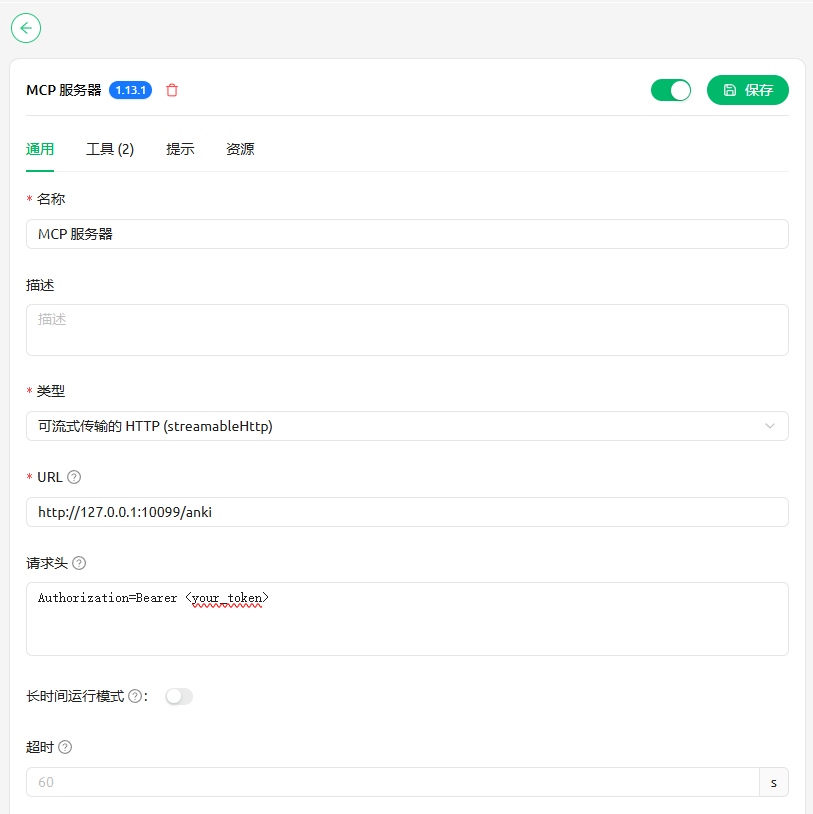
Connect with any MCP-capable client. By default the MCP endpoint listens on http://127.0.0.1:10099/anki.
Cherry Studio example configuration and workflow:
License
MIT License