Asynchronous Hierarchical Memory Engine - MCP
🧠 AHME
Asynchronous Hierarchical Memory Engine
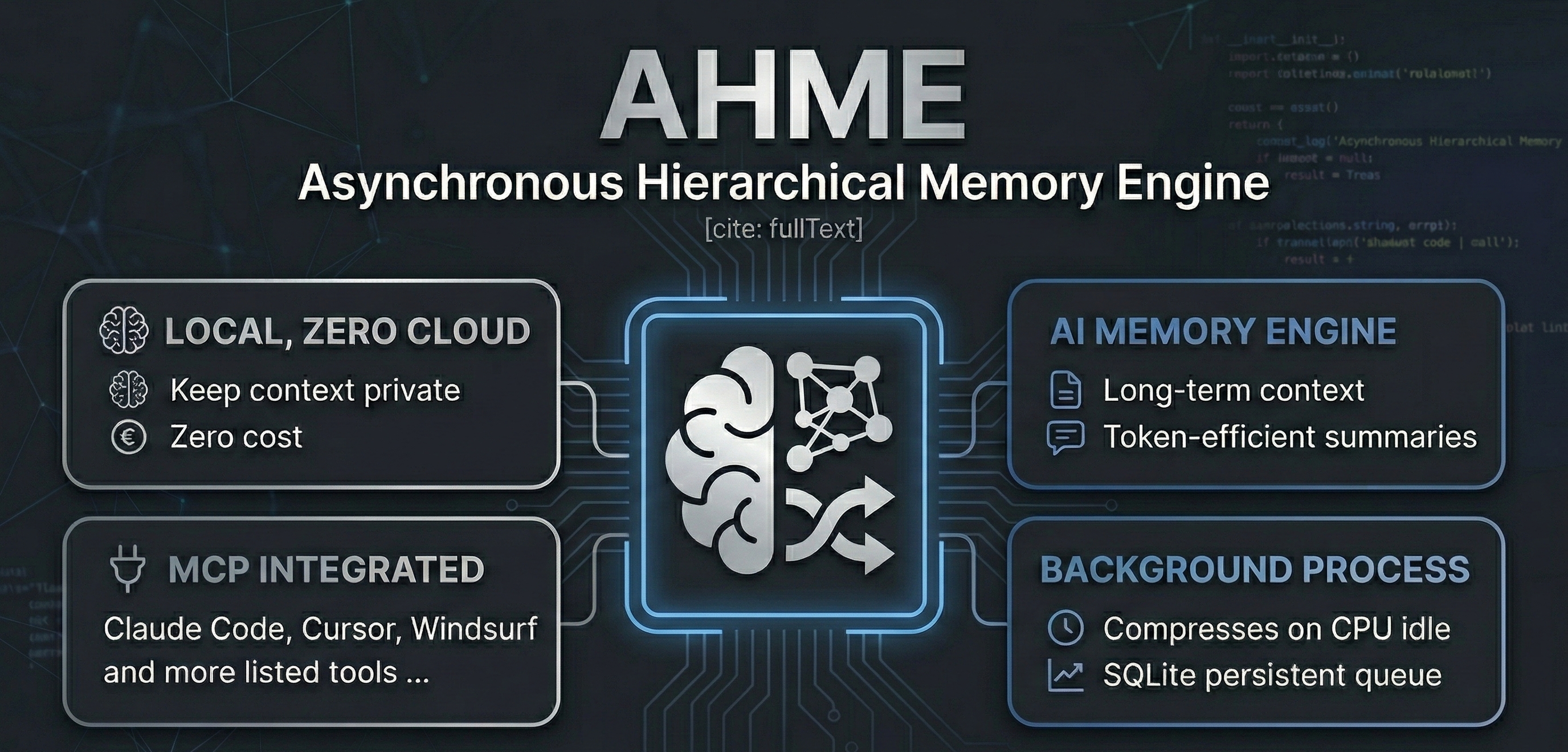
Give your AI coding assistant a long-term memory — fully local, zero cloud, zero cost.





AHME is a local sidecar daemon that sits quietly beside your AI coding assistant. As you work, it compresses your conversation history into a dense Master Memory Block using a local Ollama model — no cloud, no tokens wasted, no context lost.
It integrates with any AI tool that supports MCP (Model Context Protocol): Antigravity, Claude Code, Kilo Code, Cursor, Windsurf, Cline/Roo, and more.
✨ How it works
Your AI conversation
        │
        ▼  ingest_context
┌───────────────────┐
│   SQLite Queue    │  ← persistent, survives restarts
└────────┬──────────┘
         │  when CPU is idle
         ▼
┌───────────────────┐
│  Ollama Compressor│  ← local model (qwen2:1.5b, gemma3:1b, phi3…)
│  (structured JSON)│
└────────┬──────────┘
         │  recursive tree merge
         ▼
┌───────────────────┐
│ Master Memory Block│ ← dense, token-efficient summary
└────────┬──────────┘
         │
         ├── .ahme_memory.md   (file — for any tool that reads files)
         └── get_master_memory (MCP tool — for integrated tools)
Context-window replacement pattern: calling get_master_memory returns the compressed summary, clears the old data, and re-seeds the engine with the summary — so every new conversation starts from a dense checkpoint, not a blank slate.
🚀 Quick Start
Prerequisites
- Python 3.11+
- Ollama running locally
- A small model pulled:
ollama pull qwen2:1.5b(or any 1–4B model)
Install
git clone https://github.com/your-username/ahme
cd ahme

# Copy the example config and set your model
cp config.example.toml config.toml

# Install the package
pip install -e .
Configure
Open config.toml and set your Ollama model:
[ollama]
base_url = "http://localhost:11434"
model = "qwen2:1.5b"   # ← change to any model you have pulled
That's the only line you need to change. Everything else is pre-configured.
🔌 Connect to your AI tool
AHME exposes three MCP tools: ingest_context, get_master_memory, and clear_context.
Option A — MCP (recommended)
Add AHME to your tool's MCP config. The exact file location varies by tool:
| Tool | Config location |
|---|---|
| Claude Code | --mcp-config .mcp.json flag, or ~/.claude/mcp.json |
| Kilo Code | VS Code settings.json → "kilocode.mcp.servers" |
| Cursor | Settings → MCP → paste JSON |
| Windsurf | ~/.windsurf/mcp.json |
| Cline / Roo | MCP Servers sidebar → Edit JSON |
| Antigravity | ~/.gemini/antigravity/mcp_config.json |
Config snippet (works everywhere):
{
  "mcpServers": {
    "ahme": {
      "command": "python",
      "args": ["-m", "ahme.mcp_server"],
      "env": { "PYTHONPATH": "/absolute/path/to/ahme" }
    }
  }
}
A ready-made .mcp.json is included in the repo root — just copy it to where your tool expects it.
Option B — File watch (zero config)
After any compression, AHME writes .ahme_memory.md in the project directory. Reference it in any prompt:
@[.ahme_memory.md] use this as your long-term context before answering
Or set up persistent injection with .agents/instructions.md (Antigravity):
Before starting any task, read @[.ahme_memory.md] and treat it as background context.
🛠 MCP Tools Reference
| Tool | Input | Behaviour |
|---|---|---|
| ingest_context | text: string | Partitions text into chunks and queues them for background compression |
| get_master_memory | reset?: bool (default true) | Returns the compressed summary; if reset=true, clears the DB and re-seeds with the summary |
| clear_context | — | Wipes all queued data with no return value |
Typical usage pattern
1. [After each conversation turn]
   → call ingest_context with the latest messages

2. [When approaching context limit, or starting a new session]
   → call get_master_memory
   → inject the result into your system prompt
   → the engine resets and starts accumulating again from this checkpoint
⚙️ Configuration Reference
config.example.toml — copy to config.toml:
[chunking]
chunk_size_tokens = 1500   # tokens per chunk
overlap_tokens = 150        # overlap between chunks (preserves context at boundaries)

[queue]
db_path = "ahme_queue.db"  # SQLite database path (relative to config.toml)
max_retries = 3             # retry failed compressions before marking as failed

[monitor]
poll_interval_seconds = 2.0
cpu_idle_threshold_percent = 30.0   # only compress when CPU is below this %

[ollama]
base_url = "http://localhost:11434"
model = "qwen2:1.5b"   # ← set this to your local model
timeout_seconds = 120

[merger]
batch_size = 5   # summaries per merge pass (lower = more frequent master updates)

[logging]
log_file = "ahme.log"
memory_file = ".ahme_memory.md"
max_bytes = 5242880    # 5 MB log rotation
backup_count = 3
🐍 Python API
If you'd rather control AHME directly from Python:
import asyncio
from ahme.api import AHME

engine = AHME("config.toml")

# Push text into the queue
engine.ingest("The user asked about Python async patterns. We discussed...")

# Run the daemon (this blocks; use asyncio.create_task for non-blocking)
asyncio.run(engine.run())

# Read the compressed memory
print(engine.master_memory)

# Stop the daemon
engine.stop()
📁 Project Structure
ahme/
├── ahme/
│   ├── __init__.py          # Package marker & version
│   ├── config.py            # Typed TOML config loader
│   ├── db.py                # SQLite queue — enqueue, dequeue, clear, retry
│   ├── partitioner.py       # Token-accurate overlapping chunker (tiktoken)
│   ├── monitor.py           # CPU + lock-file idle detector (psutil)
│   ├── compressor.py        # Ollama async caller → structured JSON summaries
│   ├── merger.py            # Recursive batch-reduce tree → Master Memory Block
│   ├── daemon.py            # Main event loop + graceful shutdown + file bridge
│   ├── api.py               # Clean public Python API
│   └── mcp_server.py        # MCP server — stdio & SSE transports
├── tests/                   # 19 tests, all passing
├── .mcp.json                # Ready-to-use MCP config
├── config.example.toml      # Template config — copy to config.toml
├── pyproject.toml           # pip-installable package
└── README.md
🧪 Testing
pip install -e ".[dev]"
python -m pytest tests/ -v
Expected output: 19 passed — all tests use mocks and never require a live Ollama instance.
🔑 Key Design Decisions
| Decision | Rationale |
|---|---|
| SQLite over Redis | Zero external dependencies, single-file persistence, survives crashes |
| tiktoken for chunking | Real BPE token counting prevents prompt overflow |
| 150-token overlap | Preserves context at chunk boundaries |
| CPU + lock-file gating | AHME never competes with your active AI session for GPU/CPU |
| Recursive tree merge | Scales compression with conversation length — O(log n) passes |
| JSON-only system prompt | Enforces structured output from Ollama for reliable parsing |
| __file__-relative paths | Config and DB are always found regardless of working directory |
🤝 Contributing
Contributions welcome! Please open an issue before submitting large PRs.
📄 License
MIT — do whatever you like.